Grasshopper vs Google Voice (2026) - Comparison
Grasshopper vs Google Voice both route calls. Neither answers when your team is busy. This comparison covers pricing, features, and the gap neither fills.
February 24, 2026
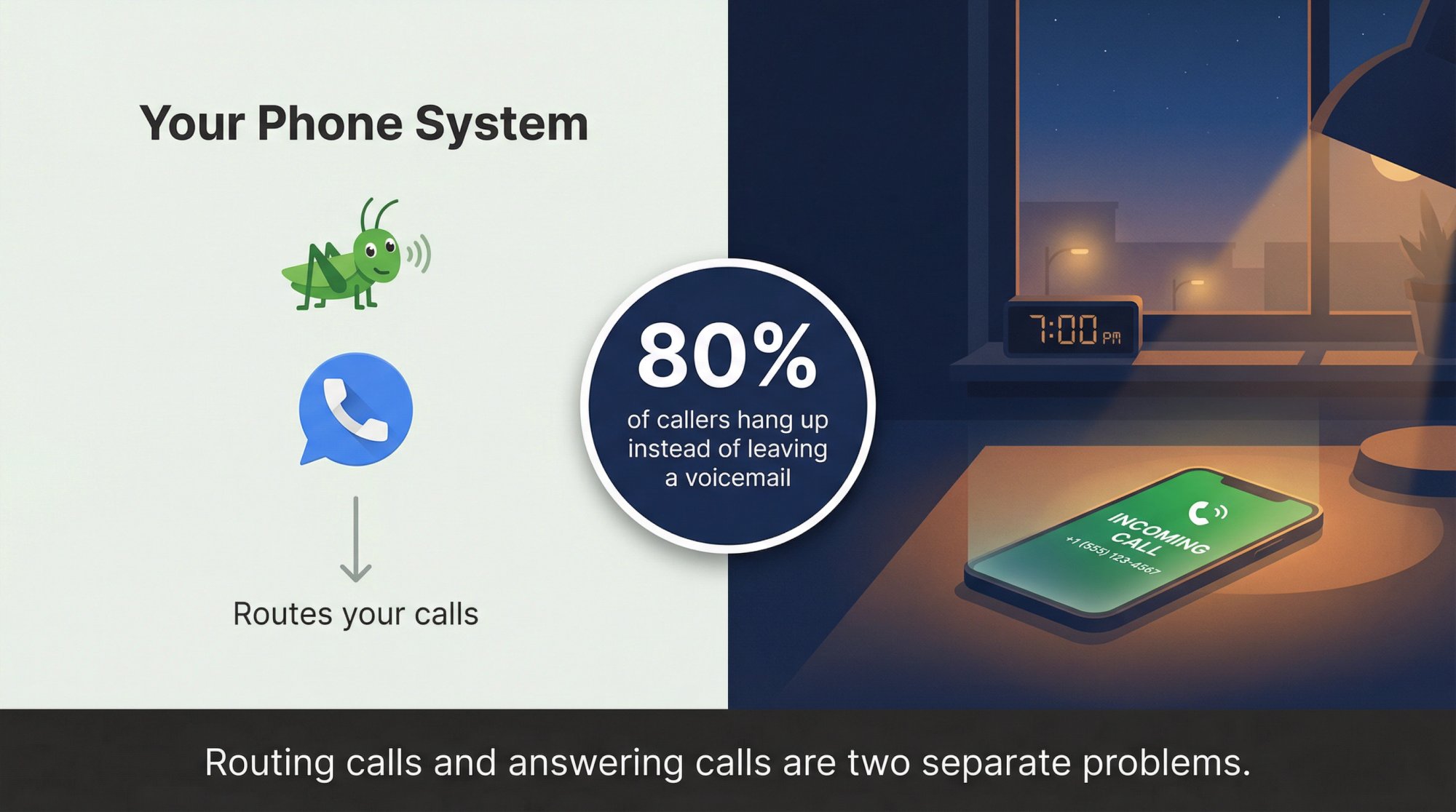
Most comparison posts treat this like a features question. It's not. It's about what happens when a customer calls your number at 7pm on a Tuesday and nobody picks up.
Both Grasshopper and Google Voice will route that call. Both will send it to voicemail. And statistically, that caller will move on without leaving a message, because roughly 80% of callers hang up when they reach voicemail rather than wait.
Nobody mentions that part in a feature comparison: the tool you choose for your phone system and the question of whether your calls actually get answered are two separate problems. This guide covers both.
Pricing, features, call flows, real business scenarios, and one practical decision every small business eventually faces. You'll know exactly which system fits your situation, and you'll understand the gap most businesses don't close until they've already lost enough leads to feel it.
Grasshopper vs Google Voice: Quick Verdict#
When to Choose Grasshopper#
-
A shared business number that rings your team's personal phones without buying new hardware
-
Flat pricing that doesn't climb as you add people (one monthly fee regardless of user count)
-
A simple phone menu and extensions to look more organized without an IT project
-
A quick setup you can finish in an afternoon
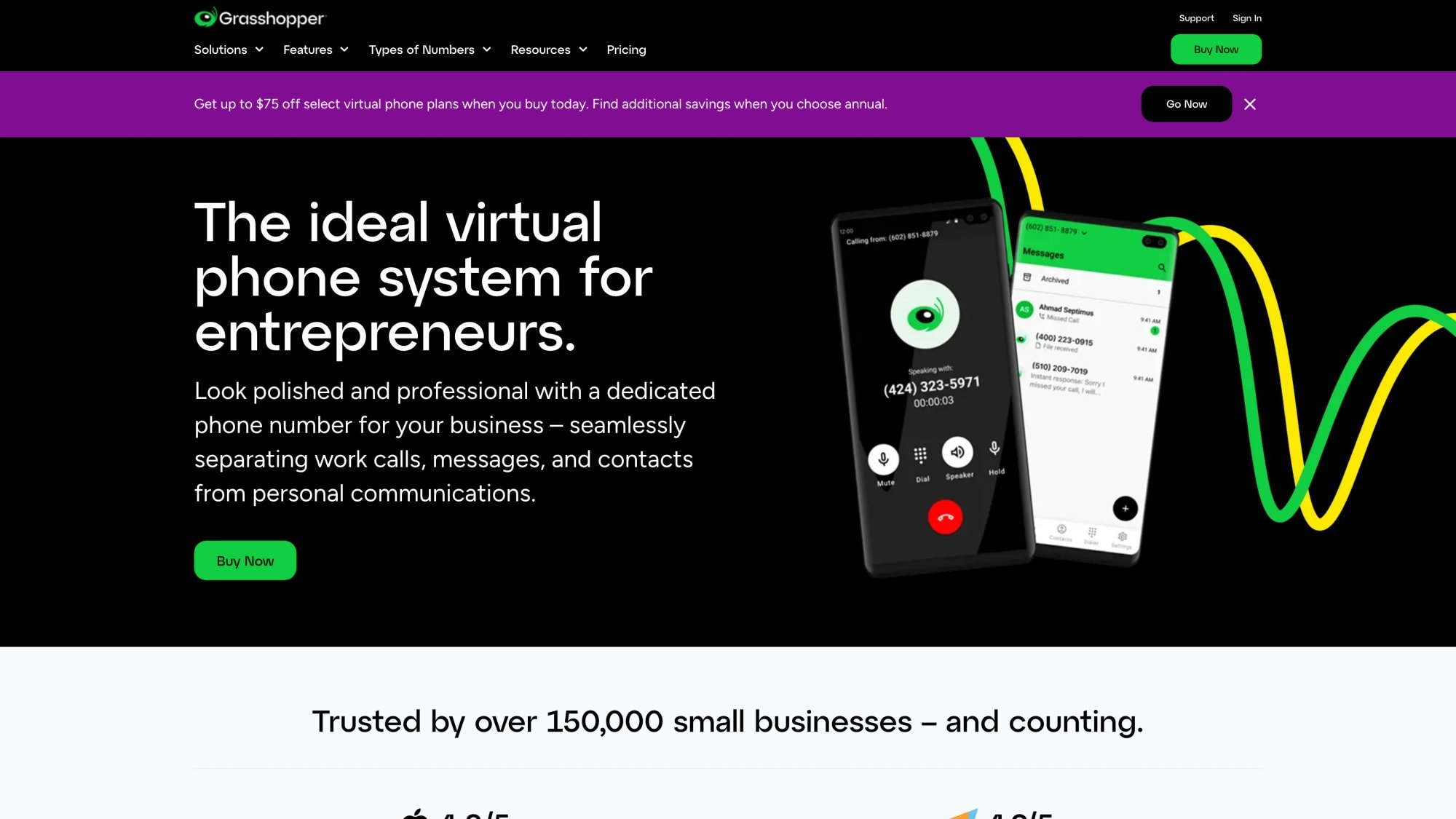
Grasshopper's features page shows the full routing capability. It's basically a smart forwarding layer that sits over your existing phones. If you're evaluating your options among the best VoIP phone systems for small business, Grasshopper sits in the simpler, flat-fee tier.
When to Choose Google Voice#
-
Tight integration with Google Workspace: calling inside Gmail, voicemail transcription, calendar-aware features
-
Ring groups and auto attendants (and call queuing on Standard/Premier plans)
-
Stronger compliance tools: eDiscovery and Vault-style retention for organizations that run on Google
-
A per-user system with centralized admin controls
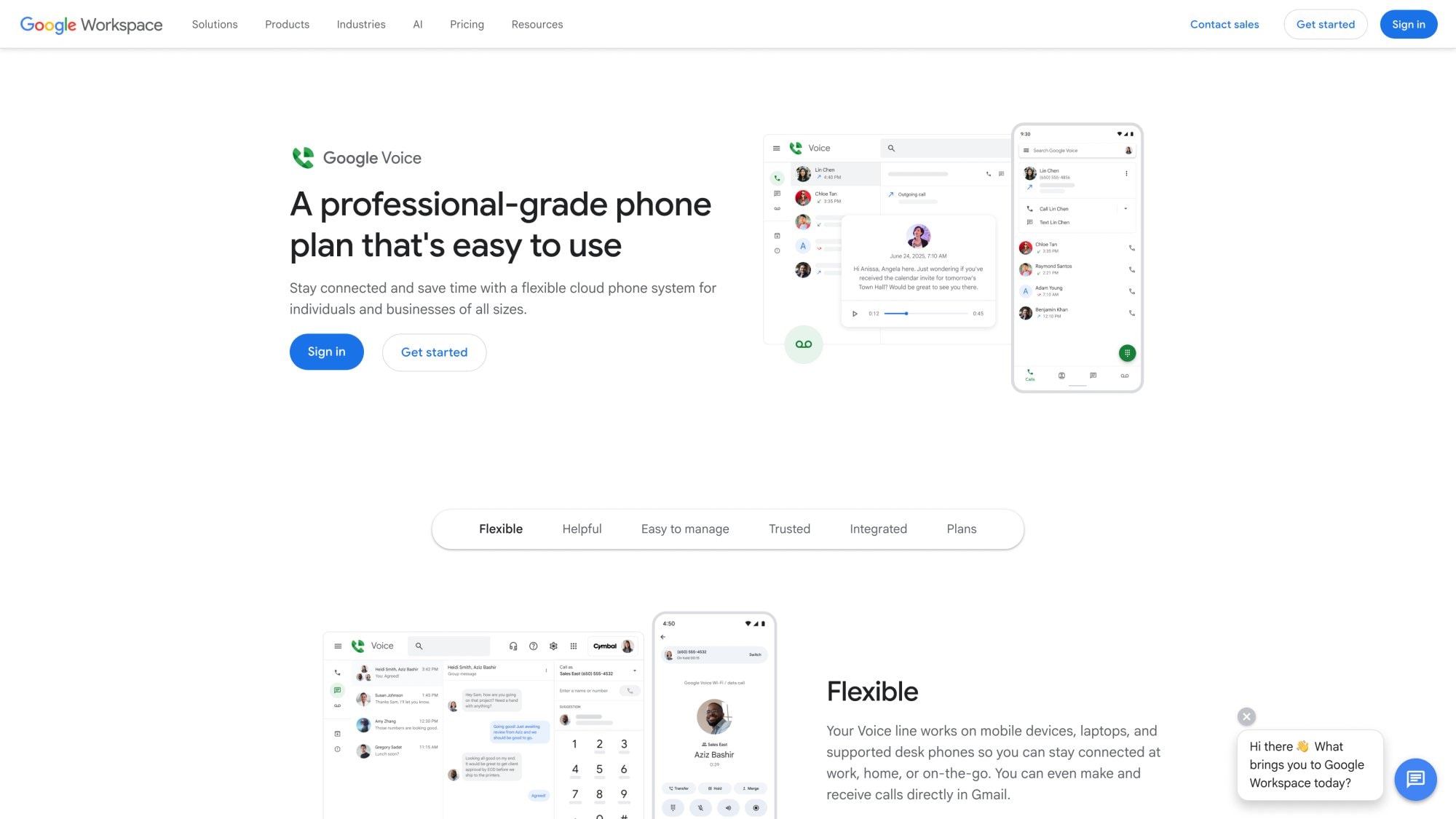
Google Voice's product page explains the Workspace integration in detail. It behaves more like an IT-managed phone service than a simple forwarding layer.
What Grasshopper and Google Voice Both Miss#
This is the part most comparison posts skip entirely.
Both Grasshopper and Google Voice are phone systems, not answering systems. They're excellent at routing calls to the right humans. They're not designed to replace a human when nobody's available. When your team is on a job, in a meeting, or asleep, and a lead calls, the call goes to voicemail. That's not a routing failure. It's an answering gap.
If your real goal is "never miss a call," you need a phone system (either of these) plus an answering layer. Eden was built specifically for that gap, and it connects to both Grasshopper and Google Voice via simple call forwarding. More on that later.
How Grasshopper and Google Voice Actually Work#
When a customer dials your business number, four things happen in sequence:
1. The number receives the call (the carrier/provider layer)
2. Rules decide what to do (ring devices, play a greeting, route to a team, go to voicemail)
3. A device answers (mobile app, desk phone, forwarded cell)
4. The system stores artifacts (call log, voicemail, recording, transcript)
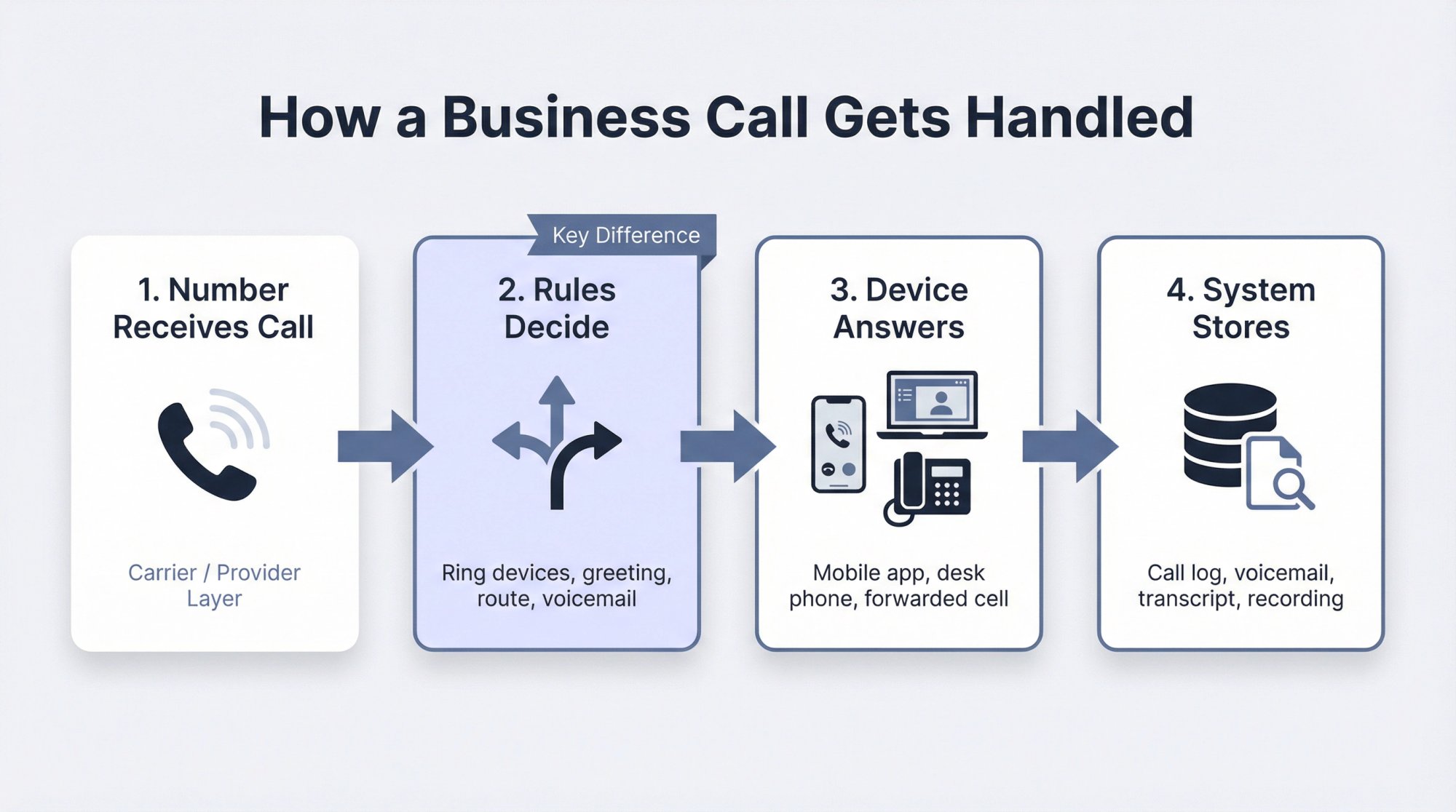
The difference between Grasshopper and Google Voice lives almost entirely in step 2. How sophisticated are the routing rules? Who gets to configure them? How does the system behave when everyone's busy?
Grasshopper is optimized for simplicity and flat-fee pricing. You get a business number, a basic menu if you want one, and forwarding to your team's real phones. There's minimal IT overhead. If you want a broader perspective, our small business phone systems comparison breaks down how these categories differ.
Google Voice via Google Workspace is more infrastructure. You get user accounts, admin controls, ring groups, multi-level auto attendants, compliance tools. The tradeoff is per-user pricing that grows with your team and a closer dependency on Google's ecosystem.
That architectural difference explains almost every tradeoff downstream: pricing model, complexity of routing, compliance tooling, and how easy it is to add people.
Pricing in 2026: The Real Numbers#
Grasshopper: Flat Pricing, Not Per User#
Grasshopper's current plans:
-
True Solo: $14/month (1 phone number, 1 extension, 1 user)
-
Solo Plus: $25/month (1 phone number, 3 extensions, unlimited users)
-
Small Business: $55/month (4 phone numbers, unlimited extensions, unlimited users)
Those base prices look clean, but add-ons change the real number:
-
Additional extension: $3/month each
-
Additional phone number: $9/month each
-
Call Blasting (ring multiple phones simultaneously): $9/month
-
Professional voice studio recording: $75 per order (one-time)
One operational detail worth knowing: Grasshopper's call forwarding documentation notes that True Solo is limited to 1 call forwarding number, while other plans can support up to 15. If multiple people need to ring simultaneously, you'll want at least Solo Plus.
Google Voice: Per User, With a Workspace Catch#
Google Voice business plans:
-
Starter: $10/user/month (basic voice service for small setups)
-
Standard: $20/user/month (adds ring groups, auto attendants, and eDiscovery)
-
Premier: $30/user/month (adds automatic call recording and BigQuery reporting)
Two updates from 2026 worth knowing:
First, Google's help documentation describes a Starter plan rollout that's available as a standalone subscription for some Gmail users in the US, not just as a Workspace add-on. This includes call transfers, call recording, and support for up to 6 forwarding numbers.
Second, and this trips people up: if you use Google Voice as a Workspace add-on (the more common business setup), you're also paying for Workspace seats. Google's pricing table shows Business Starter at $7/user/month (annual) or $8.40/month (flexible). A 5-person team on Voice Standard plus Workspace Business Starter is paying $20 + $7 = $27/user/month, or $135/month total (not counting Voice itself).
What Real Teams Actually Pay#
Here's the math for three common setups:
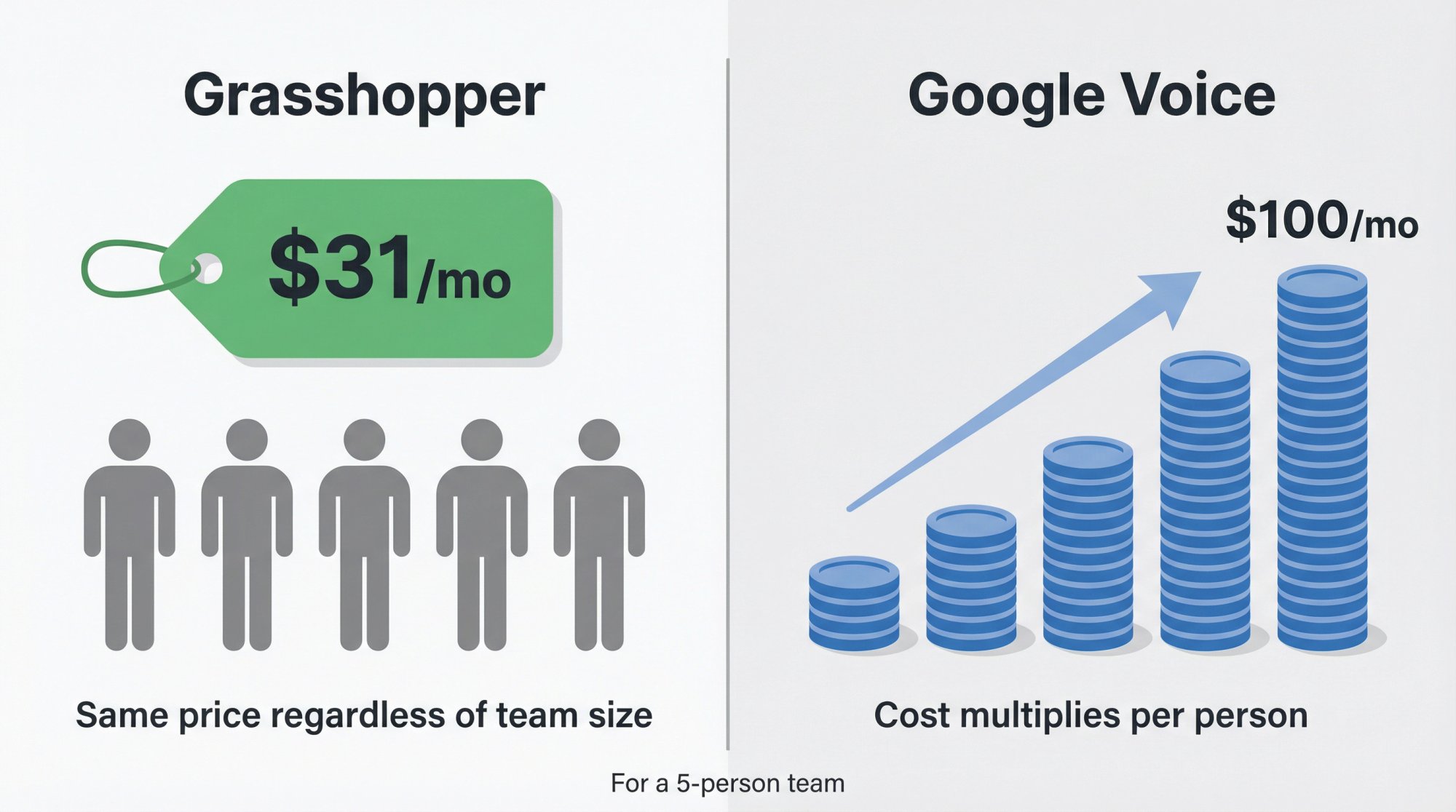
| Team Size | Grasshopper | Google Voice (Starter) | Google Voice (Standard) |
|---|---|---|---|
| 1 person | $14/mo (True Solo) | $10/mo (standalone if eligible) | $20/mo |
| 5 people | ~$31/mo (Solo Plus + 2 extra extensions) | $50/mo | $100/mo |
| 10 people | $55/mo (Small Business) | $100/mo | $200/mo |
The 5-person row is where Grasshopper's flat model gets interesting. $31/month vs $100/month for the same headcount is a real difference. The catch is that Google Voice Standard gives you ring groups, auto attendants, and call queuing for that price, which Grasshopper doesn't match feature-for-feature.
The honest summary: Grasshopper usually wins on pure cost for teams sharing one number. Google Voice Standard is worth the premium if you genuinely need the routing sophistication it adds.
If you're on a tight budget but still need every call covered, our guide on the cheapest way to answer business calls 24/7 is worth a read.
Features That Actually Matter: Grasshopper vs Google Voice#
The mega-feature checklist approach isn't useful. These five categories are where the real differences show up:
| Feature Area | Grasshopper | Google Voice (Starter) | Google Voice (Standard/Premier) |
|---|---|---|---|
| Phone menu / IVR | Yes (basic) | No | Multi-level auto attendant |
| Ring groups | No | No | Yes |
| Call queuing | No | No | Yes (added late 2025) |
| Call recording | Admin-controlled | Yes (with notification) | Yes (auto on Premier) |
| eDiscovery/Vault | No | No | Yes |
| Desk phone support | No | Yes | Yes |
| Gmail integration | No | Limited | Full |
| Voicemail transcription | Yes | Yes | Yes |
| Business texting | Yes (unlimited) | Yes | Yes |
| Emergency calling (E911) | Not supported | Limited | Limited |
Call Routing: Which Phone System Wins?#
Grasshopper supports phone menus, call blasting, simultaneous call handling, and transfers. That covers the "press 1 for sales, press 2 for support" use case without much friction. A spring 2025 release also added improvements to conversation filtering and search in the inbox.
Google Voice Standard adds ring groups and multi-level auto attendants. In late 2025, Google pushed call queuing to Standard and Premier plans, which matters for teams where everyone is frequently busy. Call queuing holds callers in line instead of dumping them to voicemail the moment no one answers.
If you need "when sales is busy, queue callers, play hold music, and enforce a max wait time," Google Voice Standard is explicitly built for that.
Call Recording: Grasshopper vs Google Voice#
Grasshopper lets admins control recording at the extension level for both inbound and outbound calls, covering governance and compliance.
Google Voice takes a different approach. Google's documentation states that when recording starts, everyone on the call is alerted. Automatic recording is a Premier-only feature. Google also integrates recordings into Vault for retention and eDiscovery.
Most small businesses treat recording as an afterthought. Before you pick a provider, answer these:
-
Where are recordings stored, and who can access them?
-
Do you need retention for legal hold?
-
Do you need a disclosure message to play for callers?
If those questions matter to your industry, Google Voice's Vault integration is worth serious consideration.
Emergency Calling (E911): Know the Limitations#
Neither product should be your only communication path in an emergency. Google Voice's emergency help page is explicit: emergency calling won't work during a power outage, internet outage, or Voice service outage, and you should maintain an alternative way to dial emergency services.
Google also goes deep on service address configuration for E911 in the admin console, stressing that your addresses must be accurate for emergency services to locate you. Grasshopper's outbound calling support page states the app/system is not intended or designed for dialing 911.
Both companies are being responsible in saying this clearly. Take it seriously.
How Calls Actually Work: Grasshopper vs Google Voice#
Understanding the call flow is the fastest way to figure out which tool fits. If you want to understand the full picture of how AI and routing layer together, our guide on how AI phone answering works explains each step.
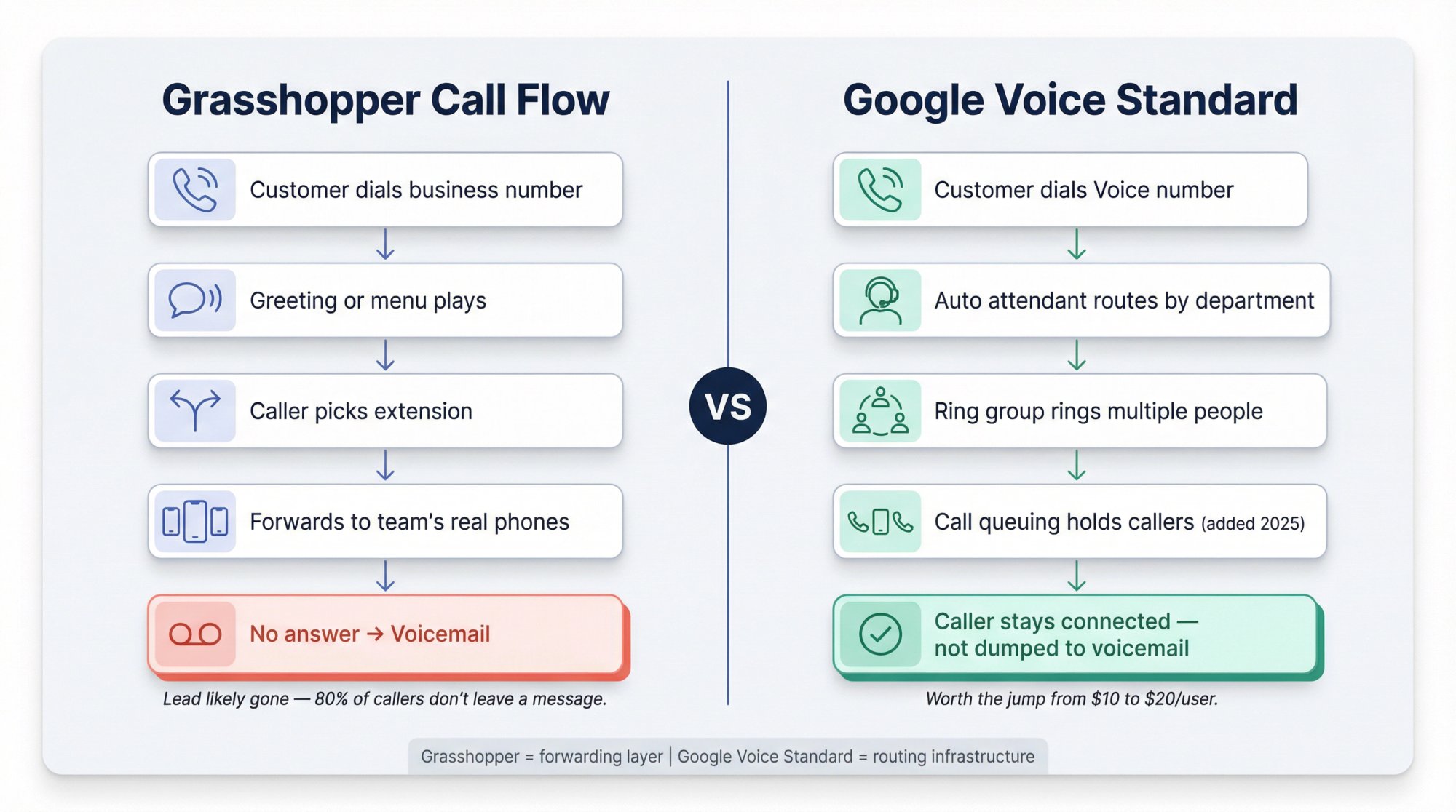
How the Grasshopper Call Flow Works#
① Customer dials your Grasshopper business number
② Grasshopper plays a greeting or menu (if configured)
③ Caller chooses an extension or you route automatically
④ Grasshopper forwards to one or more real phones: your team's cells, the office landline, whatever you've set up
⑤ If nobody answers: voicemail, with transcription and notification to you
This is excellent for "we're a small team but we want to look organized." It's not a queue-and-answer system. If everyone on the team is genuinely busy, the call gets forwarded, rings, then hits voicemail.
How Google Voice Works (Starter Plan)#
① Customer dials the Voice number
② Voice rings the user's devices and linked forwarding numbers (up to 6 on the new Starter)
③ If no answer: voicemail with transcription
Starter is "one number everywhere," not a full routing stack.
How Google Voice Works (Standard and Premier)#
Standard is where the routing gets meaningful:
-
Auto attendant directs callers by department or need
-
Ring groups can ring multiple people simultaneously
-
Call queuing holds callers instead of dumping them to voicemail when everyone is busy (added in late 2025)
(Google Workspace Voice and the Workspace Updates blog have the details.)
This is why many teams skip Starter and go straight to Standard. The jump from $10 to $20/user is worth it if call volume means someone is always on another line.
Setting Up Grasshopper or Google Voice: Common Mistakes to Avoid#
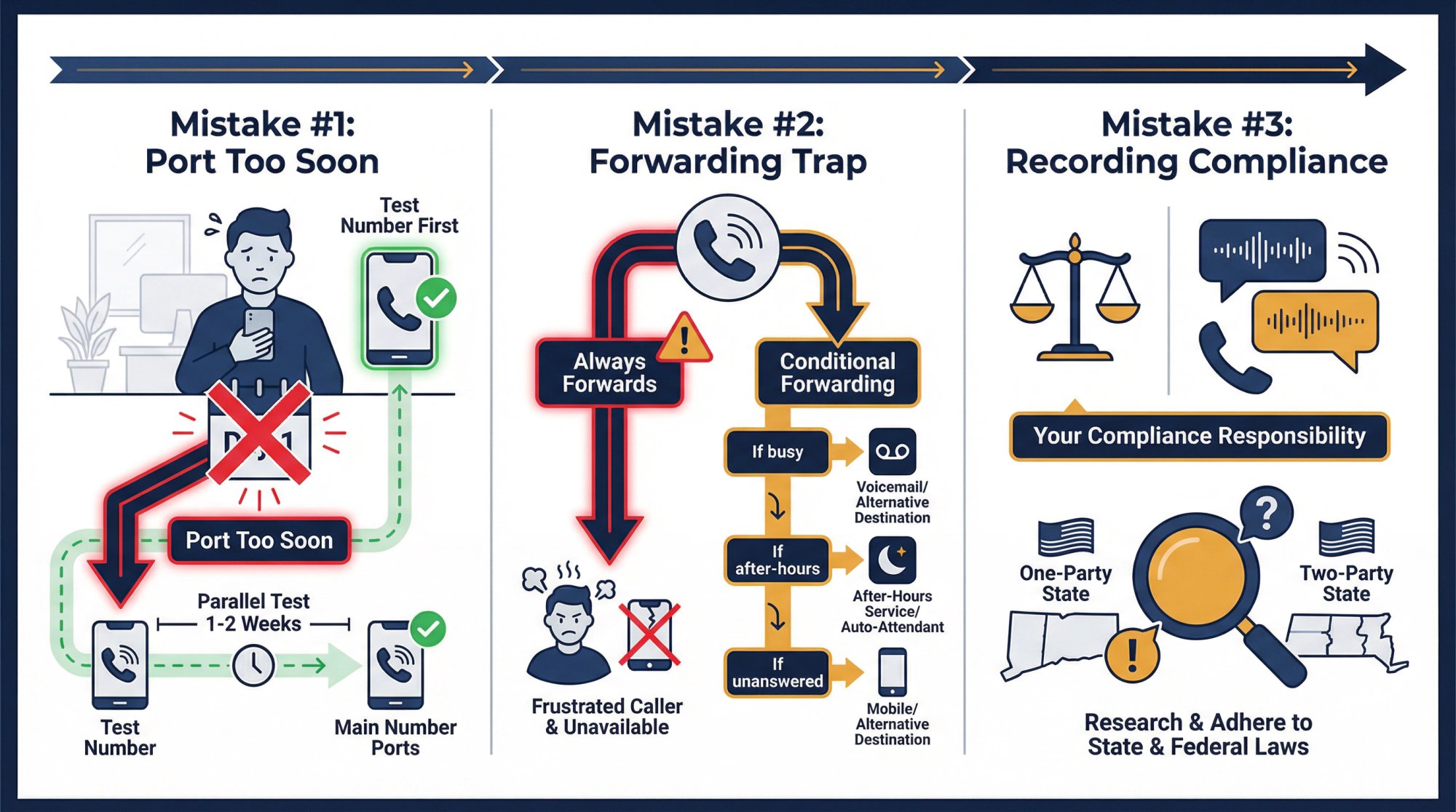
Don't Flip Your Main Number on Day One#
The universal best practice, regardless of which provider you choose: start with a parallel test number. Configure your routing, test your voicemail, verify that recordings work, run it for a week or two. Only then port your main business number.
Google's admin console covers number assignment, porting, and admin billing controls in detail. Don't skip this.
The Google Voice Forwarding Trap#
A limitation many business owners discover too late: in the most common Google Voice configuration, forwarding isn't conditional. You can't easily say "only forward to my cell if I miss it in the app first." For conditional logic (busy vs. after-hours vs. unanswered), you either need Standard's ring groups/auto attendants or a separate answering layer.
Our conditional call forwarding guide explains this plainly and walks through how to set up conditional forwarding with Google Voice (including the SMS verification friction you'll encounter when linking a new number). For a broader walkthrough of the entire setup process, see our call forwarding setup guide.
Recording Disclosure Is Not Optional#
Both providers handle this differently, but neither handles it for you. Google's documentation explicitly states admins must comply with applicable recording laws. Grasshopper promotes configurable recording controls for compliance and QA. Your business owns the compliance responsibility. Check your state's one-party vs. two-party consent laws before turning on recording.
Grasshopper vs Google Voice: Which Fits Your Business?#
Small Law Firms (2-10 People)#
If your firm needs retention, auditability, and defensible records, Google Voice Standard or Premier is usually the better starting point because of eDiscovery and Vault integration. The per-user cost is higher, but the governance tooling is in a different class.
If you mainly need a shared number and simple routing, and you already have separate document retention handled, Grasshopper can be cost-effective. Keep in mind that missed calls cost law firms more than most industries. An answering service built for law firms can fill the gap when your attorneys are unavailable.
Real Estate Teams (3-10 Agents)#
This vertical is about speed to answer and keeping personal numbers private.
Grasshopper works well when agents share one office number and need flat pricing that doesn't grow with every new agent added. Google Voice works better when the team already lives in Google Workspace and wants calling and texting from Gmail and their desktop.
Speed to answer is a bigger issue in real estate than most businesses will admit. The agent who picks up first often wins the listing. That's another reason this vertical often adds an answering layer on top of their phone system. Our guide on real estate answering services and the best AI receptionist for real estate agents cover what that layer looks like in practice.
Home Services: Plumbing, HVAC, Electrical, Roofing#
We see this industry struggle with phone systems more than almost any other, and the reason is specific: the problem isn't routing. It's that the technician is on a roof or under a sink when the phone rings.
If your routing is messy, either tool helps. But if your real issue is "no one picks up because everyone is on jobs," you need an answering layer, not more forwarding options. Understand how much money you're losing from unanswered calls before deciding your next step.
This is exactly the gap Eden was built to close for home service businesses. We capture the lead, collect job details, handle urgency triage, and send you a summary, while your team finishes the job they're on. Specific resources: HVAC answering service, best AI receptionist for HVAC companies, best AI receptionist for plumbers, and best AI receptionist for roofers. More on this below.

Agencies and IT Services#
If your team needs clean admin controls, user provisioning, corporate identity alignment, and Google Calendar integration, Google Voice fits naturally.
If you want one shared line that multiple people can cover cheaply, without per-user pricing, Grasshopper is hard to beat on cost. Agencies that worry about calls missed during client meetings will find our piece on how to stop missing calls when you're with clients worth reading.
What Grasshopper and Google Voice Still Can't Do#
What Grasshopper and Google Voice don't do is worth spelling out clearly.
Both are routing tools. They move your call from one device to another. They can play a menu, forward to your cell, ring a group of people. But when no human answers, the call goes to voicemail, and the lead is gone.
This isn't a flaw in the products. It's a category distinction. Grasshopper and Google Voice are phone systems. They were designed to route calls to available humans.
So what happens when your humans aren't available?
For most small businesses, the honest answer is: nothing good. An estimated 80% of callers hang up when they reach voicemail rather than leave a message. The lead was real. The call was real. And now they're calling someone else.
What an AI Answering Layer Actually Does#
This is where Eden's AI receptionist comes in, and it's worth explaining how it works because it's different from a phone system upgrade.
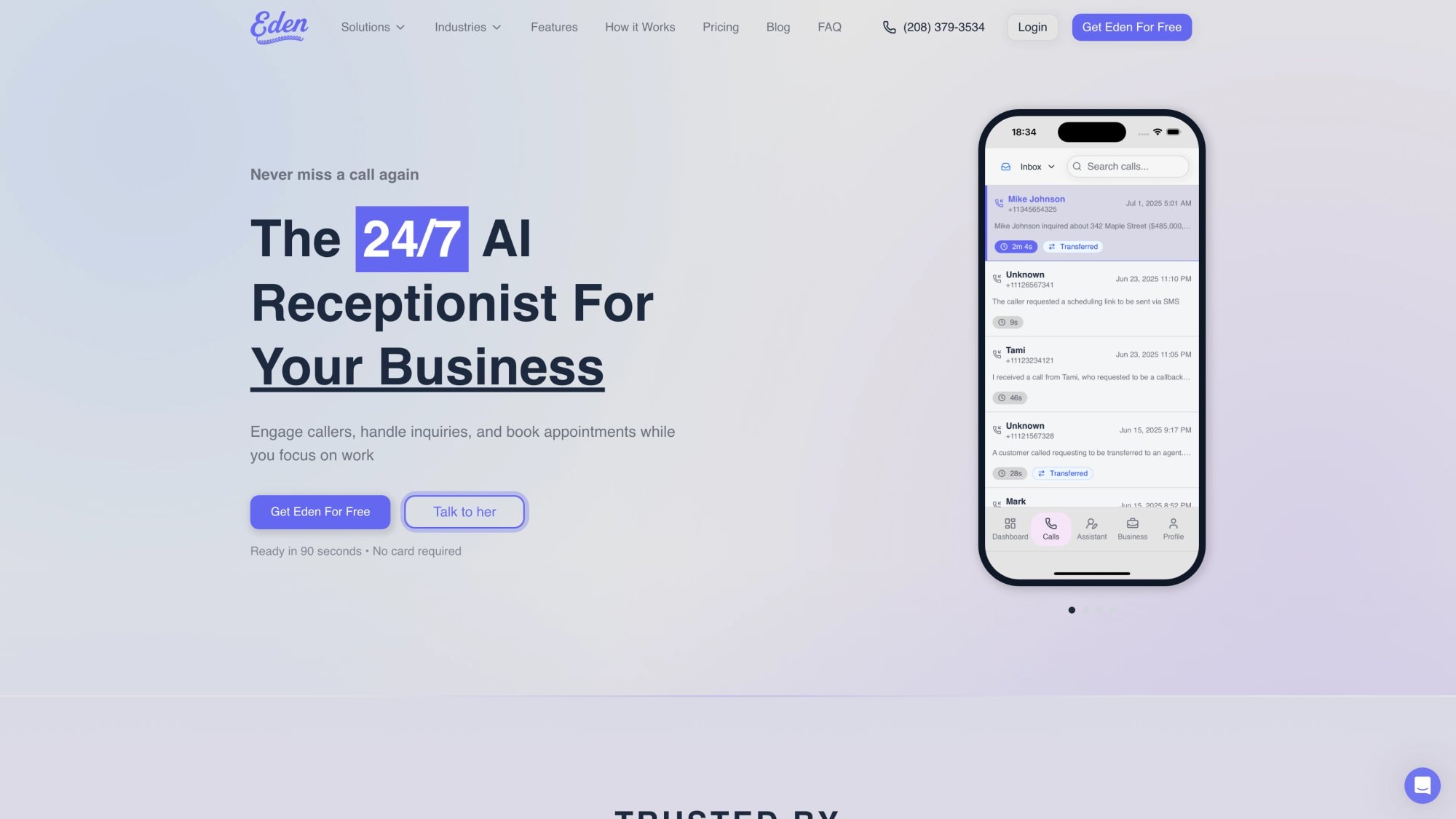
Eden doesn't route your calls. It answers them.
When a call comes in and no one on your team is available, Eden picks up (in real time, not voicemail), talks to the caller in natural language, captures their details, handles common questions, and either books an appointment or routes to an on-call team member. The caller gets a human-quality interaction. You get a full lead summary by SMS and email within seconds. For a complete breakdown of how this technology functions, see how AI phone answering works.
What Eden handles on every call:
-
Caller's name and callback number
-
What they need and why they're calling
-
Urgency triage (emergency vs. routine)
-
Common questions (hours, services, pricing, availability)
-
Appointment scheduling (Pro plan, $99/month)
-
Call transfers to the right person (also Pro)
-
Bilingual support in English and Spanish
-
Spam and robocall filtering via IntelliSpam, so your minutes go to real customers
The Plus plan starts at $39/month for 200 minutes with overages at $0.20/minute. Pro is $99/month with unlimited minutes and adds scheduling and call transfers. For a full breakdown of what you'd pay compared to alternatives, see our guide on how much an AI receptionist costs.
The benefits of using an AI receptionist go beyond answering: you get real-time summaries, searchable call records, and a 24/7 layer that never sleeps. Compare that to AI receptionist vs voicemail vs human receptionist to understand the full picture.
How to Add an AI Layer to Grasshopper or Google Voice#
You don't have to switch phone systems to use Eden. It sits behind your existing provider as an answering layer via call forwarding.
Our call forwarding setup guide walks through the exact steps for Google Voice (including the SMS verification step that catches many people off guard) and works with Grasshopper or any other VoIP provider. If you'd prefer a broader guide on the forwarding process itself, how to forward business calls to an answering service covers every phone type from iPhone to landline to VoIP.
The typical setup:
① You keep your existing Grasshopper or Google Voice number as your primary business number
② You configure conditional forwarding: calls that go unanswered after 4-5 rings, or after-hours calls, forward to your Eden number
③ Eden picks up, handles the caller, and sends you a real-time summary
You're still in control of your routing. Eden just becomes the safety net that prevents leads from falling into voicemail.
A practical example: A roofing contractor uses Grasshopper Small Business for $55/month. His team's cells ring when a customer calls. When everyone's on a job, Eden picks up, captures the customer's name, address, and damage description, and texts the summary to the contractor. The contractor calls back in 20 minutes with all the details already in hand. The customer didn't hit voicemail. The job didn't go to a competitor. This is exactly why roofers choose an AI receptionist over more forwarding layers.
Setup takes about five minutes. You provide your website URL, Eden scrapes your services and hours, you forward your line, you test a call. That's the whole process.
Start your free trial with Eden. 30 free minutes for one week, no credit card required.
What Real Users Say About Grasshopper and Google Voice#
No comparison is honest if it only shows you pricing tables.
Grasshopper users generally praise the utility and simplicity. Recurring feedback surfaces friction around cancellation difficulty, customer support responsiveness, and occasional reports of app freezing or dropped calls. Reviews characterize Grasshopper as straightforward and cost-effective for basic needs, but not a tool with a lot of advanced features.
Google Voice users frequently cite ease of use and the convenience of having a separate number. User reviews also include mentions of bugginess and unreliability in the app itself. The experience varies more than the marketing implies.
Before you commit to either, run a real trial with these specific tests:
-
Make test calls in your worst reception spots
-
Test voicemail and transcription accuracy with real messages
-
Test routing when multiple people are busy simultaneously
-
Test recording access and retention after a few days of use
-
Test texting from a real customer device to see deliverability
The trial experience often reveals issues that product pages don't.
Grasshopper vs Google Voice: Common Questions Answered#

Is Google Voice free for businesses?
Google Voice has a consumer free tier, but the plans most businesses care about are paid. The Starter plan at $10/user/month is where business routing features begin. Google Workspace's Voice product page covers the plan details. If you need ring groups, auto attendants, or compliance tooling, you're looking at Standard ($20/user/month) or Premier ($30/user/month) at minimum.
Can Google Voice replace a full phone system?
For many small and mid-sized businesses, yes. Google is explicitly building Voice toward business-grade routing: multi-level auto attendants, ring groups, call queuing, and Vault integration for compliance. The Google Voice product page has the full breakdown. If you need deeper contact-center features or live outside the Google ecosystem, you may outgrow it. Our virtual phone system guide for small business compares how these cloud-based options stack up generally.
Does Grasshopper support desk phones?
No. Grasshopper is designed around mobile and desktop apps and call forwarding to existing phones, with no hardware required. Google Voice supports desk phones and ATAs on paid plans, including Starter. If your office needs physical desk phones, Google Voice is the more flexible option.
Which is better for compliance and call recording?
If you need eDiscovery and Vault-style retention, Google Voice Standard and Premier have explicit features for that. The governance story is in a different class from Grasshopper. Grasshopper does support call recording with admin controls, but it doesn't have the retention and legal hold infrastructure Google Vault provides.
What about 911 emergency calling?
Don't treat this as a minor footnote. Google Voice's emergency help page explicitly states emergency calling won't function during power or internet outages and recommends maintaining an alternative. Grasshopper's outbound calling documentation states the app is not intended for 911 calls. Both companies are being clear about this limitation. If your office has physical staff, you need a separate plan for emergency communication.
Can I use Grasshopper or Google Voice with an AI receptionist?
Yes. This is one of the more practical setups for small businesses. You keep your existing phone system for routing and add an answering layer via call forwarding. Eden's AI answering service connects to both Grasshopper and Google Voice. The call forwarding setup guide has step-by-step instructions for linking your existing number to Eden for after-hours or unanswered calls.
What happens when no one picks up my calls?
With both Grasshopper and Google Voice, unanswered calls go to voicemail. And about 80% of callers don't leave a voicemail, so those calls are effectively lost. This is why businesses serious about not missing leads add an answering layer. Eden's virtual receptionist service picks up when your team can't, captures the lead details, and sends you a real-time summary. If you've experienced this problem, our piece on what happens when a customer calls your competitor because you didn't answer puts a real number on the cost.
Which is cheaper for a team of 5?
Using current list prices: Grasshopper Solo Plus with 2 extra extensions comes to about $31/month. Google Voice Starter for 5 users is $50/month. Google Voice Standard for 5 users is $100/month. If your team shares one number without needing ring groups or auto attendants, Grasshopper is significantly cheaper. If you need Standard-level routing, the cost difference widens considerably.
Can Eden work with my existing phone provider?
Yes. Eden's call handling service works as a forwarding-based answering layer with any phone provider that supports call forwarding, which includes Grasshopper, Google Voice, RingCentral, and standard mobile carriers. You don't need to switch your current number or provider.
How long does it take to set up Eden?
About five minutes, typically. You provide your website or Google Business profile, Eden automatically pulls your services, hours, and location information. You forward your line (conditionally or fully), make a test call, and you're live. The setup guide has the full walkthrough, including the Google Voice verification step.
Grasshopper vs Google Voice: Final Verdict#
Five questions that get you to the right answer fast:
1. Do you need one shared number for a team, at a flat cost?
Grasshopper usually wins on cost structure here. A team of 10 people sharing one Grasshopper number costs $55/month. The same team on Google Voice Standard is $200/month.
2. Do you already use Google Workspace and want telephony inside Gmail?
Google Voice is built for exactly that. The integration with Gmail, Calendar, and existing Google admin controls is genuine, not an afterthought.
3. Do you need ring groups, auto attendants, and call queuing?
Google Voice Standard or Premier is designed for this. Grasshopper doesn't match it at that level of routing sophistication.
4. Do you need legal hold, eDiscovery, and retention?
Google Voice Standard and above with Vault integration is the clear answer. Grasshopper records calls but doesn't offer the same governance infrastructure.
5. Is your real problem "we miss calls and lose money"?
Neither tool solves that by itself. Both route calls to humans. When humans are unavailable, calls go to voicemail. The answer is an answering layer behind your phone system. Eden's 24/7 answering service was built for this exact problem. See how to stop missing calls during busy seasons for a practical roadmap businesses use to close the gap.
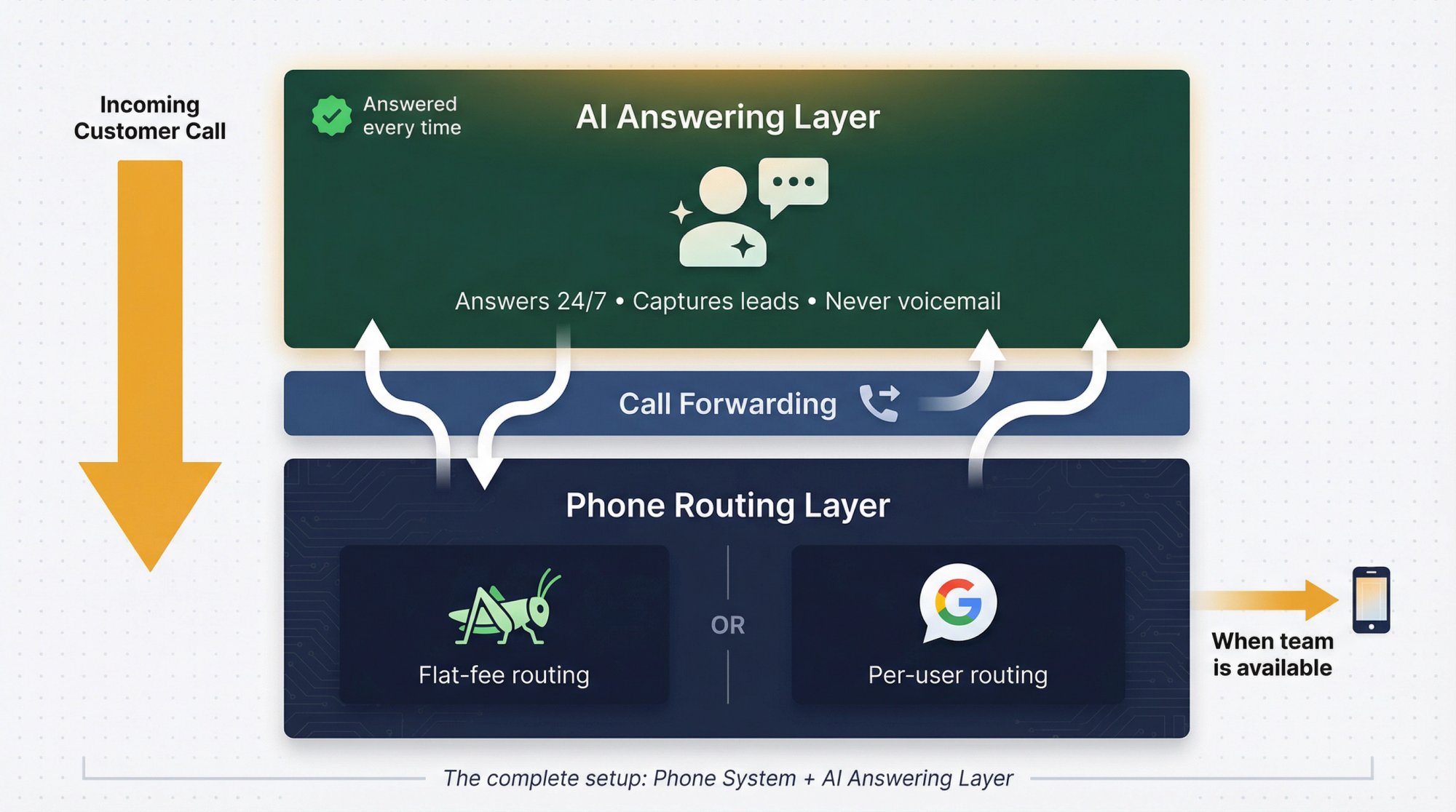
You can stack these answers. Many businesses use Grasshopper or Google Voice as their phone system and add Eden as the answering brain for after-hours and overflow. You don't have to pick one or the other. That combination, a routing layer plus a virtual receptionist for small business, is increasingly how service businesses operate today.
All pricing and plan features in this guide reflect vendor-published information from February 2026. Pricing and packaging can change, so confirm on each vendor's current Grasshopper pricing page and Google Voice page before purchasing.
Ready to Transform YourCustomer Experience?
Join hundreds of businesses using Eden AI to handle calls, book appointments, and provide 24/7 customer support.