Ultimate Guide to AI Receptionists (2025)
Learn what AI receptionists cost, how they work, and if they're worth it for your business. Includes real pricing, features, and implementation tips.
November 30, 2025
Your phone's ringing again. You're with a customer, hands covered in grease (or paint, or dog hair, depending on your business). The phone stops. You check later: no voicemail.
That caller? They've already moved on to your competitor.
AI receptionists solve this exact problem. These intelligent virtual assistants answer your phone 24/7, hold natural conversations with callers, and ensure you never miss a lead again. Whether it's 2 PM on Tuesday or 2 AM on Christmas, every call gets answered with a friendly, professional voice.
Here's what you'll learn in this guide: what AI receptionists actually do, how they work behind the scenes, the real financial impact they have (spoiler: massive), what features matter most, and how to choose the right solution for your business. We'll also look at the leading platforms in 2025 and address the honest concerns you might have about letting AI handle your calls.
By the end, you'll understand why thousands of small businesses now consider their AI receptionist as essential as their phone number itself.
How Much Money Do Missed Calls Cost Your Business?#
Let's start with some uncomfortable truth.
Recent analysis found that small businesses answer only about 38% of incoming calls. Roughly 37% go to voicemail, and 24% get no response at all. That means nearly two-thirds of your callers never reach a live person.
Here's where it gets worse: only 20% of people leave voicemail when they hit an answering machine. About one in five. And more recent data shows 93% of people never call back after reaching voicemail. They just hang up and dial your competitor.
The hard truth: Missed calls aren't an inconvenience. They're lost revenue walking out the door.
Modern customers expect speed. Research shows 77% of consumers expect to reach someone immediately when they call a business. Not in ten minutes. Not tomorrow. Right now.
Phone calls still dominate business inquiries. About 69% of business inquiries come via phone, far outpacing email or web forms. If you're sending those callers to voicemail, you're essentially handing them to your competition.
Studies calculate that a single missed call costs an average of $450 in potential revenue. For a typical small company, that adds up to over $40,000 lost per year.
This is bleeding you dry, and you might not even notice it happening.

How Does an AI Receptionist Stop Missed Calls?#
An AI phone assistant answers every call, 24/7/365, with a friendly, human-like voice. No voicemail. No busy signals. No frustrated customers.
The AI greets callers, understands what they need, answers basic questions, and performs tasks like scheduling appointments or transferring urgent calls. All automatically. Whether it's peak lunch rush or 3 AM on a holiday, the system handles it.
Research shows that 42% of consumers choose businesses that respond first. After-hours availability isn't just convenient anymore.
It's a competitive necessity.
Plus, AI doesn't get overwhelmed. It can handle multiple calls simultaneously. Five people calling at once? The AI talks to all five at the same time. No busy signals, no hold music, no callers getting bounced.
Thanks to advances in natural language processing, many callers won't even realize they're speaking with a machine. The technology has gotten that good. But we're getting ahead of ourselves.
What Is an AI Receptionist and How Does It Work?#
Think of an AI receptionist (sometimes called an AI answering service or virtual receptionist) as a software-powered assistant that answers your phone using artificial intelligence.
Unlike traditional voicemail or those painful phone trees ("Press 1 for sales, press 2 for support..."), an AI receptionist actually holds conversations with callers. It understands what they're saying, responds naturally, and helps them just like a human front-desk person would.
How AI Receptionists Answer and Understand Calls#
When someone calls your business, the call gets forwarded to your AI receptionist system. Here's what happens next:
1. The AI listens and understands
Using speech-to-text technology, the system instantly transcribes what the caller says. Natural language processing (NLP) algorithms then interpret the caller's intent.
For example:
→ Caller says: "I need to schedule a haircut for Saturday"
→ AI understands: This is a booking request for a specific service on a specific day
2. The AI responds naturally
It uses text-to-speech with a pleasant, human-like voice:
"Sure, I can help with that. Let's find a time for your haircut. We have openings at 10 AM, 1 PM, and 3 PM on Saturday. Which works best for you?"
3. The AI takes action
Depending on how you've configured it, the system can:
• Book the appointment directly into your calendar
• Gather the caller's contact information with lead qualification
• Answer questions from your knowledge base
• Transfer urgent calls to you or your team
• Send follow-up texts or emails
What Technology Powers an AI Receptionist?#
Modern AI receptionists combine several technologies:
| Technology | What It Does |
|---|---|
| Automatic Speech Recognition (ASR) | Converts spoken words into text the AI can understand (95%+ accuracy for most accents) |
| Natural Language Understanding (NLU) | Interprets meaning and intent behind the caller's words using machine learning |
| Business Logic & Knowledge Base | Stores your business info, hours, services, FAQs, and rules for handling different scenarios |
| Text-to-Speech (TTS) | Converts the AI's text responses back into natural-sounding speech |
| Integrations | Connects with your calendar, CRM, messaging systems, and other tools |
From your perspective? You don't need to understand any of this technical stuff.
You just subscribe to an AI receptionist service, get a dedicated phone number, and forward your existing business number to that AI number whenever you want it handling calls. Could be after 3 rings, could be when you're busy, could be 24/7. Your choice.
Setting up call forwarding is usually straightforward. Most providers give you simple step-by-step guides, and it often takes just minutes. Many systems work with star codes on your phone or through your carrier's settings.
In short: An AI receptionist is like having an on-call assistant who never sleeps, powered by artificial intelligence and programmed with your specific business information.
Now let's look at why this matters so much for small businesses.
What Are the Benefits of Using an AI Receptionist?#
Why are businesses adopting AI receptionists at such a rapid pace? Because they solve real, expensive problems. Here are the benefits that actually move the needle:
24/7 Call Answering (Never Miss a Lead Again)#
Your AI receptionist doesn't take breaks, doesn't call in sick, and doesn't go home at 5 PM.
It answers every incoming call on the first ring, 24 hours a day, 7 days a week. Weekends, holidays, 3 AM inquiries: all handled.
Research shows 41% of customers say round-the-clock service is the top benefit of AI-powered support.
You'll finally capture those inquiries that used to slip through the cracks. The prospect who calls at 7 PM after work. The emergency on Sunday morning. The out-of-state client in a different time zone.
Even during normal business hours, if you or your staff are tied up, the AI has your back immediately.
How AI Receptionists Increase Revenue and Lead Capture#
By answering every call promptly, AI receptionists boost lead capture rates significantly.
Research shows lead-to-appointment conversion can jump from 49% to 70% once businesses start using an AI answering service that responds within seconds.
Case studies show small businesses achieving 300% ROI in their first year. The system turns missed calls into appointments, boosting bookings by 25%.
Law firms have calculated that using an AI receptionist for law firms can save about $45,000 a year in staff costs, netting an incredible 1,775% return on investment after service fees.
Even capturing one extra high-value lead per month can pay for the service many times over.
Do Customers Prefer Instant AI Responses or Waiting?#
Today's customers hate waiting. AI receptionists provide instant response with no hold music, no queue, and certainly no "leave a message and we'll call back."
The AI picks up immediately and addresses the caller's needs right away.
Studies show that 80% of customers report positive experiences with AI receptionists, largely because they get help without delay.
Over half of consumers (51%) actually prefer interacting with an AI assistant when they want immediate service, rather than waiting for a human callback.
For routine inquiries, many people don't mind (or notice) it's AI. They're just happy someone answered quickly and handled their request efficiently.
Why AI Receptionists Provide More Consistent Service#
Unlike humans, AI doesn't have off days or mood swings.
It greets every caller with the same polite tone and follows your prescribed script every time. This ensures consistent, high-quality service for everyone who calls.
Important questions won't be forgotten. If you want every caller asked "How did you hear about us?" or "What's your phone number and email?", the AI will dutifully record that information each time.
You can also customize the persona and greeting (casual vs. formal) so the call experience aligns with your brand. It's like having your best employee answer every single call, exactly the way you want it done.
How AI Receptionists Free Up Your Staff's Time#
For most small business owners, the phone is a constant interruption.
With an AI receptionist fielding calls, you and your team are freed from being tethered to the phone. No more dropping what you're doing to answer a non-urgent inquiry. No more dealing with endless spam calls.
The AI handles the routine stuff: answering FAQs, taking messages, booking appointments, filtering out telemarketers.
You and your employees can focus on serving customers in person, completing projects, or simply getting work done without constant disruption.
Insurance agencies report their AI assistant saves each agent over 58 hours of work per month by handling basic calls and intake. That's time reclaimed for billable work or important tasks.
For solo entrepreneurs, it's like cloning yourself to handle the phone while you do everything else.
How Much Money Can You Save With an AI Receptionist?#
This is where the math gets really interesting.
Hiring even a part-time receptionist can cost $3,000+ per month in salary and benefits. Outsourced human answering services often charge $1 or more per minute of call time.
In contrast, AI receptionists are far more affordable.
Industry analyses show an AI call costs around $0.25–$0.50 each, vs. $3–$6 for a human-handled call. That's an 85–90% cost reduction per interaction.
Small businesses using AI receptionists report 40–60% lower overhead costs related to call handling.
Studies estimate a typical small business could save up to $250,000 over five years by using an AI receptionist instead of hiring staff, after factoring in wages, training, and turnover costs.
You get better phone coverage at a fraction of the cost.
Can AI Receptionists Handle High Call Volume?#
Because it's software, an AI receptionist scales effortlessly as your business grows or faces seasonal spikes.
You won't need extra phone staff during busy periods. The AI handles any volume thrown at it. It also doesn't charge overtime. Whether it handles 100 calls at noon or answers calls through the night, the cost remains predictable.
This means small businesses can afford big-business-level phone support without breaking the bank.
Small businesses using AI receptionists report 40-60% lower overhead costs related to call handling, putting enterprise-grade phone support within reach of even solo entrepreneurs.
How Do AI Receptionists Block Spam Calls?#
AI receptionists excel at screening out spam and robocalls before they waste your time.
They can automatically hang up on known spam numbers or obvious robocall patterns. For example, Eden's AI receptionist service includes IntelliSpam™ filtering that detects likely spam or scam calls and ends them before you're even notified.
Considering Americans endured an estimated 52.8 billion robocalls in 2024 (roughly 200 spam calls per adult!), having an AI firewall is a huge relief.
Legitimate customers get through. Robocallers get the dial tone.
Can AI Receptionists Answer Calls in Spanish?#
Many AI receptionist services offer multilingual support, most commonly fluent bilingual handling in English and Spanish right out of the box.
The system can automatically switch languages to greet and converse with Spanish-speaking callers, often in the same call if it detects the caller's language.
For businesses in diverse communities, this is invaluable (and far cheaper than hiring bilingual staff). Some platforms even support dozens of languages or dialects.
If your business deals with international clients across time zones, the 24/7 multilingual capability ensures everyone can reach you in their own language, on their schedule.
What Call Analytics Do AI Receptionists Provide?#
Every call the AI handles gets automatically transcribed and logged, giving you valuable data.
You get call recordings and transcripts to review for quality or to pull details from conversations. Many services provide dashboards with call analytics: call volume by time of day, frequently asked questions, conversion rates, and more.
These insights can highlight peak call times, common customer pain points, or how effective your call handling is. If lots of people ask about a certain service, maybe you should promote that more.
Traditional phone handling often lacks this level of reporting unless you manually compile it. With AI, the data comes automatically.
The benefits boil down to capturing more opportunities, improving customer service, and saving time and money. You ensure a great first impression for callers, convert more leads, and free yourself from phone frenzy.
But to reap these benefits, you need the right features in place.
What Can an AI Receptionist Do for Your Business?#
A well-configured AI receptionist can handle many of the same tasks a human receptionist would (and sometimes more). Here's what most AI receptionist services can do:
How Does an AI Receptionist Greet Callers?#
First impressions matter.
The AI answers with a customized greeting you set:
"Good afternoon, thank you for calling Drake Law Office. How can I help you today?"
You can personalize the greeting with your business name, the AI agent's name (some companies name their AI "Mia" or "Alex"), and even a branding tagline or instructions.
The greeting can differ after-hours vs. business hours if you like. Every caller gets an immediate, polite welcome instead of ringing through 8 times or hitting generic voicemail.
Can AI Receptionists Answer FAQs About Your Business?#
The AI can be loaded with a knowledge base or FAQ about your business so it answers common questions on the spot.
For example:
• Business hours
• Location and directions
• Service menu
• Pricing details
• Appointment preparation instructions
Some systems can scrape your website for FAQs or let you manually input Q&A pairs. If a caller asks "Do you take walk-ins?" or "What are your rates for standard cleaning?", the AI responds with the accurate, pre-approved answer immediately.
It's like having an encyclopedia of your business at the receptionist's fingertips.
How Do AI Receptionists Take Messages and Capture Leads?#
Just like a human receptionist takes down messages, the AI will ask for and record the caller's name, phone number, and reason for calling.
For inbound sales or inquiries, it compiles a brief lead capture summary with key details:
"Caller's name is John Smith, calling about scheduling a roof inspection, his home has a leak, call came in at 6:45 PM."
This information gets sent to you (via email or text notification, or shown in your dashboard) so you can follow up as needed. No more sticky notes or forgotten voicemails. It's all neatly transcribed.
Can AI Receptionists Book Appointments Directly?#
One of the most powerful features is the ability to book appointments or meetings for you.
If you connect your calendar (many services integrate with Google Calendar, Outlook, etc.), the AI can check your real-time availability.
When a client calls to book, the AI might say:
"Let's get you scheduled. I see we have an opening this Wednesday at 2 PM and another on Thursday at 10 AM. Which works for you?"
Once the caller chooses, the AI creates the appointment on your calendar and often emails or texts a confirmation to the customer.
This on-the-spot booking is transformative. You secure the customer's commitment immediately rather than playing phone tag or risking them booking elsewhere.
Studies have shown that being able to schedule a customer on the first call dramatically increases conversion rates.
Note: Appointment booking typically requires higher-tier plans since it needs integration, but it's increasingly common in AI receptionist offerings.
How Does AI Call Routing Work?#
AI receptionists can route or transfer calls based on context.
For example, you might configure it so that urgent matters get a warm transfer to you or a staff member. A warm transfer means the AI puts the caller on hold, dials your number, and if you pick up, it briefs you (via whisper message or text) and then connects the call.
If you don't pick up, it goes back to the caller and takes a message.
You could also set up a directory: if the caller says "I need technical support," the AI might transfer to your tech on duty or say "I'll connect you to our support line."
Conditional call forwarding is valuable here. Outside 9-5, maybe the AI handles everything except true emergencies which it forwards to an on-call manager.
The AI acts as a smart triage system for your calls, involving humans only when absolutely needed.
Can AI Receptionists Send Follow-Up Texts or Emails?#
Some AI receptionist services can send follow-up messages to callers on your behalf.
For instance, if the AI just booked an appointment, it might say:
"Can I text you our address and appointment details?"
Then it automatically sends a confirmation SMS or email.
Or if the caller wanted a brochure or link, the AI can have a preset text/email ready to go. This immediate follow-up is convenient for customers and reinforces your professionalism.
Do AI Receptionists Record and Transcribe Calls?#
Virtually all AI receptionist systems record calls and transcribe them for you to review.
Recordings are useful for quality assurance or dispute resolution. Transcripts let you quickly skim what the caller said without playing audio, and they're often searchable (find all calls where "pricing" was mentioned).
Having a searchable call history is something even many human receptionist setups don't offer.
Note: If you plan to record calls, follow call recording laws. Most AI receptionists let you configure an automatic disclaimer in the greeting ("This call may be recorded for quality assurance").
How Effective Is AI Spam Call Filtering?#
AI receptionists can identify and block spam/robocalls.
This might use known spam number databases (blocking calls from known scam numbers or certain area codes) or by analyzing the call (if no real person responds, the AI hangs up).
Some services give you a spam report or let you manually add numbers to block. This ensures your minutes aren't wasted and you're not constantly bothered.
It's like having a bouncer for your phone line.
What Business Systems Integrate With AI Receptionists?#
Advanced AI receptionist platforms integrate with various business systems:
• Calendar and CRM
• Customer databases or ticketing systems
• Appointment scheduling software (Calendly, MindBody, etc.)
• Marketing tools
For example, if a new lead calls and provides an email, the AI could automatically add them to your CRM or email list (with consent).
Integration capabilities vary by provider. Some rely on Zapier to connect to hundreds of apps, others have native integrations with popular tools.
Can AI Receptionists Recognize Repeat Callers?#
A newer capability (usually in higher-end plans) is caller recognition and memory.
If a previous caller rings again, the AI might greet them differently or recall past details:
"Hi Mrs. Jones, welcome back! I see you called earlier about your order. Are you following up on that?"
This adds a personalized touch and can expedite service. It demonstrates how AI can potentially even outdo a human who might not remember a random caller from last week.
To sum up: an AI receptionist can answer questions, collect info, book appointments, transfer calls, send follow-ups, record everything, and shield you from spam.
It's doing the full receptionist job, just virtually.
When evaluating services, check which features are included in their offerings, as lower-tier plans might only do message-taking and not scheduling.
How Much Does an AI Receptionist Cost in 2025?#
One of the most attractive aspects of AI receptionists is the cost. They're far cheaper than employing staff or paying for human virtual receptionists.
Here's what to expect in 2025:
What Are Typical AI Receptionist Subscription Plans?#
Most AI receptionist services charge a monthly subscription. Plans often include either a certain number of minutes/calls, or offer "unlimited" usage.
Entry-level plans typically range from $50 to $100 per month for small business packages:
→ AI receptionist services start at competitive rates with unlimited minutes
→ Budget-friendly plans include 24/7 AI receptionist plus essential features
→ Eden offers a Plus plan at $39/month for 200 minutes for budget-conscious users
These base plans usually cover core features (answering, basic Q&A, message taking) and target solo professionals or very small teams.
What Do Premium AI Receptionist Plans Include?#
More feature-rich plans (adding appointment booking, call transfers, integrations, etc.) and higher usage typically cost $150 to $300/month:
→ Premium plans offer more calls and advanced features
→ Mid-tier plans include live call transfer and texting features
→ Eden's Pro plan at $99/month includes unlimited calls with booking and transfer capabilities
Higher-tier plans (around $300/month) usually target businesses with large call volumes or those needing custom integrations. These often include features like multi-location support, dedicated account managers, or API access.
Should You Choose Per-Minute or Per-Call Pricing?#
Be aware of how each service measures usage:
• Minutes of call time (e.g., 200 minutes included)
• Per call (e.g., 100 calls of any length)
Depending on your typical call length, one model might be more cost-effective.
Also note overage charges: a plan might charge per-minute or per-call if you exceed your allotment (e.g., $0.20 per extra minute). Unlimited plans avoid overages but may cost more upfront.
AI Receptionist Cost vs. Human Answering Service Cost#
To put costs in perspective, traditional live answering services commonly charge $0.75 to $1.50 per minute of call time. Even 200 minutes could run $150–$300 monthly.
Many providers have base plans around $250–$300/month for relatively low call volumes (30-50 calls).
Here's the brutal comparison:
| Service Type | Monthly Cost | Coverage | Call Capacity |
|---|---|---|---|
| AI Receptionist | $39-$299 | 24/7/365 | Unlimited simultaneous |
| Human Virtual Receptionist | $250-$1,000+ | Business hours only | One call at a time |
| In-House Receptionist | $3,000+ | 40 hours/week | One call at a time |
In contrast, AI receptionist options offer dramatically lower costs, with AI call handling being one-tenth the cost of human handling on a per-interaction basis.
What Hidden Costs Should You Watch For?#
When budgeting, also consider:
• One-time fees: Most AI receptionist services do NOT charge setup fees (onboarding is usually DIY and free)
• Free trials: Many offer 7, 14, or 30-day trials so you can test the service
• Contracts: Many newer services are month-to-month, whereas some established providers might require annual commitments (with discounts)
• Extra numbers: If you need additional phone numbers (for multiple area codes), some charge small monthly fees per extra number
Generally, pricing is straightforward. You won't suddenly deal with sick-day coverage or overtime pay. Just pay the subscription and it works around the clock.
In summary: You can get an AI receptionist for tens of dollars per month, whereas a human equivalent costs hundreds or thousands.
It's a rare case of a solution that's both better in many ways and also cheaper.
How to Choose the Best AI Receptionist for Your Business#
Not all AI receptionist services are identical. When comparing options, here are the key factors to ensure you get the best fit:
1. Capabilities and Features
Make sure the service offers what you actually need:
• Basic call answering and message taking?
• Advanced features like appointment booking and call transferring?
• Bilingual service (which languages)?
• Text/email follow-ups?
• Knowledge base/FAQ customization?
If booking appointments is crucial, lean toward a service that explicitly includes calendar integration. If most calls are simple intake, a basic plan might suffice.
2. Ease of Setup and Use
Look at onboarding requirements:
• Does the service automatically pull info from your website to configure the AI?
• Is the dashboard user-friendly for tweaking greetings, questions, and knowledge base?
For example, Eden emphasizes a 5-minute setup: pick a number, provide your business info (auto-scraped from Google or your site), record or type your greeting, and set up call forwarding. Done.
Also consider: How easy is it to update the AI's knowledge? If you add a new service or your hours change, you want a system where you can quickly edit without technical expertise.
3. Customization and Control
Look for how much you can tailor the AI's behavior:
• Can you give it a custom name?
• Can you adjust the tone/personality (conversational vs. formal)?
• Can you add custom questions for the AI to ask?
For instance, you might want every caller asked "How did you hear about us?" or if you're a contractor, maybe ask for the caller's address for scheduling site visits.
The more you can tailor the call flow, the better the AI represents your business. However, more customization can mean more setup work.
4. Industry Focus
Some AI services have specialized modules for certain industries:
If you see your industry mentioned in their marketing or demos, that's a good sign they've encountered your use cases and fine-tuned for them.
Read case studies or reviews for similar business types to yours.
5. Pricing Model
Consider the pricing structure that fits your call volume and budget:
• Very high call volumes? An unlimited plan might be most cost-effective.
• Only 20 calls a month? A lower plan could suffice.
Be mindful of overage fees. Is it per minute or per call, and how much?
Check if the provider counts spam or very short calls toward your quota (many don't).
If you have seasonality (e.g., HVAC company getting more summer calls), you might prefer month-to-month flexibility to scale up or down.
6. Integration with Your Phone System
How will the AI fit into your current setup?
The common approach is to forward calls from your existing number to the AI. This usually works fine whether you have a cell phone, landline, or VoIP number.
Ensure the provider gives instructions for your carrier or phone system. Most have guides for major carriers like Verizon and VoIP systems like RingCentral, Google Voice, etc.
The good news: no hardware needed. It's all cloud-based and works with your existing phones.
7. Notifications and Accessibility
How will you know when the AI handled a call?
Look for a service that sends instant notifications via text message and/or email with call summaries:
"Missed Call from [John Doe] at 3:47 PM. Reason: wants a quote for landscaping. Callback number: 555-1234."
This allows you to quickly follow up or stay in the loop.
Most providers offer email and SMS notifications. Some also have mobile apps or web dashboards you can check anytime.
8. AI Performance and Accuracy
This is critical but hard to gauge upfront.
If possible, test it. Use the free trial or ask for a demo where you can call in and talk to the AI yourself.
Pay attention to:
• Does it understand different ways of phrasing questions?
• Does it handle accents or background noise?
• Does the voice sound natural and the responses make sense?
Look for mentions of using advanced NLP or GPT-based models as those tend to handle open-ended conversations better.
Find out how the AI deals with unknown questions. A robust system should gracefully handle unexpected queries by deflecting ("Let me have the office get back to you on that") and capturing the question for you.
Reading user reviews or testimonials can shed light on real-world performance.
9. Reliability and Support
You're entrusting an AI to handle important customer interactions, so reliability is paramount.
Look for uptime guarantees or redundancy. Do they have servers in multiple regions? Backup systems?
Also consider the company's support: Is there timely human support if you need help? Check if they have a help center, live chat, or a rep you can reach.
Given this is relatively new tech, having good customer support to help you tweak settings is valuable.
10. Privacy and Compliance
Ensure the provider follows good security practices:
• Are call recordings and data stored securely (encryption)?
• Do they offer compliance certifications (GDPR, SOC 2)?
If you handle sensitive information, you might have specific compliance requirements. For most businesses, the main thing is ensuring the service is trustworthy with customer data and follows strong security practices.
By weighing these factors, you can narrow down which AI receptionist solution fits you best. In many cases, try one or two via their free trials to see which you prefer.
The landscape in 2025 offers a range of choices.
Best AI Receptionist Services in 2025#
To give you a complete picture, here's an overview of the major players in the market:
Eden (Our Platform)#
Eden AI Receptionist offers plans starting at $39/month (200 minutes) and $99/month (unlimited calls) focused on small businesses.
Eden emphasizes a quick 5-minute setup and highly customizable AI "persona."
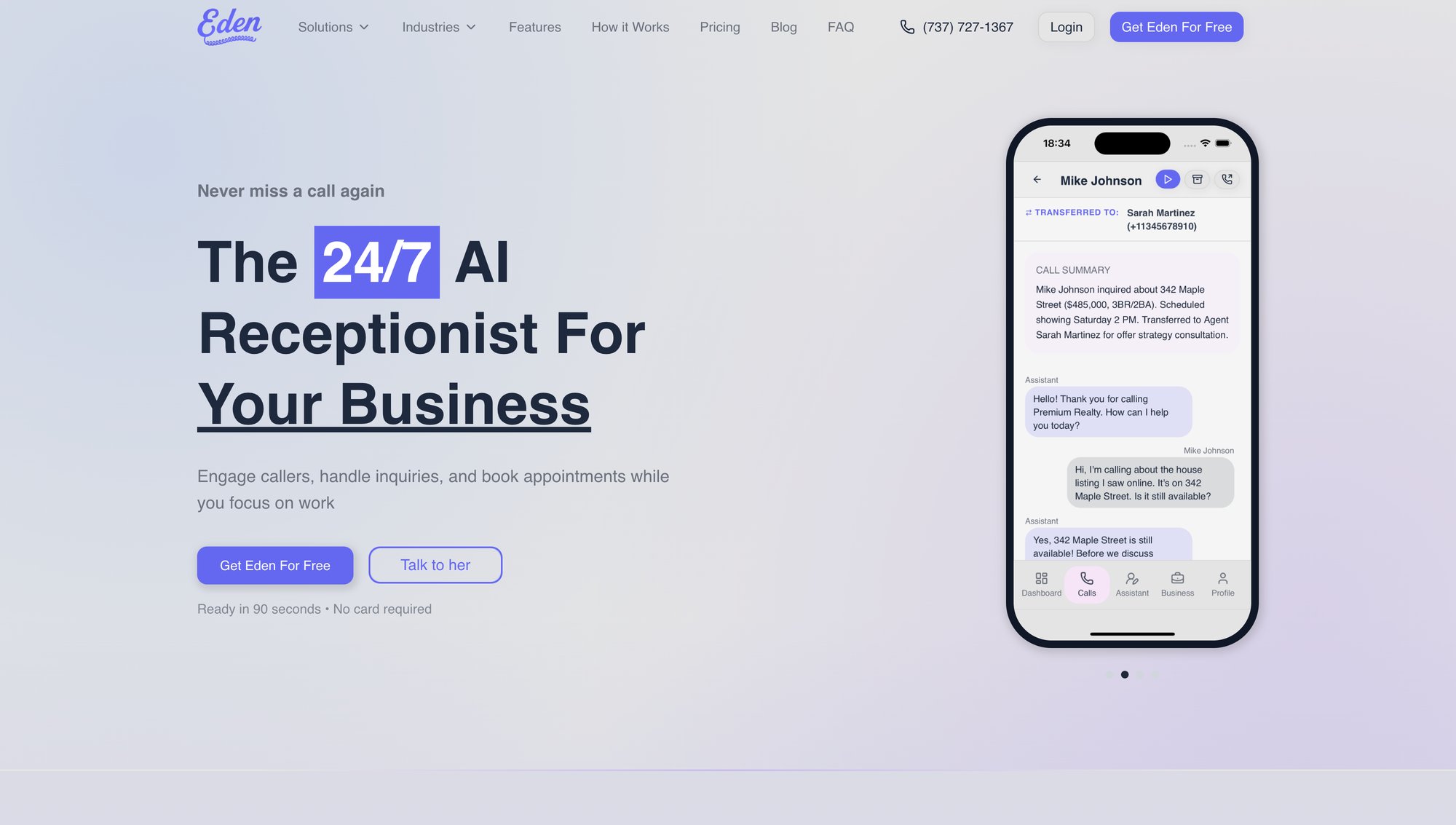
Key features:
• Bilingual English/Spanish support
• On-the-spot appointment booking with Google/Outlook calendar sync
• Intelligent call transfers
• Spam call blocking (IntelliSpam™)
• Comprehensive dashboard with searchable transcripts and call recording
Eden provides industry-specific templates for fields like legal, home services, and more, plus detailed call forwarding guides.
Launched in 2025, Eden already serves 100+ businesses, delivering an all-in-one solution with flat monthly pricing (Plus and Pro plans) and no per-call fees on unlimited plans.
Other AI Receptionist Providers#
The AI receptionist market has grown significantly, with several providers offering similar capabilities. When evaluating options, focus on key differentiators like pricing structure, feature sets, ease of setup, and industry-specific expertise.

Most modern AI receptionist platforms offer core features including:
→ 24/7 automated answering
→ Natural language conversation capabilities
→ Message taking and lead capture
→ Appointment scheduling integration
→ Call recording and transcription
→ Spam filtering
Pricing across the industry typically ranges from $40-300/month depending on call volume and feature tier. Higher-cost plans generally add advanced features like warm transfers, multi-language support beyond English/Spanish, and custom integrations.
Some providers charge per call while others use per-minute pricing. Unlimited plans eliminate overage concerns but may cost more upfront.
Traditional Human Virtual Receptionist Services#
For comparison, traditional human-powered virtual receptionist services remain an alternative option, though at significantly higher cost.
These services employ live agents to answer calls for your business with high-quality, personal service. However, pricing typically starts around $249/month for 50 minutes and can exceed $1,000/month for larger volumes.
The main advantage: some callers prefer human interaction, and skilled receptionists can handle complex or sensitive calls that may challenge AI systems.
The obvious drawback: cost. Human services can be 10-20x more expensive per call than AI, and humans can only handle one call at a time (whereas AI handles unlimited simultaneous calls).
Many small businesses find AI handles routine calls effectively while keeping costs manageable, making human services increasingly difficult to justify for most use cases.
Emerging AI Receptionist Solutions#
The AI receptionist space is growing fast with new entrants regularly:
• Various providers offer AI phone agents with different integration emphases
• Specialized platforms target specific niches and industries
• Traditional phone providers have started adding AI-driven answering features to their existing service suites
When evaluating options, remember to weigh them against the criteria we discussed (features, ease, cost, etc.).
If possible, take advantage of free trials or demos. Forward your phone to different services for a week each and compare caller feedback or transcript accuracy.
It's like hiring: you want the AI you feel comfortable representing your business.
What Are the Downsides of AI Receptionists?#
No solution is perfect. Here are common concerns and limitations to be aware of:
"Will my callers dislike talking to a robot?"#
This is a frequent worry. In reality, most callers handle AI just fine, especially for simple calls. The key is that their problem is being addressed quickly.
Many callers may not even realize it's AI if the voice is natural and conversation flows. Younger customers often prefer the speed of AI over waiting on hold.
That said, some callers might be hesitant or ask "Are you a real person?" Best practice: have the AI be transparent if asked, and always provide an option to escalate to a human or take a message.
Over time, as people get used to voice assistants (Siri, Alexa, etc.), this concern is diminishing.
Prompt service tends to trump the slight difference in who's providing it.
Can AI Receptionists Understand Complex Calls?#
Today's AI receptionists excel at routine calls: "I'd like to book X," "I'm calling about Y," etc.
However, if a call gets very complicated or emotional, the AI may struggle. A caller who starts venting in detail or asks a multi-part, unusual question might throw the AI off script.
In such cases, the AI gives a polite fallback: "I'm sorry, I'm not able to assist with that. I'll have someone call you back as soon as possible."
This is generally fine. At least the caller got some response and assurance of follow-up.
The solution: design your call flow with escape hatches. If the caller says something the AI isn't trained on, have it apologize and promise a callback.
Over time, you can update the AI to handle new frequent scenarios.
Remember: AI receptionists aren't meant to replace every possible human interaction. They handle the front-line and repetitive stuff, and forward edge cases to you.
Do AI Receptionists Work With Heavy Accents?#
While AI voice recognition has improved dramatically, extremely heavy accents or poor phone connections can still pose challenges.
If you serve a community with strong regional accents or non-native English speakers, test how the AI handles it.
The good news: many systems continuously learn and adapt. If the AI misheard something, you can often correct it in the transcript and the system might adapt next time.
For multilingual support, check if the system auto-detects language or if the caller must press a key. Ideally it should detect automatically.
How Much Time Does AI Receptionist Setup Take?#
Though marketed as plug-and-play, getting best results may require some configuration effort.
Simply turning it on without customizing could yield suboptimal interactions.
Plan to spend time in the beginning to:
• Review the default greeting
• Add key FAQs
• Set your preferences (after-hours, who to transfer to for emergencies, etc.)
The more context you give the AI, the better it performs. This isn't so much a "drawback" as a necessary investment, much like training a new employee.
Once it's done, you rarely update it except when your business info changes.
Do AI Receptionists Need Ongoing Monitoring?#
It's wise to monitor your AI receptionist's performance, especially early on.
Skim call transcripts or listen to a few recordings to ensure it's handling things correctly. You might catch a misunderstanding and adjust the AI's knowledge base or phrasing.
This fine-tuning is usually easy through the service's dashboard.
After a while, you'll trust it and not need to check often, but treat it as a dynamic process.
Also, if your business offerings change (add a service, change pricing), remember to update the AI's info so it doesn't give outdated answers.
What Technical Issues Can Happen With AI Receptionists?#
Occasionally, you might run into integration hiccups: calendar sync not working perfectly or a forwarded call not reaching the AI due to carrier quirks.
The key is to test thoroughly after setup. Do a few test calls (during hours, after hours, etc.) to see that everything routes correctly.
AI providers usually provide troubleshooting tips. Over time, these services have gotten pretty stable, but as with any phone tech, hiccups can happen.
The good news: since AI receptionists are cloud services, you often get updates and improvements automatically.
What Compliance Rules Apply to AI Call Recording?#
Keep in mind any legal requirements around calls in your area.
If you're recording calls, double-check two-party consent laws. If needed, have the AI play a brief recording disclosure.
If you plan to have the AI gather personal data (credit card info, health info), ensure the service can do so securely and in compliance with regulations.
For most standard uses (name, phone, scheduling, general questions), there's no legal issue.
Bottom line: The drawbacks of AI receptionists are relatively minor compared to benefits, especially as technology matures.
Most businesses find that any occasional hiccups are far outweighed by the value of never missing calls and freeing up time.
Best practice: use the AI receptionist as an assistant, not necessarily a complete replacement for human judgment.
You remain in control. You decide when it takes calls, you get all the info, and you can step in for critical moments.
A great deployment strategy: handle known, important clients or scheduled calls yourself, but let the AI tackle unknown callers and after-hours stuff.
Why AI Receptionists Are Essential in 2025#
In 2025, AI receptionists have moved from novelty to must-have tool for competitive businesses.
They allow even the smallest company to provide responsive, round-the-clock customer service that used to only be possible with large staff or expensive call centers.
By leveraging advanced AI voice technology, you ensure every caller is greeted and helped instantly, professionally, and consistently.
The result? More leads captured, more appointments booked, happier customers, and less stress on you and your team.
What ROI Can You Expect From an AI Receptionist?#
Companies implementing AI receptionists often achieve ROI improvements of several hundred percent and cut overhead by 40-60% compared to manual call handling.
Studies estimate a typical small business could save up to $250,000 over five years by using an AI receptionist instead of hiring staff.
It's not magic. It's just that so many calls that would have been lost or wasted are now converted into opportunities.

Does AI Replace Humans or Augment Them?#
Adopting an AI receptionist doesn't mean you value human touch any less.
Rather, it frees your human talent to focus on interactions that truly require a personal touch, while the AI covers routine front-line duties. It's about augmenting your capability.
As AI voices and understanding get even better (the trajectory is impressive), the line between AI and human service will blur further.
We're quickly approaching a world where customers won't ask "Is this a real person?" because it won't matter. They'll be getting the help they need.
How to Test an AI Receptionist for Free#
If you're considering an AI receptionist for your business, the best step is to try it out.
Most providers offer a free trial or demo. Forward your phones for a week and see how it handles your calls.
There's nothing like hearing your own business calls managed by an AI to make the potential clear.
Monitor the results:
• Did you capture leads you might have missed?
• Did customers get serviced faster?
• How did it feel to not worry about the ringing phone for once?
Chances are, you'll quickly wonder how you operated without it.
How AI Receptionists Level the Playing Field#
In the same way voicemail transformed business decades ago (and then email, and then chatbots), AI receptionists are the next evolution in customer communication.
Early adopters are gaining an edge. They're impressing callers, reclaiming lost revenue, and slashing costs.
The playing field is leveling, where a one-person business can present a big-company image with an always-available receptionist.
Don't let missed calls be your Achilles' heel.
An AI receptionist can be your tireless ally in customer service and growth. With the information in this guide, you're well-equipped to evaluate your options and choose the solution that fits your needs and budget.
Embrace the future of phone answering. Your customers (and your bottom line) will thank you for it.
Ready to never miss another call? Try Eden free for 7 days and see the difference 24/7 AI answering makes for your business.
Frequently Asked Questions#
What is an AI receptionist?#
An AI receptionist is a software-powered virtual assistant that uses artificial intelligence to answer phone calls, hold natural conversations with callers, and handle tasks like answering questions, taking messages, booking appointments, and routing calls. It operates 24/7 without breaks or days off.
How much does an AI receptionist cost?#
AI receptionist services typically cost between $39-$299 per month depending on features and call volume. Entry-level plans start around $39-$60/month for basic answering and message-taking. Mid-tier plans with appointment booking and transfers run $99-$159/month. This is far cheaper than human receptionists, which can cost $3,000+ monthly in salary or $250-$400+ for traditional answering services.
Will customers be upset talking to an AI instead of a human?#
Research shows 80% of customers report positive experiences with AI receptionists, largely because they get immediate help without waiting on hold. Many callers don't even realize they're speaking with AI if the voice is natural and the conversation flows well. Younger customers often prefer the speed of AI over waiting for callbacks. The key is ensuring callers get their needs addressed quickly.
Can an AI receptionist book appointments?#
Yes, most mid-tier and higher AI receptionist plans can book appointments directly into your calendar. They integrate with popular calendar systems like Google Calendar and Microsoft Outlook, check your real-time availability, offer time slots to callers, and create confirmed appointments automatically. This on-the-spot booking dramatically increases conversion rates.
What happens if the AI doesn't understand a caller?#
Quality AI receptionists are programmed with fallback responses for situations they can't handle. They'll politely say something like "I'm sorry, I'm not able to assist with that. I'll have someone call you back as soon as possible," then take a detailed message for you to follow up. You can also configure most systems to transfer complex or urgent calls directly to you or a staff member.
Is an AI receptionist better than a human answering service?#
AI receptionists offer several advantages: they cost 85-90% less per interaction, never get sick or take breaks, can handle multiple calls simultaneously, provide instant service 24/7/365, and automatically record and transcribe every call for review. However, human services may handle extremely complex or emotional calls better. Many businesses find AI handles 90%+ of calls perfectly, with humans available for the remaining edge cases.
What industries benefit most from AI receptionists?#
AI receptionists work well for service-based businesses including law firms, real estate agencies, contractors (plumbing, HVAC, electrical, roofing), salons and spas, fitness studios, property management, insurance agencies, accounting firms, and many others. Any business that gets frequent calls, operates outside traditional hours, or can't afford to miss leads benefits significantly.
Can AI receptionists speak languages other than English?#
Yes, many AI receptionist services offer bilingual support, most commonly English and Spanish. The AI can automatically detect the caller's language and switch seamlessly, even within the same call. Some advanced platforms support 35+ languages. This makes your business more accessible to diverse communities without hiring bilingual staff.
How long does it take to set up an AI receptionist?#
Most AI receptionist services can be set up in 5-15 minutes. You typically pick a phone number, provide your business information (often auto-scraped from your website), customize your greeting, set your preferences, and configure call forwarding. The technical setup is straightforward, though you may want to spend additional time customizing FAQs and call handling rules for optimal results.
Do AI receptionists record calls?#
Yes, virtually all AI receptionist systems record and transcribe calls automatically. This is useful for quality assurance, reviewing details, and dispute resolution. The systems typically include a compliance disclaimer in the greeting to notify callers about recording. Transcripts are searchable, making it easy to find specific calls or information.
How do AI receptionists block spam calls?#
AI receptionists use multiple methods to filter spam: they can block known spam numbers from databases, automatically hang up on robocalls that don't have a real person, block entire area codes (like toll-free numbers often used by telemarketers), and use AI analysis to detect spam patterns. Most services don't count blocked spam calls toward your usage limits, saving you money and interruptions.
Can I use an AI receptionist with my current phone number?#
Yes, you keep your existing business phone number. You simply set up call forwarding to send calls to your AI receptionist's number. This can be configured to forward all calls, forward only when you're busy or don't answer, or forward only during certain hours. Most providers give step-by-step instructions for common phone carriers and systems.
Data in this article is current as of 2025. Pricing and offerings may change, so always check the latest details with providers.
Ready to Transform YourCustomer Experience?
Join hundreds of businesses using Eden AI to handle calls, book appointments, and provide 24/7 customer support.