
Real Estate
Explore solution
Eden answers incoming calls on your business number, asks why someone called, captures the details, and follows your rules for booking, routing, summaries, or messages. Callers get help instead of voicemail, and your team gets a record they can act on.
Works with your existing business number

Call answering, intake, routing, booking, and follow-up in one workflow
An AI receptionist answers inbound business calls, figures out what the caller needs, and follows your rules for the next step. Eden is built for small businesses that need real phone coverage without hiring a full-time receptionist, staffing nights, or letting good leads drop into voicemail.
When someone calls, Eden greets them, asks useful questions, answers from your business context, captures contact details, and decides whether to book, route, summarize, or take a message. The owner or team gets the transcript, recording, summary, and recommended next step, so follow-up starts from a real call record instead of a vague voicemail.
For callers, the experience should feel simple: they explain what they need, Eden gathers the right details, and your business gets enough context to follow up, route the call, or book the next step.
Need the category basics first? Eden's AI receptionist guide explains what AI receptionists are, how they work, and where they fit in small-business phone coverage.
The problem
A contractor may be on a job site. A salon owner may be with a client. A property manager may be dealing with a tenant issue. A lawyer, accountant, or consultant may be in a meeting. The call still matters. The business needs someone to answer, ask the right questions, and flag anything urgent.
Need overflow or after-hours coverage specifically? See Eden's answering service. Comparing human remote reception with AI? See virtual receptionist.
Coverage and call context without building a front-desk schedule
Give callers a real response when the owner, front desk, or team cannot pick up.
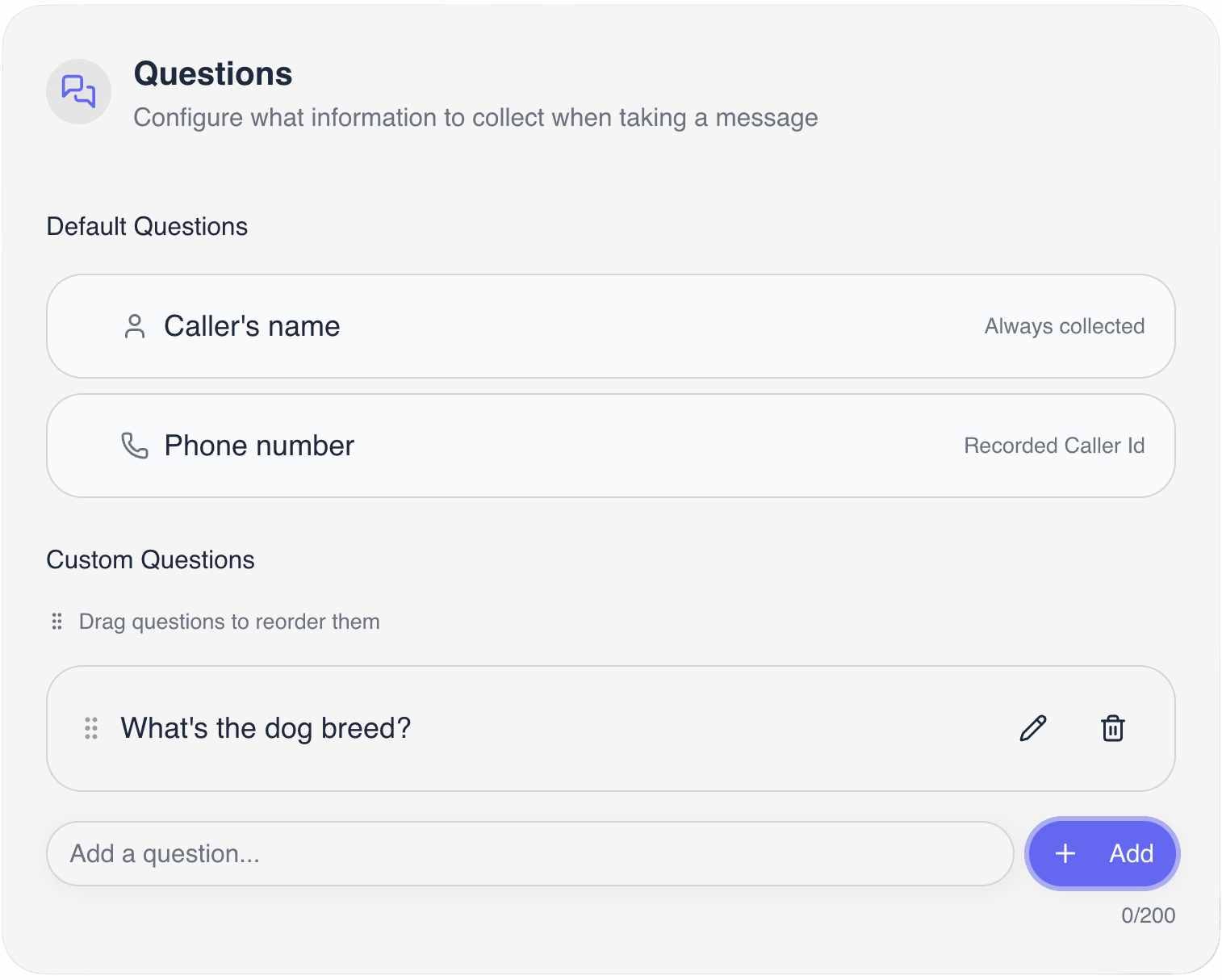
Collect caller name, number, service need, location, urgency, and preferred follow-up before the opportunity goes cold.
Handle appointment conversations through a connected calendar or by sending the caller your booking link by SMS.
Transfer or alert the right person based on your escalation rules instead of treating every call the same.
Turn missed calls into structured summaries, transcripts, recordings, and next steps your team can actually use.
Let Eden handle routine calls while you stay focused on the customer, job, meeting, or appointment in front of you.
Workflow
Eden works with the phone number your customers already call. You decide when calls forward to AI and which calls should reach a person.
Eden can use public business information such as your website or Google profile, plus your instructions, FAQs, service area, hours, booking rules, and transfer preferences.
Some businesses forward every call. Others start with unanswered calls, busy calls, overflow, or after-hours coverage.
Eden greets the caller, asks why they called, and follows the call flow you approve.
Eden can answer common questions, capture lead details, identify urgency, send booking links, book through calendar workflows, screen spam, and route calls.
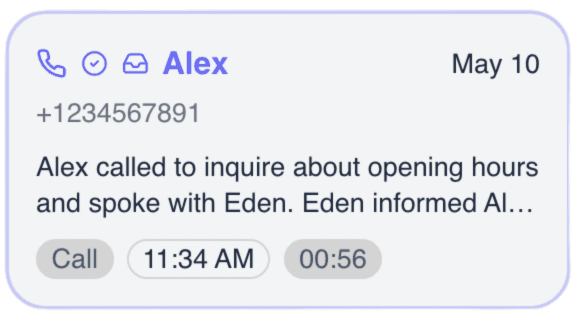
After the call, your team can review the recording, transcript, summary, caller details, and recommended next step.
Repeated questions, missed details, and routing changes become updates to Eden's instructions.
Repeats every call
Built for phone-first small businesses
Answer routine callers during business hours, nights, weekends, holidays, and busy periods.
Respond to common questions about hours, services, service area, location, booking rules, and next steps.
Ask intake questions that turn a vague call into a usable lead record.
Book into a connected calendar when enabled, or send an SMS booking link during the call.
Transfer urgent or high-priority callers according to your business rules.
Reduce junk calls and low-value interruptions while keeping real customer calls visible.
Feature depth
Eden answers with your business greeting, asks what the caller needs, and keeps the call from turning into voicemail.
The most useful receptionist work is often simple: name, phone, email, location, reason for calling, urgency, and preferred next step.
For appointment-driven businesses, Eden can send a booking link by SMS or use the configured calendar workflow to check availability and book.
Some calls should reach a person immediately. Eden can route based on why someone called, urgency, branch, role, or defined scenarios.
After each call, Eden creates a record you can review: recording, transcript, summary, caller details, and next action.
If a caller reaches Eden instead of voicemail, you can still know who called, why they called, and how urgent the request is.
For deeper feature pages, see call routing, call recording, and missed call text back.
Comparison
These options solve different problems. The right choice depends on call volume, call complexity, staffing model, and tolerance for missed opportunities.
Best fit
Routine inbound calls, lead capture, appointment requests, after-hours coverage, spam filtering, summaries, and urgent routing.
Tradeoff
Needs clear business rules and human fallback for sensitive or complex calls.
Best fit
Calls that need human empathy, flexible judgment, or relationship context from the first sentence.
Tradeoff
Cost, coverage, consistency, training, and script quality vary by provider.
Best fit
High-control front desk work for teams with enough volume to justify staffing.
Tradeoff
Payroll, hiring, training, sick days, breaks, and after-hours gaps remain the business's responsibility.
Best fit
Very low-priority calls where delayed response is acceptable.
Tradeoff
Passive. It does not answer questions, qualify urgency, or prevent callers from moving on.
Best fit
Basic routing for larger teams with fixed departments.
Tradeoff
It routes callers, but it does not hold a useful conversation or create a complete intake record.
Eden works best as the first layer: answer quickly, handle repeatable calls, and bring in a person when judgment matters.
Cost
Eden's current public plans start with Plus at $39.99/month. Pro is $99.99/month and includes unlimited minutes, call transfers, booking links, and calendar booking. Ultra starts at $299.99/month for higher-volume or custom workflows.
Start with the 7-day free trial, then choose the plan that matches your call volume and the workflows you need Eden to handle.
For more educational context, read Eden's AI receptionist cost guide.
Pricing checklist
09 items
Compare like-for-like
Best fit
Eden is built for phone-first small businesses in the United States, especially teams where the owner or staff are often away from a desk.
Phone-first businesses where every caller deserves a real response
How it works
Start with business context, call rules, and forwarding
Give Eden your website, Google profile, FAQs, services, hours, service area, and the answers callers should hear.
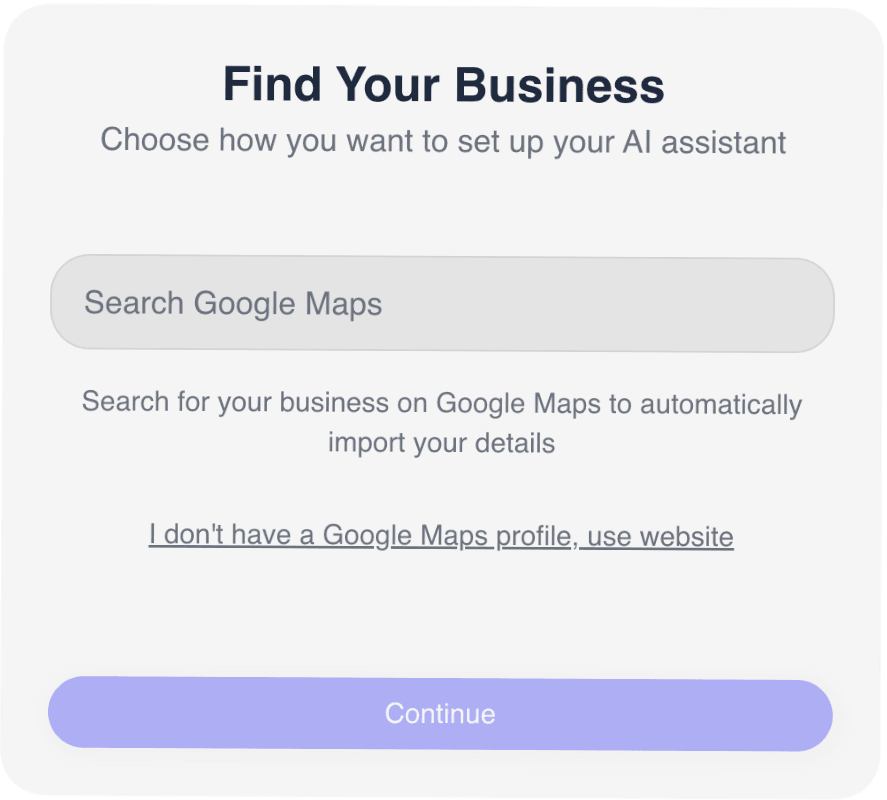
Decide when Eden answers, what details she collects, whether she books through a calendar, sends an SMS booking link, routes calls, and what she should never promise.
Use your existing business number and forward all calls, unanswered calls, busy calls, or after-hours calls to Eden.
Launch quality
The best AI receptionist setups are specific. Eden should know what a good receptionist for your business would know, and it should also know what not to say.
Business name, pronunciation, locations, hours, service area, and greeting.
What you offer, what you do not offer, and which requests are high priority.
The caller details your team needs before follow-up.
Whether Eden should book on a connected calendar, send an SMS booking link, or gather details for confirmation.
Who receives urgent calls, what counts as urgent, and what happens if nobody answers.
What Eden should say when a caller asks about something outside approved knowledge.
Where summaries should go so follow-up does not sit unnoticed.
Try a new lead, common question, urgent call, scheduling request, spam-like call, and unsafe question.
Measurement
Review calls by workflow instead of only listening for voice quality. A polished voice matters, but the business value comes from whether Eden improves the call outcome.
System check
08 signals · live
Bottom line
Eden is a fit when calls matter but your team cannot always stop what they are doing. It answers, asks why the person called, captures the details, books or sends a booking link when configured, routes urgent calls, and gives your team the recording, transcript, summary, and next step.
If you mostly need mobile call review, see AI phone assistant. If the problem is missed-call, overflow, or after-hours coverage, see answering service.
Discover quick and comprehensive answers to common questions about our platform, services, and features.
Can't find what you're looking for? Contact our
Answer calls, capture details, book or send booking links, route urgent callers, and review every conversation from a clear call record.
No code • No hardware • Up and running in seconds