Best VoIP Phone Systems for Small Business (2025)
Best VoIP phone systems for small business in 2025. See which providers offer 99.9% uptime, unlimited calling, and features that used to cost thousands.
November 30, 2025

Your phone bill is probably higher than it needs to be. And you're likely missing calls that could turn into revenue.
Small businesses switching to VoIP phone systems typically cut their phone costs by 50-70% compared to traditional landlines. But the savings are just the start.
VoIP lets you answer calls from anywhere (your office, home, or phone), includes features that used to cost thousands extra, and scales instantly when you need to add lines. About one-third of businesses now use VoIP, and that number keeps climbing.
If you're still relying on old phone lines or juggling personal cell numbers for business calls, you're leaving money on the table.
This guide breaks down the 10 best VoIP phone systems for small businesses in 2025. We'll cover what makes each one worth considering, what they cost, and which situations they fit best. By the end, you'll know exactly which system matches your needs and budget.
Why Switch from Traditional Phone Lines to VoIP?#

Traditional phone service made sense 20 years ago. Today? It's expensive and inflexible.
Here's what changes when you switch to VoIP:
You'll actually save money. VoIP plans cost way less than analog phone service. Some small companies have slashed their startup phone costs by up to 90%. Most VoIP services include unlimited calling for a flat monthly rate, so no more surprise charges for long-distance calls.
Your team can work from anywhere. VoIP isn't tied to a physical location. You and your employees can make and receive business calls on desk phones, computers, or mobile apps from anywhere with internet. This matters whether you have remote staff or just need to stay reachable while running errands.
You get features that landlines can't match. Even basic VoIP plans include auto-attendant menus, call routing, voicemail-to-email transcription, conference calling, and call recording. These are features traditional phone companies either don't offer or charge separately for.
Adding lines takes minutes, not days. Need another phone number or extension? With VoIP, you add users through an online dashboard in minutes. No technician visit required. You can scale up or down without calling anyone.
Everything stays in one place. Many VoIP providers bundle voice with video meetings, team chat, and texting. Instead of juggling separate apps, your team handles all communication from one platform. That streamlines workflows and reduces the chance of missing messages.
Reliability is better than you think. Top VoIP services maintain 99.9% uptime or better. The industry standard is actually 99.999% uptime (that's "five nines"), meaning practically zero downtime. With proper internet setup, call quality is crystal-clear HD voice, often clearer than landlines. And if one device goes down, calls instantly route elsewhere.
The bottom line? VoIP gives you enterprise-level phone capabilities without enterprise-level costs.
How to Choose the Right VoIP System#
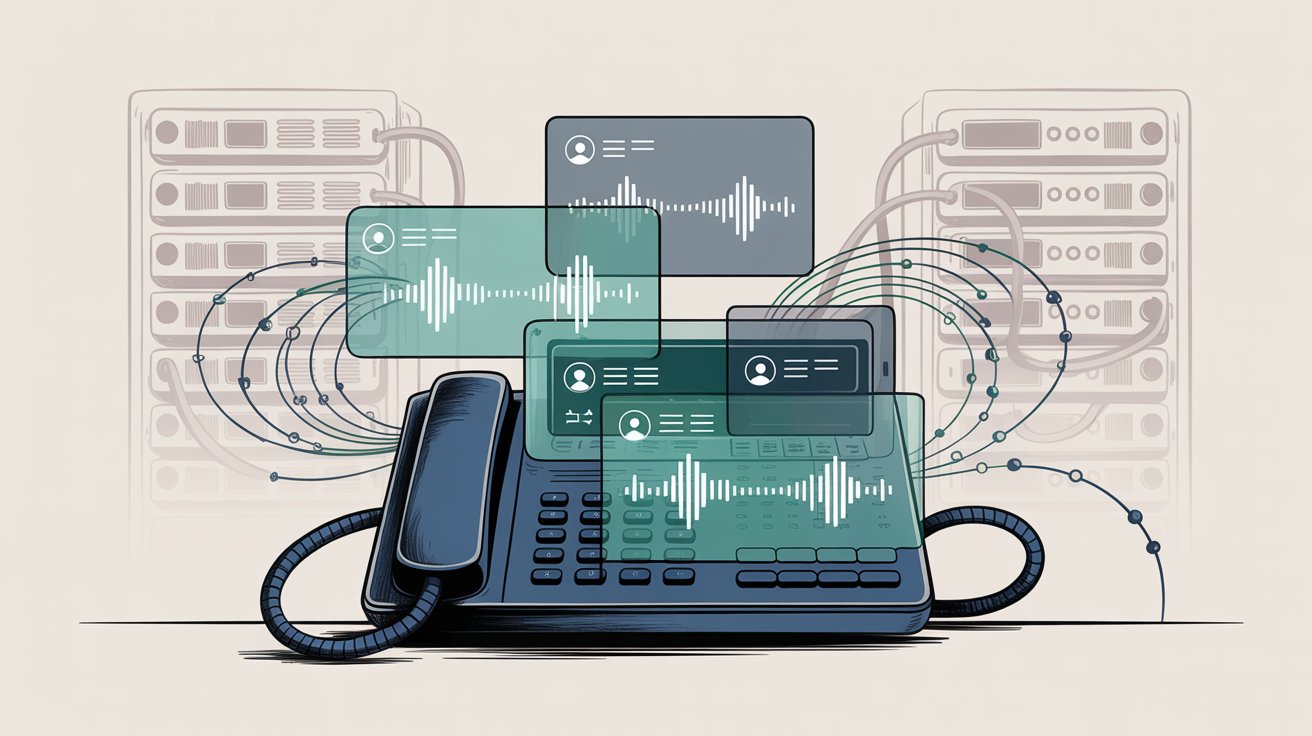
Not all VoIP services work the same way. Here's what actually matters when you're comparing options:
Reliability and Call Quality#
Check for providers with 99.999% uptime SLAs and redundant networks. You need clear audio with zero dropped calls.
Don't just trust marketing claims. Look at real user reviews to see how services perform day-to-day.
Pricing That Actually Makes Sense#
Make sure the service can grow with you. Look for transparent pricing that lets you add users without hassle.
Pay attention to whether prices are per-user or per-line. Watch for discounts as you add more people. And avoid long contracts unless you're absolutely certain about the service.
Features You'll Actually Use#
Figure out which calling features matter for your business:
• Do you need multi-level phone menus?
• Call queues?
• Voicemail transcription?
• Toll-free numbers?
• Video conferencing?
Some providers include most features in all plans. Others lock advanced capabilities behind higher tiers or add-ons. AI features like automatic transcriptions are becoming standard, giving early adopters an edge.
Integration and Compatibility#
If you use CRM software, helpdesk tools, or calendar apps, check if the VoIP service connects with them for call logging and contact syncing.
Also verify hardware support. Many services are app-only, which is fine if you don't need desk phones. But if you want physical phones on desks, make sure they're supported. Same goes for porting your existing phone numbers.
Ease of Use and Support Quality#
A simple interface means faster onboarding. Look for intuitive admin portals and mobile apps.
Also consider support quality. 24/7 phone or chat support matters when problems pop up. Some providers are known for excellent support. Others leave you waiting on hold longer than you'd like.
Security and Compliance#
Business phone systems carry sensitive information. Leading providers use encryption, secure data centers, and features like HIPAA or PCI compliance for regulated industries.
If privacy matters to your business, this isn't optional.
The "best" VoIP system depends on what you specifically need. Lowest cost? Specific features? A balance of everything? Keep these factors in mind as you review the options below.
10 Best VoIP Phone Systems Compared#

Based on features, pricing, and real-world performance, here are the top VoIP services to consider in 2025.
1. Nextiva (Best Overall Value & Support)#
Nextiva consistently ranks at the top for small businesses, known for its complete communications suite and exceptional customer support.
It combines phone service with video conferencing, team chat, SMS, and built-in contact management in a single app. Despite packing in features, Nextiva keeps the interface user-friendly and backs everything with 24/7 support.
What stands out:
All-in-one communications. Every Nextiva plan includes unlimited voice calling within the US and Canada, plus video meetings, team messaging, and multi-level auto-attendant for call routing. It's a one-stop solution for all your communication channels.
Simple administration. Nextiva's online portal (NextivaONE) makes it easy to manage users, set up call routing rules, and configure greetings. Even non-technical people can handle it with support readily available.
Innovative features. Nextiva keeps adding capabilities. Their Message Pro feature lets incoming SMS route to team members or shared inboxes instead of individual users only. Nextiva also offers voicemail transcription, call recording, and analytics on higher plans.
| Plan | Monthly Cost | What You Get |
|---|---|---|
| Core | $15-20/user | Unlimited calling, IVR, basic features |
| Mid-tier | ~$30-40/user | Call queueing, advanced analytics |
| Top-tier | ~$50-75/user | Advanced integrations, premium features |
Prices drop with annual commitment and larger teams. A 7-day free trial is available. Nextiva often runs promotions like free IP phones when you sign up multiple users.
Best for: Businesses that want a system that simply works with top-notch support available. Nextiva is rated #1 for customer service by many reviewers.

The main limitation? It has fewer built-in integrations (about 20) compared to competitors offering hundreds.
Overall, Nextiva is ideal for small companies wanting full-featured phone service at fair prices with the confidence that expert help is always available.
2. RingCentral (Best All-in-One Unified Communications)#
RingCentral is a major player in business communications, offering a cloud PBX that goes well beyond phone calls.
With RingCentral MVP (Message, Video, Phone), you get voice calling, video meetings, team messaging, fax, and more in one platform. It's great for teams wanting to consolidate all collaboration tools.
Despite extensive features, RingCentral feels familiar (similar to Slack or modern apps).
Key capabilities:
→ Complete call management. RingCentral offers all business phone essentials: multi-level IVR menus with drag-and-drop editor, call queues, routing rules, call monitoring, visual voicemail, and more. It supports local numbers in many area codes and toll-free numbers.
→ Built-in collaboration tools. One of RingCentral's strengths is integrated team messaging and video conferencing. You can switch from chat to video to phone call seamlessly. RingCentral video meetings support up to 200 participants and include AI-based meeting summaries and live transcription on all plans.
→ Analytics and integrations. RingCentral provides extensive analytics to track call performance, agent activity, and system usage. You can create custom reports and live dashboards for metrics like call volume or missed calls. It also offers one of the richest integration ecosystems with over 300 third-party app integrations including Salesforce, Microsoft 365, Google Workspace, and Slack.
Pricing typically ranges from $20 to $35 per user monthly (billed annually) for Core, Advanced, and Ultra plans. Month-to-month pricing runs higher at $30-45/user. All plans include core MVP features. Higher tiers add advanced analytics, higher SMS limits, and power-user features. A 14-day free trial is available.
One note: RingCentral limits SMS texts per user (25-200 texts monthly depending on plan). Unlimited texting requires optional upgrades.
Best for: Teams wanting a mature, feature-packed unified communications solution. RingCentral is trusted by many mid-size and larger businesses but has packages suitable for small companies too.
You get the confidence of a very stable platform (99.999% uptime SLA) and features that make your small business operate like an enterprise.
RingCentral is especially good for teams heavily relying on internal collaboration beyond customer calls. Having chat, video, and phone in one service is convenient.
Downsides? It can be complex to configure initially due to sheer number of features, and advanced analytics have a learning curve. Customer support can sometimes have long wait times.
For a complete communication hub with a solid track record, RingCentral is a top choice.
3. 8x8 (Best for Global Teams & International Calling)#
8x8 is a long-standing VoIP provider known for its international reach.

If your business has global offices or frequently calls overseas, 8x8 deserves serious consideration. Their X-Series plans often include unlimited calling to a large list of countries, which can save significant money if you have international clients.
8x8 also offers advanced features like built-in call transcription and analytics even on lower tiers.
Standout features:
① Unlimited international calling. 8x8's plans include unlimited global calling to many countries. Mid-tier plans include unlimited calls to 48 countries (covering North America, most of Europe, Australia, parts of Asia), and higher plans cover even more. This is huge for businesses that would otherwise accumulate large bills calling overseas. Most competitors limit free calling to US/Canada or a smaller region.
② Enterprise-grade features. Despite targeting small and mid-sized businesses, 8x8 provides robust features. Higher-tier plans (X4) offer call center capabilities like call monitoring (listen/whisper/barge), supervisor analytics dashboards, and advanced admin controls. Even lower plans come with 500-participant video conferencing and live call transcription in real time. These are features often only found in expensive add-ons elsewhere, but 8x8 includes them.
③ Flexible plans (UCaaS and API). 8x8 has unified communications products (X series) and also offers CPaaS/API solutions. If you're a tech-forward business wanting to integrate voice/video capabilities into your own software via APIs, 8x8 enables that. Security is also a focus, with end-to-end encryption options and strong compliance.
8x8's pricing isn't always published openly. They often ask you to contact for quotes, especially for X4 or contact center tiers. Historically, small business plans have been $24 to $44 per user monthly for the X series. They may offer volume discounts for larger teams.
Best for: Businesses where international calling and scalability are top priorities. 8x8 is ideal for companies supporting offices or customers around the world.
You can use your VoIP line like a local call in dozens of countries, which is a major selling point. 8x8 is also great if you want contact center functionality (monitoring, analytics, call queues with advanced routing) without jumping to an enterprise solution.
The platform is reliable and secure, used by many global organizations. Potential drawbacks are opaque pricing and the fact that purely domestic, simple operations might not fully utilize what 8x8 offers.
But for a future-proof, global-ready phone system, 8x8 is among the best.
4. GoTo Connect (Best for Unlimited International Calling)#
GoTo Connect (formerly Jive) is another strong VoIP contender, particularly shining in international calling and multi-site support.
| Feature | GoTo Connect Advantage |
|---|---|
| International Calling | Unlimited to 50+ countries (Standard plan) |
| Call Flow Designer | Visual drag-and-drop interface |
| Scalability | Easy upgrade to full contact center |
| Free Trial | 14 days available |
Small businesses that anticipate growing or already span multiple countries can benefit from GoTo Connect's inclusive approach to worldwide calling and easy admin tools for complex call flows.
Key advantages:
Generous global calling plans. GoTo Connect's Standard plan offers unlimited VoIP calling to 50+ countries by default. This is arguably the most generous international package in this class. Your team can call landlines and cells in all those countries free of per-minute charges. This outmatches most competitors on international coverage.
Powerful dial plan editor. One of GoTo Connect's signature features is its visual call flow designer. Through drag-and-drop, you can set up custom call routing paths, schedules, menus, and ring groups easily.
Users praise how this makes configuring an advanced phone tree or sequence intuitive. It's great for tailoring call handling exactly to your business logic without needing a telecom engineer.
Scalability to contact center. If you ever need to upgrade to a full contact center, GoTo has add-ons and higher tiers (Connect CX or GoTo Contact Center) that integrate with the phone system. You can start with basic VoIP and gradually adopt features like skill-based routing or supervisor dashboards. The ecosystem is there when you need it.
GoTo Connect's pricing isn't listed publicly for 2025 (they often request quotes). Previously, plans ranged roughly $27 to $32 per user monthly for basic and standard tiers.
They've shifted to packaging by solution: basic phone system, unified communications (Connect Standard), and Contact Center. The 14-day free trial is available.
Keep in mind the Basic plan has limitations (e.g., only 1 auto-attendant, 1 ring group) which might be too restrictive. Most businesses opt for at least the Standard plan. Always clarify what features are included at what price, especially regarding SMS (GoTo's plans had SMS limits per user).
Best for: Small-to-medium businesses that communicate globally or have complex call routing needs.
GoTo Connect's generous international calling inclusion can save significant money if you'd otherwise be paying per minute to many countries. Also, if you want freedom to design how calls flow through your business (multiple departments, on-call rotations, etc.), the ease of doing that in GoTo is a big plus.
The user interface, for both admins and end-users, is generally friendly.
Downsides: GoTo's Basic tier is quite limited (so effective cost of entry might be the higher tier), and some advanced features (like certain AI capabilities) are only in high-end packages.
But for a flexible, globally-minded VoIP system with room to grow, GoTo Connect is a top pick.
5. Dialpad (Best AI-Powered Features on a Budget)#
Dialpad is a newer-generation VoIP provider that has distinguished itself by heavily leveraging AI features and a sleek, modern user experience.
It's a great option for small businesses wanting cutting-edge technology (like live transcriptions or voice intelligence) without a hefty price tag. Dialpad also integrates tightly with Google Workspace, making it appealing if your company runs on Google's ecosystem.
What sets it apart:
Built-in AI and voice intelligence. Dialpad offers advanced capabilities in its basic plan that others reserve for premium tiers. Even on Dialpad's Standard plan (their lowest), you get real-time call transcription and post-call summaries, plus AI that can detect caller sentiment or provide live call coaching tips.
This is invaluable for sales calls or support teams. You have a written record of calls and insights without manual effort. They also have a feature suggesting answers to common questions based on call context.
Google Workspace integration. Dialpad was born out of a Google Ventures project, and it shows. It works seamlessly with Google's tools. You can integrate with Google Calendar (to show Do Not Disturb status during meetings), Gmail, and sync contacts from Google.
The entry plan is a bit limited on integrations beyond Google, but if you're a G Suite shop, it's very convenient. Higher plans add integrations to Salesforce, HubSpot, Zendesk, Microsoft 365, and more.
Simple all-in-one app. Users often comment that Dialpad's interface is clean and modern. The mobile and desktop apps handle calls, SMS, and video meetings (Dialpad Meetings) in one place. It's easy to search past conversations. Transferring calls or setting up conferences is straightforward.
Dialpad also offers unlimited texting within US/Canada on all plans, and even unlimited international SMS on Pro/Enterprise plans (a rarity).
The Standard plan is $15 per user monthly (if paid annually; $23 monthly). That includes unlimited calling within your country (and Canada/US usually), unlimited SMS, and the AI features mentioned.
The Pro plan is $25/user (annual) which adds 24/7 support, integrations, and a few advanced admin tools. There's also an Enterprise plan for large companies.
Dialpad touts the value that for $15 you're getting features others charge much more for, and that holds true. Features like call recording, voicemail transcription, and ring groups are in the base plan, which is strong value. They offer a 14-day free trial.
Best for: Small businesses wanting a tech-forward phone system at low cost. If you love the idea of having every call transcribed automatically or gleaning AI insights from conversations, Dialpad delivers that out of the box.
It's also good if your team is already Google-centric or you prefer a youthful, startup-like user experience over traditional telecom feel. Since Dialpad's base plan is so feature-rich, you might get more for your money compared to some competitors' basic offerings.
Note that if you require certain integrations (like with a CRM), you may need to step up to the Pro plan. Also, Dialpad is purely cloud-based and doesn't support desk phones as widely unless those phones work with standard SIP setup. For most small businesses using mobile and desktop apps, that's not an issue.
Dialpad is a great choice for small teams on a budget who still want advanced functionality and are excited by the latest AI tools in communications.
6. Vonage (Best for API Integrations and SMS Capabilities)#
Vonage is a recognized name (it was one of the first VoIP disruptors for consumers). Today, Vonage Business Communications is a robust platform catering to small and midsize businesses, with emphasis on flexibility and customization.
One of Vonage's biggest strengths is its developer-friendly API platform. If you need custom voice or messaging applications, Vonage can do it.
It also stands out by offering unlimited SMS on its plans, which is great if texting is a big part of your customer communication.
Core strengths:
• Unlimited calling and texting. All Vonage Business plans include unlimited calls and SMS within the U.S., Canada, and Mexico. This is notable because some competitors limit the number of texts or charge extra for high-volume texting. With Vonage, you can freely text customers without watching a quota. They offer a wide selection of local and toll-free numbers, including international virtual numbers, which you can add to your account easily.
• Vonage API platform. Beyond standard phone system features (which Vonage has: voicemail, IVR, ring groups, etc.), Vonage provides APIs for voice, SMS, video, and more via its developer platform. If you want to do something custom (integrate click-to-call on your website, build a custom texting bot, or embed voice calls in your software), you can use Vonage's APIs to power it. Small businesses with a developer on staff or using a third-party integrator can leverage this to create tailored communications solutions.
• Core features and add-ons. Out of the box, Vonage's app provides VoIP calling (with desktop and mobile app), team messaging, and video meetings. It has basic analytics and call logs. However, some features are add-ons or only in higher tiers. For example, call recording is not included free (it's a paid add-on ~$5/user), and more advanced call handling (like multi-level auto-attendant, call queues) require at least the mid-tier plan (Premium). The upside is you can pick and choose add-ons to avoid paying for what you don't need. The downside is Vonage can become pricier than some "all-included" competitors by the time you add them.
Vonage Business Communications offers 3 plans: Mobile, Premium, and Advanced. The list pricing (for ~10 users) starts around $19.99/user for Mobile, $29.99 for Premium, and more for Advanced, but Vonage often applies volume discounts as your user count grows.
For example, at 10 lines, effective rates might drop to ~$12.59 to $26.59/user with those discounts. The Mobile plan is cheapest but quite limited (app only, no desktop video, etc.), so most teams opt for Premium which includes the desktop app, unlimited meetings, CRM integrations, and multi-level IVR.
Watch for extra fees: toll-free minutes, additional virtual numbers, and certain add-ons will raise costs.
Best for: Small businesses wanting flexibility and aren't afraid to tinker. If unlimited texting and having multiple phone numbers (local or international DIDs) on your account is important, Vonage delivers that with ease.
It's also one of the best options if you plan to build custom voice/SMS applications or integrate your phone system deeply with other software. Their API platform is a big differentiator. Many startups use Vonage APIs for things like appointment reminders via SMS or automated call blasts.
On the flip side, if you just want a plug-and-play phone system with all bells and whistles included, Vonage might feel a bit nickel-and-dime because some advanced features cost extra. Reviews note that Vonage's base unified communication features are fairly basic.
The admin portal is adequate but not as modern as some, and certain advanced call center features are lacking unless you upgrade. Also, Vonage doesn't bundle hardware (no free phones deals), so factor that in if you need desk phones.
Choose Vonage if you value its unlimited SMS and API flexibility, and if you don't mind piecing together exactly the features you need.
7. OpenPhone (Quo) (Best Simple Phone System for Startups)#
OpenPhone, recently rebranded as Quo, is a relative newcomer that has quickly become popular with startups, solo entrepreneurs, and small teams.

It's a mobile-first VoIP service known for simplicity and unique approach to sharing business numbers. Quo/OpenPhone doesn't overload you with features you won't use. Instead it focuses on core calling and texting with a very clean app experience.
Think of it as a step up from using personal phone numbers, but not as complex as a full UCaaS platform.
Unique features:
Shared numbers and inboxes. A standout feature is the ability to share one phone number among multiple team members simultaneously. For example, a sales@company number or support line can be used by a whole team.
Everyone can see incoming texts/calls, and any member can respond, with the conversation synced for all. Multiple users can even be on calls or text threads from that same number at once.
This is incredibly useful for small teams where several people need to collaborate on the same line (no more "Did anyone reply to that client text?"). It's a productivity booster that many larger systems don't offer in such an easy way.
Intuitive and minimalistic app. OpenPhone's design is praised for being simple and uncluttered. The app (desktop and mobile) focuses on calls, text messages, voicemail, and contacts without a ton of extra menus.
This makes it extremely easy to use, even for non-technical users. You still get useful features like voicemail transcription, call recording, snippets (canned SMS replies), and integrations with tools like HubSpot and Google Contacts. But everything feels streamlined.
AI enhancements. Despite being lean, Quo has started adding AI-powered features. It offers automated call summaries and suggested message replies using AI. After a call, you might get an AI-generated recap of key points, which can save time on note-taking.
While it doesn't (yet) have advanced analytics or sentiment analysis, these small AI touches keep OpenPhone competitive with larger providers' new features.
OpenPhone/Quo keeps pricing straightforward. It has three plans: Starter, Premium (often called Growth or Business), and Enterprise.
The Starter plan is around $15 per user monthly and includes unlimited calling/texting in US/Canada, voicemail to text, basic integrations, and the ability to share numbers.
The Premium plan (~$25/user) adds shared numbers with multiple users active at once, group calling, advanced reporting, and the AI call summaries feature.
All plans are generally flat price (no per-minute charges) and include free international calling minutes to select countries as a nice bonus. OpenPhone often offers a free trial period (typically 7 days) and has very transparent pricing on their website, with no contracts required.
Best for: Very small businesses, startups, or solo professionals looking for an extremely easy and affordable way to get a business phone number (or a few). It strips out complexity and focuses on what you likely need: reliable calling and texting, a separate business identity on your phone, and maybe a shared team number capability.
It's also great for companies that don't use desk phones at all. OpenPhone is designed to be used via app on your smartphone or computer, and it does not support traditional desk phone hardware.
This could be a con if you later decide you want a physical phone on your desk, but many modern small businesses are fine without one. OpenPhone does lack some heavy-duty features of larger systems (no built-in video meetings or advanced call center features, and limited analytics reporting). But those things usually aren't needed at very small scale.
OpenPhone is best for small teams that prioritize simplicity and sharing a business line, rather than a full-blown unified communications platform. It delivers a polished, focused experience and keeps costs low.
8. Ooma Office (Best for Basic Office Phone Needs)#
Ooma Office is a VoIP phone solution particularly popular among very small businesses and those transitioning from a traditional landline setup.
Ooma's claim to fame in the consumer world was its VoIP hardware box. For businesses, Ooma Office offers an easy-to-set-up system that can work with standard phones or Ooma's IP phones, and doesn't require technical expertise.
It's a good fit for shops wanting a more traditional phone feel (dial tone, desk phones) but with VoIP benefits and low costs.
What makes it different:
Hybrid hardware support. Ooma can work with IP phones and also offers devices that connect regular analog phones to the cloud system. This means if you have existing office phones or just prefer the feel of a classic phone handset, Ooma makes it easy to use those.
They even have a base station and Linx devices that let you use cordless phones over the VoIP network. It's very friendly to those not wanting to manage software apps for calls (though mobile and desktop apps are available on higher plans too).
Essential call features included. Ooma Office comes with key features a small office needs: a virtual receptionist (auto-attendant) to greet and direct calls, ring groups, extension dialing, call parking, music on hold, and voicemail (with email audio notifications).
These are relatively basic compared to some competitors, but for many small businesses, that's plenty. Notably, Ooma includes a free toll-free number with 500 minutes in every account, which is a nice perk. They also provide unlimited calling within North America (US, Canada, Mexico) on all plans.
Analytics and administration. In its Pro Plus tier, Ooma has a browser-based admin portal that includes analytics and reporting on calls and messaging usage. The interface is reportedly a bit dated in look, but it gets the job done.
Users like the simplicity of in-call management. Features like transferring a call or placing a caller on hold are straightforward with Ooma's interface or physical phone buttons. It doesn't try to do too much, so training staff on it is easy.
| Plan | Price/User | Key Features |
|---|---|---|
| Essentials | $19.95/month | Mobile/analog only, basic features |
| Pro | $24.95/month | Desktop app, video conferencing (25 participants), voicemail transcription |
| Pro Plus | $29.95/month | Call queueing, Salesforce integration, advanced analytics |
For many very small businesses, the Essentials or Pro will suffice and keeps costs low. Ooma doesn't usually do free trials in the same way (since often there's hardware involved), but they sometimes offer a 30-day satisfaction guarantee. No per-minute charges for normal usage (it's unlimited calling).
Best for: Businesses wanting a simple, "plug-and-play" phone system that closely mimics a traditional office PBX, without fancy extras or setup.
If you run a local retail store, auto shop, or small office where you just need a reliable phone line or two with basic voicemail and maybe a menu greeting, Ooma fits well.
It's also a top choice if you insist on using actual desk phones or cordless phones easily, because Ooma specializes in that scenario (they even sell their own phones with plug-and-play auto provision). Voice quality and reliability are generally reviewed as excellent for the price point.
On the downside, Ooma can feel outgrown as you scale up. It lacks things like internal team chat, sophisticated integrations (Pro Plus has some, but limited), or advanced call center features. There's also no SMS texting on the lower plans (some competitors include this). Ooma did add texting support in Pro Plus, but if texting is crucial, consider others.
For a straightforward small-office phone setup that won't break the bank, Ooma Office is a strong contender, especially if you're not ready to dive into more complex unified communication systems.
9. Grasshopper (Best for Solopreneurs & Very Small Teams)#
Grasshopper is a virtual phone system tailored for entrepreneurs and tiny businesses.
It's often the go-to solution for someone who just needs a professional phone number and basic phone system features without the complexity of a full VoIP PBX. Grasshopper works by forwarding calls to your cell or any phone you choose, while presenting a polished image to callers (with greetings, extensions, etc.).
It's simple, affordable, and doesn't require new hardware.
How it works:
Number and extension-based pricing. Grasshopper is unique in that it charges by the number of phone lines and extensions, not by user. The base plan gives you 1 number with 3 extensions for a flat rate (around $28/mo), and higher plans give you 3-5 numbers with more extensions.
This can be very cost-effective if you have multiple people sharing one main number. Each extension can forward to a different person's phone, effectively acting like a mini phone tree for a small team. If you have a founder and two employees, you could all be on the cheapest plan by using extensions.
Virtual phone system features. Grasshopper provides basics to make a small business look bigger: a main greeting/auto-attendant that can say "Thank you for calling [Business]. Press 1 for Sales, 2 for Support...", customizable voicemail for each extension, call forwarding rules (e.g., ring a couple numbers simultaneously or sequentially), and even fax reception (faxes get emailed to you as PDFs).
It supports voice calls and SMS texting through its mobile and desktop apps. You can run everything from your existing mobile phone via the app. Outgoing calls show your business caller ID, and incoming calls can be answered in the app or forwarded to you.
Simplicity and ease of use. Grasshopper's interface and setup are very easy by design. There's no complex PBX to configure. You basically pick your number, record a greeting, and decide which real phone each extension should ring to.
The mobile app keeps your business calls/texts separate from personal calls, and provides a log of voicemails and messages. There aren't advanced features like call queues or transfer, but that's intentional to keep it straightforward. Grasshopper also offers unlimited minutes and texts in the US on all plans, so you don't worry about overages.
Grasshopper has three plans:
• Solo ($29/mo) with 1 number and 3 extensions
• Partner ($49/mo) with 3 numbers and 6 extensions
• Small Business ($89/mo) with 5 numbers and unlimited extensions
These are monthly; annual prepay gets ~10% discount. Since it's not per user, those prices remain flat whether you have 1 or 15 people sharing the system. This pricing model is great if you want multiple numbers (local numbers in different cities, or toll-free plus local). All plans include the same feature set. The only difference is numbers/extensions count. There's a 7-day free trial, and no contracts required.
Best for: The solo professional or very small business wanting to look more professional and separate business calls, but doesn't need a full-blown phone system.
If you're a consultant, a real estate agent, a 2-3 person startup, etc., Grasshopper gives you the main features of a business line with almost zero learning curve. It's also great if you don't want to invest in new devices. You can keep using your cell phone, and just use Grasshopper to manage calls behind the scenes.
The fact that it doesn't charge per user can save money in those scenarios.
However, Grasshopper is not meant for larger teams or those needing advanced routing. It lacks things like true call transfers, hold music (beyond basic), or integrations with CRMs. Also, because it forwards to real phones, call quality depends on your cell or landline network for the final leg (though the app can do VoIP calling too). It doesn't support physical desk phones or IP phones either. It's purely an app/forwarding service.
Choose Grasshopper if you need a quick, no-fuss way to get a business line with professional features, and you're a small outfit. It's reliable and extremely simple, which for many small business owners is exactly what they need.
10. Zoom Phone (Best Budget VoIP for Teams Already on Zoom)#
Zoom made a name as a video conferencing tool, but it also offers Zoom Phone, a VoIP telephone service that integrates with its platform.
For small businesses already using Zoom for meetings or looking for a low-cost basic phone system with some modern flair, Zoom Phone is a compelling option. It doesn't have all the bells and whistles of some competitors, but it covers the essentials and is backed by Zoom's well-known ease of use.
Why it's worth considering:
Seamless Zoom integration. If your team lives on Zoom for video calls, adding Zoom Phone means your contacts, status, and communications are all in one place. You can easily elevate a phone call to a Zoom video meeting or share screen. It's all within the same client app.
This unified approach can simplify training and daily workflow. Your team deals with one app for chat, video, and now telephony.
Basic calling features with reliability. Zoom Phone includes unlimited domestic calling, a mobile/desktop softphone app, voicemail (with transcription), call hold/transfer, call recording (manual or auto, depending on plan), and IVR auto-attendants.
It's essentially a cloud PBX under the hood, but Zoom has focused on making these features user-friendly. It may not have extremely advanced call center features, but for standard business communications, it's robust.
Notably, Zoom's infrastructure is proven at scale. During the pandemic, Zoom's usage exploded 212% and they kept services stable, which bodes well for their ability to handle voice traffic.
Competitive international and hybrid plans. Zoom Phone offers flexibility in how you buy service. They have pay-as-you-go plans starting around $10/user (you pay per minute for outgoing calls) and unlimited calling plans (~$15-20/user) for various regions.
They even offer an add-on for unlimited international calling to 19 countries if you need it. This à la carte approach means you can choose a very low entry price if you have minimal call volume, or go unlimited if you make lots of calls. Few providers offer that metered option at such a low base cost.
Zoom Phone's pricing can be quite attractive. The US & Canada Unlimited plan is about $15/user per month, which gives unlimited calling in those countries. The Pay As You Go plan is ~$10/user and calls are metered (but you can mix and match users on different plans). For broader coverage, the Zoom Phone Pro plan (~$20-25) includes unlimited calls in up to 19 countries. All plans include core features and integrations with the Zoom ecosystem.
Keep in mind, Zoom Phone is an add-on to Zoom. So if you're not already a Zoom customer, you'd be using it primarily for the phone service via the Zoom app. There is no free phone-specific trial, but Zoom's free video service can give you a taste of the interface. Zoom does occasionally bundle promotions for nonprofits or educational institutions.
Best for: Choose Zoom Phone if you're either already entrenched in Zoom and want to streamline everything into one platform, or if you're seeking one of the most affordable brand-name VoIP solutions.
Zoom Phone earned a reputation as the "cheapest VoIP provider" in some rankings, with plans from $10/month, which is appealing for budget-conscious teams. Despite the low price, you still get a reliable, modern system, since Zoom is investing heavily in its phone product to compete in the UCaaS space.
The user experience is clean (very similar to using the Zoom app you're familiar with).
However, Zoom Phone is best for straightforward needs. It's not (yet) as feature-rich in the telephony department as something like RingCentral or Nextiva. Advanced call center features, extensive integrations, or AI voice features are not Zoom's focus as of 2025. Support is also primarily online unless you have large enterprise contracts.
But for a basic, low-cost, and easy VoIP system, especially if you like Zoom's style, Zoom Phone is an excellent pick.
How to Make Your VoIP System More Reliable#
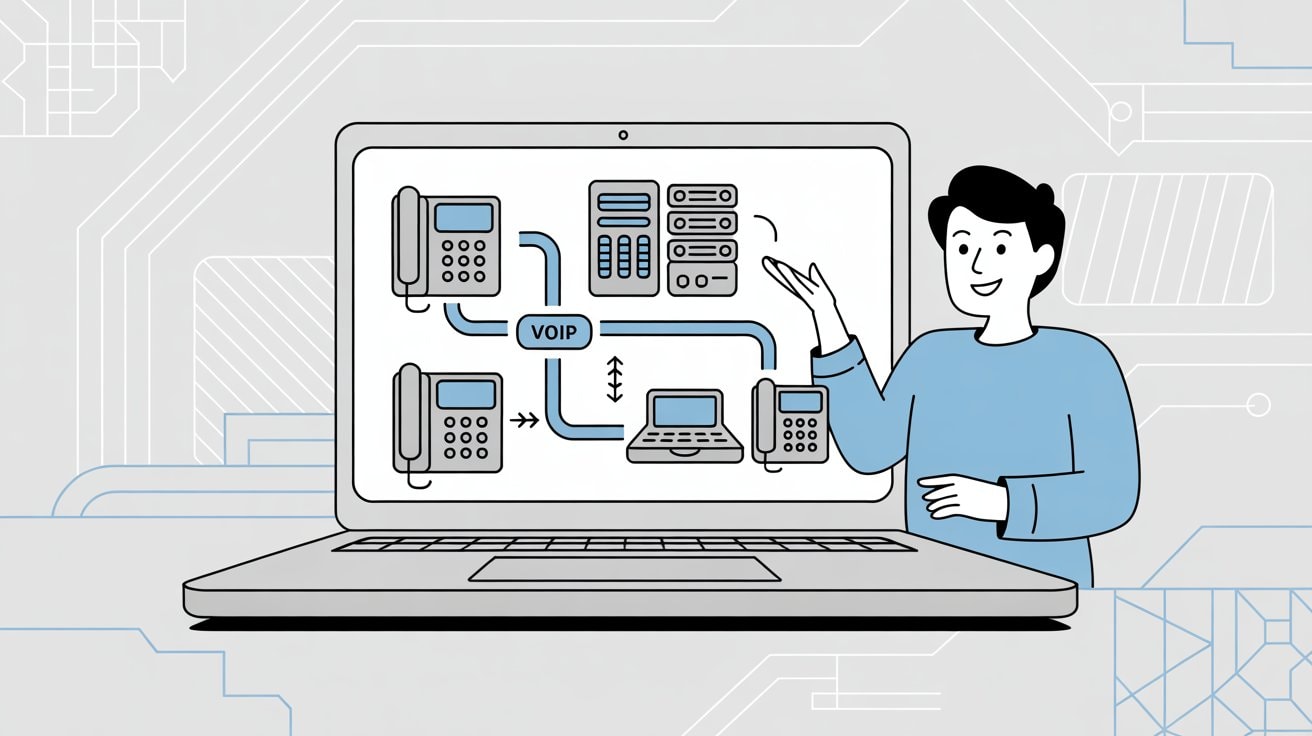
Every business is different, so the "best" VoIP phone system depends on your specific use case.
If you need a full unified communications suite with every feature imaginable, providers like RingCentral or Nextiva might serve you best. If you're trying to keep things ultra-simple (just a number and an app), Grasshopper or OpenPhone could be perfect.
Those looking to embrace new tech on a budget might lean toward Dialpad for its AI capabilities, while global-facing businesses may prefer 8x8 or GoTo for their international reach.
The good news? All these options can capably replace your outdated phone lines and give you more capabilities for less money. VoIP has matured to the point where even a tiny business can access features that once only big companies could afford, and as we've seen, it often cuts costs while doing so.
But here's something worth considering: even the best VoIP system can't answer calls when you're busy with other customers, in meetings, or closed for the night.
That's where smart call handling comes in. Many small businesses are pairing their VoIP systems with AI receptionist solutions to ensure no call ever goes unanswered.
For example, if you're worried about missing calls during your busiest hours or after you close, you can forward your VoIP number to a service that handles those calls 24/7.
Solutions like Eden work seamlessly with any of the phone systems above through simple call forwarding. You keep your VoIP provider for your regular calling needs, but when calls come in that you can't handle right away, Eden picks up instantly.
The AI receptionist answers professionally, qualifies leads, captures caller information, and even books appointments. It's bilingual (English and Spanish), blocks spam calls, and can transfer urgent calls to you or your team when needed.
Think of it this way: Your VoIP system is your phone infrastructure, and Eden is your always-available front desk. Together, they ensure you never miss a revenue opportunity.
Eden works particularly well for small businesses that:
• Get calls during busy periods when staff can't pick up
• Need after-hours coverage but can't afford night staff
• Want to capture every lead without hiring a full-time receptionist
• Operate in service industries where missed calls mean lost jobs
The setup takes about five minutes. You get a dedicated Eden number, configure it to answer with your business greeting and information, then set up call forwarding from your VoIP line to Eden when you're unavailable.
That's it. No complicated integrations or technical setup required.
According to research, this works with any phone system (landline, mobile, or VoIP). And based on the benefits of using AI receptionists, the setup is straightforward enough that you can have it running the same day.
This combination gives you the best of both worlds: a modern VoIP system with all the features you need, plus the confidence that every single call gets answered professionally, even when you're slammed or offline.
Frequently Asked Questions#
What is VoIP and how does it differ from traditional phone service?#
VoIP (Voice over Internet Protocol) uses your internet connection to make and receive calls instead of traditional copper phone lines.
The main differences? VoIP costs significantly less (often 50-70% savings), works from anywhere with internet, includes advanced features at no extra charge, and scales instantly without technician visits. Traditional phone lines tie you to a physical location and charge extra for features VoIP includes by default.
Do I need special equipment to use VoIP?#
Not necessarily. Most VoIP systems work perfectly with just your existing computer or smartphone through apps.
If you prefer desk phones, many providers support IP phones (which look like traditional office phones but connect via internet). Some services like Ooma even let you use your existing analog phones with an adapter. The choice depends on your preference and workflow.
Can I keep my existing phone number when switching to VoIP?#
Yes, almost all VoIP providers support number porting. You can transfer your existing business number to your new VoIP service.
The process typically takes 1-2 weeks and your VoIP provider handles most of the paperwork. There might be a small porting fee ($10-30), but you'll keep the number your customers already know.
How reliable is VoIP compared to traditional phone lines?#
Modern VoIP is extremely reliable. Top providers maintain 99.999% uptime (that's "five nines"), meaning less than six minutes of downtime per year. That's actually more reliable than many traditional phone systems.
The key is having a solid internet connection. If your internet is stable enough for video calls, it's more than adequate for VoIP. Many businesses also keep a backup internet connection or use cellular failover for added reliability.
What internet speed do I need for VoIP?#
VoIP doesn't require much bandwidth. Each concurrent call uses roughly 100 kbps (0.1 Mbps). So if you have a 25 Mbps connection, you could theoretically handle 250 simultaneous calls.
For most small businesses, any modern business internet connection (10 Mbps or higher) is more than sufficient. The more important factor is consistency. A stable 10 Mbps connection is better than an unstable 50 Mbps one.
Can VoIP work during power outages?#
This depends on your setup. If your internet modem/router loses power, VoIP won't work (just like a traditional cordless phone).
However, most VoIP apps work on smartphones using cellular data, so you can still make and receive business calls on your mobile device during a power outage. Some businesses also use battery backups (UPS systems) for their internet equipment to maintain service during brief outages.
How does VoIP call quality compare to traditional phone lines?#
Modern VoIP typically offers better call quality than traditional landlines. VoIP supports HD voice, which provides clearer, more natural-sounding audio than standard phone calls.
However, call quality depends heavily on your internet connection. A stable broadband connection gives you crystal-clear calls. Issues arise if your internet is slow, overloaded, or experiencing packet loss. Most quality VoIP providers include Quality of Service (QoS) features to prioritize voice traffic on your network.
Are VoIP calls secure?#
Reputable VoIP providers use encryption to secure calls and protect your data. Look for providers offering end-to-end encryption, secure data centers, and compliance certifications (like HIPAA for healthcare or PCI for payment processing).
VoIP security is generally as good as or better than traditional phone lines, which are surprisingly easy to tap. Always choose established providers with clear security policies.
Can I use VoIP for international calling?#
Yes, and this is where VoIP really shines. Many providers include international calling to dozens of countries at no extra charge.
For example, 8x8 and GoTo Connect include unlimited calling to 48-50+ countries in their standard plans. Even for countries not included, VoIP international rates are typically far cheaper than traditional phone service. This makes VoIP ideal for businesses with global customers or remote teams.
What happens to VoIP if my internet goes down?#
Most VoIP systems have failover options. You can configure calls to automatically forward to your mobile phone or another number if your internet connection drops.
Many providers also offer mobile apps that work over cellular data, so you can still make and receive business calls even if your office internet is down. Some businesses maintain a backup internet connection (like a cellular hotspot) for redundancy.
How quickly can I set up a VoIP system?#
Most VoIP systems can be up and running in minutes to hours, not days.
The basic process: sign up, choose your phone number, download the app, and start calling. If you're porting an existing number, that takes 1-2 weeks but you can use a temporary number immediately. Physical desk phone setup adds a bit more time (they often arrive pre-configured).
Compare this to traditional phone service which often requires technician visits and can take weeks to install.
Can VoIP integrate with my CRM or other business software?#
Many VoIP providers offer integrations with popular business tools like Salesforce, HubSpot, Microsoft 365, Google Workspace, Zendesk, and more.
These integrations can automatically log calls, sync contacts, and enable features like click-to-call from your CRM. The number and quality of integrations vary by provider. RingCentral offers 300+ integrations, while others have more limited options.
Check each provider's integration list if this matters to your workflow.
Is VoIP suitable for businesses with multiple locations?#
Absolutely. VoIP is actually ideal for multi-location businesses.
Since it works over the internet, you can have a unified phone system across all your locations with seamless call transfers between sites. You can even make it appear to customers like you're all in one building. Remote employees can use the same system from home.
This is much more difficult and expensive with traditional phone lines that require separate systems at each location.
What's the difference between VoIP and UCaaS?#
VoIP (Voice over Internet Protocol) specifically refers to internet-based phone calls. UCaaS (Unified Communications as a Service) is a broader term that includes VoIP plus other communication tools like video conferencing, team messaging, file sharing, and collaboration features.
Many providers on this list (like RingCentral, Nextiva, and 8x8) offer UCaaS platforms that bundle everything together. If you just need phone service, basic VoIP is fine. If you want an all-in-one communication solution, look for UCaaS providers.
How do I handle emergency 911 calls with VoIP?#
All major VoIP providers support 911 calling, but you need to keep your physical address updated in your account.
VoIP providers use E911 (Enhanced 911) which sends your registered address to emergency services. This is important because VoIP isn't automatically tied to a location like a landline. If you move locations or use VoIP while traveling, update your address in your provider's portal.
Most providers make this easy through their admin dashboard.
Can I try VoIP before committing?#
Yes, most providers offer free trials ranging from 7 to 30 days. This lets you test call quality, try features, and make sure the system works for your business before paying.
Some providers (like Nextiva and RingCentral) offer demos and detailed trials. Others have month-to-month plans with no contracts, so you can try them risk-free.
Take advantage of trials to test the mobile app, make test calls, and verify the system meets your needs.
What's the catch with VoIP pricing?#
Watch for these potential hidden costs:
• International calling to countries not included in your plan
• Toll-free number charges (some providers charge per minute for toll-free)
• Premium features locked behind higher tiers
• Physical phone hardware (if not included)
• Per-user limits on SMS messages
Always ask for the total cost including any add-ons you need. Many providers offer transparent pricing, but some require you to contact sales for quotes. Monthly vs. annual pricing can also differ significantly (annual is almost always cheaper).
How do I choose between all these VoIP providers?#
Start by identifying your must-have features and budget. Then narrow down based on your specific needs:
• Need international calling? Look at 8x8 or GoTo Connect
• Want the simplest setup? Consider OpenPhone or Grasshopper
• Need extensive integrations? Check out RingCentral or Vonage
• Want AI features on a budget? Try Dialpad
• Prefer top-tier support? Go with Nextiva
• Already use Zoom? Consider Zoom Phone
Most providers offer free trials, so you can test 2-3 finalists before deciding. Pay attention to call quality, ease of use, and whether the interface feels intuitive to your team.
Ready to Transform YourCustomer Experience?
Join hundreds of businesses using Eden AI to handle calls, book appointments, and provide 24/7 customer support.