Automated Answering Services for Small Business (2025)
Automated answering services give small businesses 24/7 professional coverage, bilingual support, and smart lead capture without hiring staff.
November 30, 2025
Your phone's ringing. Again. You're in the middle of helping a customer, and now you're faced with a choice: ignore the call and risk losing a potential sale, or excuse yourself and frustrate the person right in front of you.
This isn't a rare dilemma. It's the daily reality for millions of small business owners.
The numbers tell a sobering story. Research shows that businesses manage to answer only about 37.8% of inbound calls on average. Another 37.8% go to voicemail, and a full 24.3% receive no response at all. In practical terms, nearly two-thirds of your potential customers hang up without ever connecting with you.
And here's what makes it worse. Studies indicate that 85% of people whose calls aren't answered will never call back, and 62% will contact a competitor instead. They're not being difficult or impatient. They're just calling the next business on Google.
The financial impact? Missed calls cost small and midsize businesses significant revenue, with each unanswered call averaging $1,200 of lost sales when you factor in lifetime value.
If you're a solo owner or running a small team, you already know this problem intimately. Actually, over 80% of U.S. small businesses have no full-time employees besides the owner. You're the one doing the work and handling the phones. You can't clone yourself, and you can't be everywhere at once.
The reality of modern small business: An automated answering service isn't a luxury anymore. It's rapidly becoming a necessity for staying competitive and capturing every opportunity that calls your way.
An automated answering service acts like a tireless virtual receptionist. It ensures every caller gets an immediate response, even if you're busy, it's 2 AM, or you're on vacation. In this guide, we'll walk through everything you need to know: what these services are, how they work, what they cost, and how to choose the right one for your business.
By the end, you'll understand why an automated answering service isn't a luxury anymore. It's rapidly becoming a necessity for staying competitive and capturing every opportunity that calls your way.

What Are Automated Answering Services?#
Think of an automated answering service as a digital front desk assistant for your company's phone line.
It's a system (often powered by advanced software or AI) that answers incoming calls on your behalf, greets the caller professionally, and helps address their needs. Unlike a simple voicemail that passively records a message, a quality automated service can interact with the caller and take action: providing information, collecting details, transferring the call, or even scheduling an appointment.
How Phone Answering Technology Has Evolved#
Traditionally, "automated answering service" meant phone menu systems or IVR (Interactive Voice Response) technology. You know the drill: "Thank you for calling. Press 1 for sales, 2 for support..."
These classic IVR systems are cost-effective for basic routing, but they lack the personal touch. Many callers find them frustrating, especially when menu trees get too complex.
Modern automated answering services have evolved far beyond those rigid phone trees.
Thanks to artificial intelligence and natural language processing, today's solutions can understand and converse with callers in a more natural way. Instead of forcing people through keypad options, an AI-powered service might simply ask "How can I help you?" and then interpret the caller's spoken request.
The system recognizes phrases and questions, accesses your business information, and responds with relevant answers or actions. It simulates much of what a human receptionist would do, at least for routine interactions.
Features of Modern Automated Answering Services#
An automated answering service is like having a 24/7 receptionist who never takes a break and never misses a call. It greets every caller with your custom business greeting, provides help or information, and ensures important calls are handled appropriately.
The best systems today will:
• Give callers useful information (business hours, location, services, pricing)
• Take detailed messages and send them to you via text or email
• Forward urgent calls directly to you or your team when something needs immediate attention
• Schedule appointments into your calendar automatically
• Answer common questions without bothering you
Far from making your business seem impersonal, a well-designed automated service can actually make your business sound more professional and responsive, because every caller is greeted promptly and handled efficiently.
It's like instantly leveling up your customer service without hiring staff.
Why Your Small Business Needs an Automated Answering Service#
For a small business owner, it's hard to overstate the impact an automated answering service can have. This isn't just fancy tech for the sake of it. It directly addresses some of the biggest pain points that small businesses face with phone calls.
How to Stop Missing Important Calls and Leads#
As we highlighted in the opening, missed calls are expensive.
If you're a plumber on a job or an attorney in court, you simply can't answer every call in the moment. If that call goes to voicemail, there's a high chance the caller will hang up and dial the next company on Google.
An answering service ensures a live voice answers every time, capturing the caller's information or inquiry. You're instantly increasing your lead capture rate. Studies show 77% of customers expect to reach someone when they call. They don't want to wait or leave a message. Providing that immediate answer meets those expectations and keeps potential clients from drifting away.
At Eden, for example, our AI receptionist ensures no call ever hits voicemail. Every caller gets an immediate, professional response that captures their needs and routes them appropriately.
24/7 Phone Coverage Without Hiring Staff#
Most small businesses can't stay open around the clock, but customers might call at all hours. Maybe a prospect is researching at 9 PM, or a tenant has an emergency leak at 6 AM.
An automated service gives you around-the-clock coverage. It will professionally answer calls after your regular business hours, on weekends, even on holidays. Consider this: about 41% of calls on weekends go completely unanswered by businesses. That's nearly half of all off-hours inquiries being lost industry-wide.
By having an after-hours answering solution, you instantly differentiate your business. Customers who call at odd hours will still be greeted and helped, rather than hitting a dead end.
This 24/7 availability doesn't just win you new opportunities. It also keeps existing customers happy because they know they can reach someone (or at least leave a message with a helpful assistant) whenever they have an issue. That kind of reliability builds loyalty.

How to Sound Professional From the First Ring#
First impressions matter.
If a potential client calls and hears a friendly, prompt greeting rather than five rings and voicemail, it immediately projects professionalism. A quality answering service will answer with your business name and a warm greeting tailored to your style.
Every caller gets a consistent, courteous experience, whether it's noon or midnight. This level of professionalism can make a small operation appear much larger and more established than it is.
A good answering service makes sure your business looks professional and friendly with every call, building trust right from the start.
Callers can get their questions answered on the spot or be guided appropriately, which greatly enhances satisfaction. Remember, if you're not taking care of a caller, your competitor down the street (or across the web) will.
Customers don't have to deal with long holds or repeat calls, since someone always picks up promptly. That's why businesses using these services report higher customer satisfaction.
Cost Comparison: Automated vs Live Receptionist#
For many small businesses, the alternative to an automated service is hiring a receptionist or paying for a traditional call center.
A full-time receptionist's salary can range around $30,000 to $40,000 per year, and once you include benefits and overhead, the annual cost can reach $45,000 to $60,000. That's a major expense for a small business.
Traditional live answering services (where a real person off-site answers your calls) are cheaper than an in-house hire but can still be quite pricey. They often cost $250 to $300 or more per month for a limited bundle of minutes (many run about $1+ per minute of call time).
| Staffing Option | Annual Cost | Key Limitations |
|---|---|---|
| Full-time receptionist | $45,000 - $60,000 | Single coverage, vacation days, benefits overhead |
| Traditional answering service | $3,000 - $4,000 | Per-minute charges, limited hours |
| AI answering service | $600 - $1,200 | None (24/7, unlimited simultaneous calls) |
In contrast, automated or AI-based answering services typically cost a fraction of that. Most run around $50 to $100 per month. Some basic plans are as low as $25/month for simple message-taking.
AI receptionists are 70 to 80% cheaper than hiring a person, yielding tens of thousands in savings over a year. To put it plainly, you can likely cover an entire year of an automated service for the cost of one or two weeks' pay for a full-time receptionist. That's incredible value, especially for businesses handling dozens of calls a day.

More Time to Focus on Running Your Business#
Every minute you spend tied up on a routine phone call (or dealing with phone tag) is a minute you're not doing billable work, serving customers in person, or growing your business.
One underrated benefit of having an automated receptionist is the massive time and focus it frees up for you and your team. The phone interruptions that used to derail your concentration now become handled in the background.
You're notified of important calls and messages, but you don't have to personally answer each ringing phone. This means you can schedule your day better, work on projects uninterrupted, and respond to calls on your own terms.
You get to focus on what you do best, while the answering service takes care of the polite interruptions.
Automated FAQ Answering Saves Hours Per Week#
Small businesses often get the same types of questions over and over. "What are your hours? Where are you located? Do you take walk-ins? Do you offer this service?"
Answering these is important, but it's not a good use of your skilled time to repeat your address and hours ten times a day.
An automated service excels at these simple, repetitive queries. You can program it with answers to common FAQs, or an AI system can even scrape your website for info.
When callers ask basic questions, the system can answer instantly without bothering you or your staff. For example, if someone calls after hours just to find out your business hours, the service can say, "Our hours are 9am to 6pm, Monday through Friday" and immediately satisfy the caller.
AI acts like a smart filter. It quickly sorts incoming calls to make sure they go to the right place. Simple questions get answered right away, while complex issues get passed to your team with the context needed.
The result? Faster answers for customers and more efficient use of your time.
How to Block Spam Calls Automatically#
Another modern headache is the onslaught of spam calls and telemarketers. Auto warranty scams, robocalls, sales pitches. They waste your time and clog your line.
Many automated answering services now include spam call filtering features. The system might automatically detect known robocall patterns or use databases of spam numbers to block those calls or hang up on them.
Some AI services even don't count spam calls toward your usage minutes, since they recognize these are not real customers.
By screening out spam, the service saves you from interruptions by bots and scammers. It also saves money if you're on a pay-per-minute plan, as those junk calls won't eat into your budget.
No more dropping everything only to hear a robocall about your car's warranty.
Bilingual Answering Service Benefits#
If your customer base includes non-English speakers (for example, a large Spanish-speaking population in your area), handling calls in multiple languages is tough for a small team.
Many automated answering services today offer bilingual or multilingual support out of the box. The AI can seamlessly switch between English and Spanish (or other languages) based on the caller's preference, providing answers in their native tongue.
This is huge for customer experience. Callers are delighted when they can get help in the language they're most comfortable with.
Even some human-based services charge extra for bilingual receptionists, but AI services often include Spanish/English support at no additional cost.
By using a service with multilingual capability, you ensure no customer slips away due to a language barrier. It's like instantly adding a bilingual staff member to your team.
How Automated Systems Scale With Your Growth#
One final benefit to mention is scalability.
As your business expands and call volume increases, an automated service can scale right along with you. If you go from 10 calls a day to 50 calls a day, you don't need to scramble to hire additional receptionists or risk calls going unanswered.
There's effectively no limit to how many calls can be handled simultaneously with the right setup, since the system can answer multiple lines at once. This is in contrast to a single receptionist who can only handle one call at a time.
Also, the quality of call handling remains consistent. Every caller gets the same greeting, the same level of politeness, the same process, no matter how busy it gets.
Automated systems don't have "off days" and don't rush through calls when it's busy. They follow the script and logic every time. This reliability in call handling means your customer experience stays high-quality even during peak times or rapid growth periods.
How Do Automated Answering Services Work?#
We've covered the "what" and "why." Now let's talk about how these services actually work behind the scenes.
The good news? Setting up an automated answering service is usually very straightforward, and you don't need to overhaul your phone system to do it.
How Call Forwarding Connects Your Line#
In almost all cases, you keep your existing business phone number. There's no need to change the number your customers dial.
The way calls get to the answering service is through call forwarding. You configure your phone line to automatically forward calls under certain conditions.
For example, you might set it so that if you don't answer within 3 rings, the call forwards to the service. Or you might forward all calls to the service during after-hours and weekends.
Call forwarding is a standard feature provided by phone carriers (often using simple codes or settings, like dialing *72 to forward all calls).
When a call is forwarded, it's seamless to the caller. They dial your number, but the call is instantly redirected to your answering service. This is how you can have someone else answer your calls remotely without the caller knowing.
You retain control over the forwarding rules. You can turn it on or off, or set schedules. Many services have a dashboard or mobile app to let you toggle your forwarding easily.
This flexibility means you decide when the automated assistant takes over versus when you answer yourself.
How to Set Up Custom Greetings and Scripts#
Once the call is forwarded to the service, the system will answer with your customized greeting.
During your setup, you'll provide the name of your business and a greeting script. For example: "Good afternoon, you've reached Acme Plumbing, how can I help you today?"
The caller hears a professional, friendly voice that sounds like it's coming from your front office. The greeting can be personalized not just with your business name, but also a tagline or specific instructions.
If the service is AI-based, the voice is typically a human-like text-to-speech that's pleasant and natural. Some services let you choose from different voice options (male/female, various accents or languages).
The goal is to make the caller feel they've reached a knowledgeable assistant at your company.
How AI Understands What Callers Need#
After the initial greeting, the service needs to figure out what the caller wants in order to help them. Different systems handle this in different ways:
Menu-based (IVR) systems will prompt the caller with a menu of options. "Press 1 for sales inquiries, Press 2 for customer support, Press 3 for our hours and location."
This approach is rule-based and works if you have a fairly clear categorization of call types. It's simple, but some callers will just press an option to try to reach a live person, or they might get frustrated if their issue doesn't fit an option.
AI-powered systems use speech recognition and natural language understanding. They might simply ask, "How can I assist you?" and then listen to the caller's response.
The AI picks out intent and keywords. For instance, if the caller says, "I'm looking to schedule an appointment for a haircut," the AI recognizes this is an appointment booking request. If they say, "I have a question about my bill," it's likely a customer support issue.
The AI parses the caller's speech in real-time and then triggers the appropriate workflow. This feels more conversational to the caller. They can just say what they need instead of navigating a touch-tone menu.
Some advanced systems do a hybrid: they greet and ask an open question, but also offer a menu fallback. This covers various caller preferences.
What Automated Systems Can Handle#
Based on the caller's need, the service will then proceed to handle the call according to the scripts or logic you've set up:
| Caller Need | How Service Responds |
|---|---|
| Answering FAQs | Responds with pre-programmed answers (hours, address, pricing, services) |
| Taking Messages | Asks for name, phone number, and brief issue description; sends you instant notification |
| Live Call Transfer | Attempts to connect urgent calls directly to you or designated on-call person |
| Appointment Scheduling | Offers available time slots and books appointments directly into your calendar |
For Eden users, the system can handle all of these scenarios intelligently. If someone calls at 11 PM asking about your hours, Eden answers immediately. If it's an urgent service request, Eden can transfer the call to your mobile. If it's a booking inquiry, Eden can schedule the appointment right then and there.
The system takes down the caller's name, phone number, and why they're calling. This is done in a friendly, guided way, and the information is recorded and instantly sent to you as a notification.
You get an email or text with the caller's details and their message in real-time. By the time you call back, you already know who they are and what they need. It eliminates a lot of back-and-forth.

How You Get Call Notifications and Records#
After each call, you as the business owner will typically get a summary or transcript.
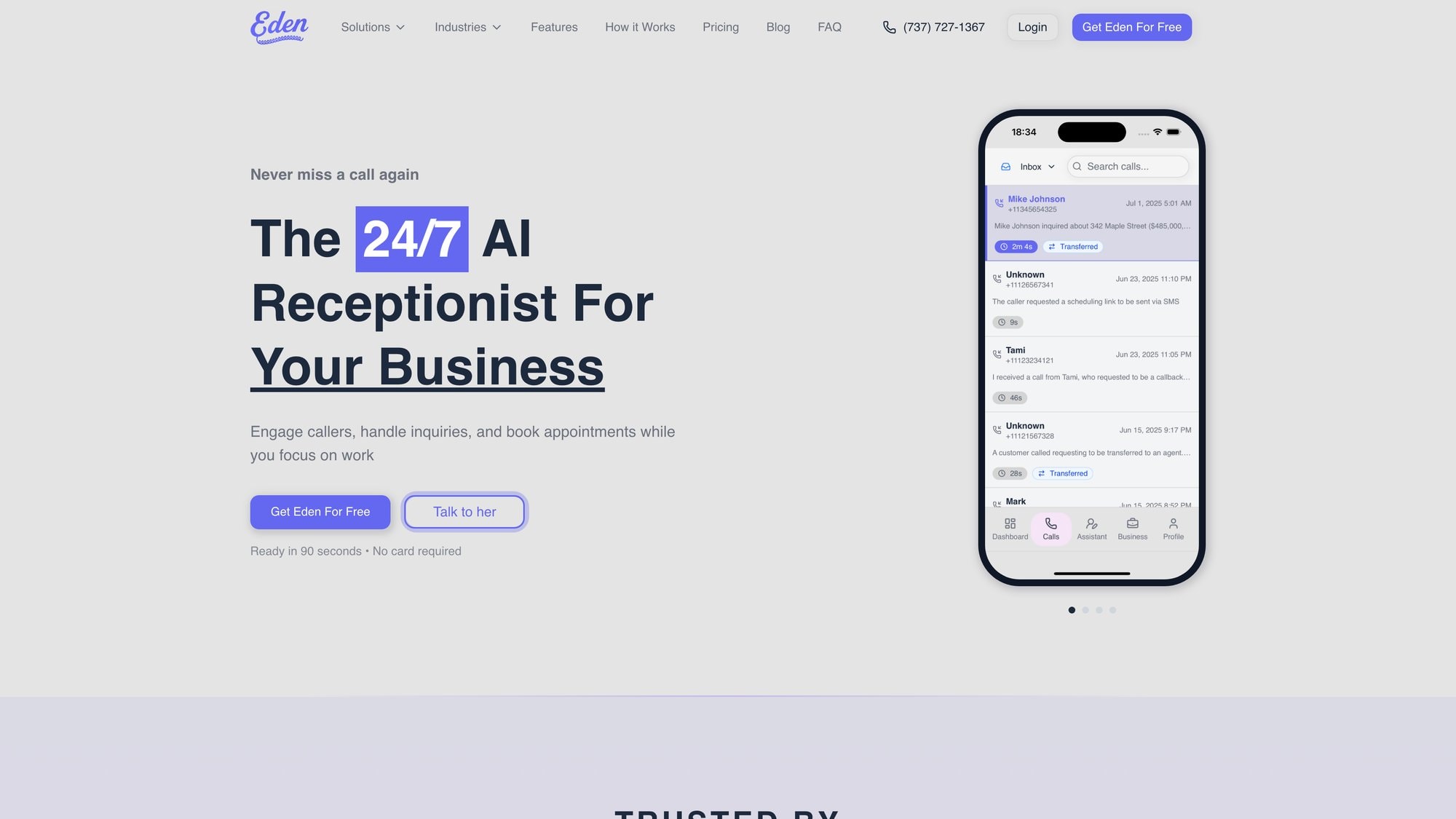
If it's an AI service, you often get a speech-to-text transcript of the call or at least a summary the AI generates. Many services also give you access to a dashboard or app where you can see all your calls, play recordings, and track info.
This is great for oversight. You have a record of what was said and can evaluate how the service is handling calls. It also means if there's ever a dispute, you have the call recording to refer to.
Modern AI services provide these transcripts almost instantly after the call ends. Some will even tag calls by type (sales lead, appointment booked, etc.) so you can run analytics on your call patterns.
The main point is, you're never out of the loop on what happened. Even though you didn't answer the phone, you still have full visibility into your call communications.
How Fast Can You Get Started?#
Behind the scenes, there's a lot of sophisticated tech enabling all this: telephony platforms, cloud speech recognition, natural language processing models, integrations with calendars and CRMs.
But you don't need to worry about the nitty-gritty. The service provider handles that.
From your perspective, you configure your preferences via a simple online interface when you sign up:
→ Business info
→ Greeting scripts
→ FAQs
→ Contacts for transfers
→ Notification settings
Once that's done, you set up your call forwarding (the service will guide you through it, often with step-by-step instructions for your specific phone carrier), and then you're live.
It can often be done in less than an hour of setup and you'll be reaping the benefits immediately after.
In fact, many small businesses are astonished by how quickly they can get a virtual receptionist up and running. It's often faster to deploy than hiring and training a new employee.
How to Choose the Best Automated Answering Service#
By now, you're likely convinced that an automated answering service can help your business. The next question is: How do you choose the right service provider and plan for your needs?
There are numerous options on the market, with varying pricing plans and features. Making an informed choice is important, because the service will act as the voice of your business.
Step 1: What Type of Calls Does Your Business Get?#
Start by clearly defining what you need from an answering service. Every business is a bit different.
Ask yourself:
When do I need coverage? Is it primarily after-hours and weekends, or do you also need help during the workday because you're often tied up?
How many calls do I get on an average day or month? Having a rough idea of your call volume will guide you toward the right pricing model.
What types of calls do I get most? Is it new customer inquiries? Appointment scheduling? Support from existing clients? Sales solicitations? The nature of your calls can influence what features you need.
Do I have multiple departments or just one line? If you're a solo service provider, you might only need one call flow. If you have Sales vs Support vs Billing, you might want a service that can route calls differently.
Is bilingual support important? If yes, filter for services that offer it (many AI ones do English/Spanish by default).
How personalized do I want the interaction to be? If you run a high-touch business where clients expect very personal interaction, you might lean toward a service with live agents or extremely natural AI.
What's my budget? Figure out what you're comfortable spending per month for this service and what ROI you expect.
By outlining these needs, you create a "must-have" checklist for your answering service. This prevents you from being swayed by fancy features that you don't actually need.
Step 2: AI Answering vs Live Receptionist#
This is a fundamental decision: do you want an AI-driven service or a human-powered service (or a hybrid)?
Automated AI Services (like Eden):
| Pros | Cons |
|---|---|
| Much more affordable (70%+ cheaper than human services) | Might be less adept at complex or emotional conversations |
| Faster (no wait time) | Some callers can tell when it's an AI |
| Available 24/7 by default | |
| Can handle unlimited volume simultaneously | |
| Consistent call flows |
If your priority is cost savings and capturing all calls with basic info, AI is an excellent choice.
Live Virtual Receptionists (human answering services):
| Pros | Cons |
|---|---|
| Human touch | Far more expensive (plans often start around $250/month for 50-100 minutes) |
| Skilled receptionists can handle nuanced conversations | Can only take one call at a time |
| Can read caller tone and show empathy | Variability in quality (one receptionist might be fantastic, another mediocre) |
| Better for complex decision-making |
Consider human services if your calls frequently require delicate personal touch or complex problem-solving that an AI couldn't handle and you have the budget to support it.
For many straightforward use cases, though, small businesses find that AI does the job well at a fraction of the cost.
Step 3: Must-Have Features to Look For#
Not all answering services are equal. Make sure the ones you consider have the features that align with your needs.
Here are some key features to look at:
Essential Features:
• 24/7 Service: Do they operate 24/7 by default? Ideally, you want a provider that doesn't charge extra for nights and weekends.
• Custom Greeting & Scripting: You should be able to customize how the service answers and the key questions it uses. The script should be one that you approve for interacting with your customers.
• Message Taking & Delivery: Can they send you instant SMS or email notifications with caller info? Look for features like call transcripts or recordings, as those give you more oversight.
• Appointment Scheduling: If booking appointments is part of your business, look for direct scheduling capabilities. Can the service integrate with your Google Calendar, Outlook, Calendly, or other scheduling software?
• Call Transfers: If you want the option to have calls transferred to you in certain cases, ensure the service can do that.
Advanced Features:
• FAQs and Knowledge Base: Can you provide custom FAQs for the service to use when answering questions? Many AI services allow you to input Q&A pairs or import an FAQ page from your website.
• Spam Filtering: Verify if the provider has spam detection. This feature can save you money and hassle.
• Language Support: If you need bilingual service, confirm the languages offered. Several AI services can switch to Spanish easily.
• Scale and Concurrent Call Handling: AI services shine here, as they can answer many calls simultaneously.
Make a comparison chart of a few providers you're interested in, listing these features and noting which ones meet your criteria.
Step 4: Understanding Answering Service Pricing#
Answering services use a few different pricing structures, and it's crucial to understand them:
| Pricing Model | How It Works | Typical Rates | Best For |
|---|---|---|---|
| Per-Minute | Pay for each minute of call time | $0.75 - $1.50/min | Predictable low call volume |
| Per-Call | Fixed amount per call answered | $0.75 - $1.50/call | Short, frequent calls |
| Flat-Rate Monthly | Set monthly fee (unlimited or high cap) | Varies by tier | High volume or budgeting certainty |
| Tiered Bundles | Basic/Pro/Ultra with features + minute/call allotment | Varies | Scalable needs |
When evaluating pricing, try to estimate your true monthly usage. Look at your past phone records if possible to gauge how many calls and how many minutes you use in a typical month.
Also consider the value of one captured lead. If each missed call could have been a $1,200 sale when you factor in lifetime value, then paying $100 a month for a service is well worth it.
Be aware of things like setup fees or contracts as well. Some services charge a setup fee (e.g., $50 to $100) to get your account configured. Many newer services have no setup fee and no long-term contract, operating month-to-month.
Finally, check if the provider offers a free trial or demo period. Taking advantage of a free trial is hugely beneficial. You get to see how they handle your calls in reality, how the interface works for you, and whether it meets expectations.
Step 5: Read Reviews Before You Buy#
As with any service you entrust with your business's image, do a bit of homework on the reputation of the providers on your shortlist.
Look up customer reviews or testimonials. You might find these on the provider's website, but also check third-party sources like Trustpilot, G2, Capterra, or even Reddit/forums for unfiltered opinions.
What you want to learn is:
→ Is the service reliable (minimal downtime, calls are answered promptly)?
→ If it's a human service, are the receptionists generally professional and accurate?
→ How is the customer support of the service itself?
→ If AI-based, how do users find the accuracy and voice quality?
→ Billing practices (any hidden fees or issues reported)?
A provider might look great on their own website, but real-world reviews show how they perform day-to-day. Look for patterns: if you see multiple reviews complaining that callers were left on hold too long, or that the AI kept getting names wrong, that's a red flag.
Step 6: Test Drive Before You Commit#
Even after you pick a provider, consider the first month or two as a test run. Monitor how things are going:
• Call your own number at various times to see what the experience is
• Pay attention to the messages and call logs you get
• If you find you're getting a lot of one type of call that the service isn't handling ideally, tweak your script
• Watch your usage against your plan
Most providers want you to succeed and will help you adjust the setup. Don't hesitate to reach out to their support with any concerns.
After this trial period, you should have a solid feeling of confidence that "Yes, this service is representing us well and making life easier."
Why Eden Is the Best Automated Answering Service for Small Businesses#
When you're evaluating automated answering services, Eden stands out for small businesses that need reliable, intelligent call handling without breaking the bank.
What Makes Eden Different From Other Answering Services#
Natural AI Conversations:
Eden doesn't just follow rigid scripts. The AI understands natural language, so callers can speak naturally and get help immediately. Whether someone's asking about your hours, needs to book an appointment, or has an urgent issue, Eden handles it conversationally.
True 24/7 Coverage:
Eden never sleeps, never takes a break, and never calls in sick. Your business is always available, which means you're capturing opportunities that would otherwise go to competitors.
Bilingual Support Built In:
Eden speaks both English and Spanish fluently, switching seamlessly based on what the caller needs. This is included in the base service, not an expensive add-on.
Smart Spam Filtering:
Eden automatically identifies and blocks spam calls, so you're not wasting time (or money) on robocalls and telemarketers. Only real customer calls get through.
Appointment Scheduling:
On the Pro plan, Eden can book appointments directly into your Google Calendar or Outlook. Callers get their time slot confirmed on the spot, eliminating phone tag entirely.
Instant Notifications:
Every call generates an instant summary sent to you via email or SMS. You get the caller's name, number, reason for calling, and a transcript of the conversation. You're always in the loop.
How to Set Up Eden in Minutes#
Getting started with Eden takes minutes, not days:
① Sign up and provide your business information
② Customize your greeting and call handling preferences
③ Set up call forwarding from your existing number
④ Test it out with a quick call
That's it. No complicated installation, no expensive hardware, no long training periods.
Eden Pricing Plans Compared#
Eden's pricing is designed for small businesses:
| Plan | Monthly Cost | Call Minutes | Best For | Key Features |
|---|---|---|---|---|
| Plus | $39 | 200 minutes | Solo owners or very small teams | Spam blocking, bilingual support, instant notifications |
| Pro | $99 | Unlimited | Busy small businesses | Plus features + appointment scheduling, calendar integration, call transfers |
Compare that to hiring even a part-time receptionist at $15/hour (that's $2,400 per month for full-time coverage), and the value becomes obvious.
Real Results Small Businesses See With Eden#
Small businesses using Eden report:
→ 90%+ reduction in missed calls
→ More leads captured during after-hours
→ Better customer satisfaction scores
→ 10-15 hours per week saved on phone management
→ Higher conversion rates because callers get immediate answers
Try Eden free for 7 days and see how it transforms your phone communications. No credit card required, no commitment. Just forward your calls and experience what it's like to never miss an opportunity again.
Next Steps for Your Small Business#
For many small businesses, an automated answering service quickly shifts from a nice-to-have to a can't-live-without asset.
It's like adding an ultra-reliable team member who works 24/7 for a tiny fraction of the cost of a real employee.
This guide has walked you through the ins and outs of what these services are, why they're so valuable, and how to choose one that fits your needs. The main takeaway is that missed calls equal missed revenue, and in today's fast-paced, always-connected world, every call counts.
The bottom line: Investing in a solution to catch those calls is one of the highest-ROI moves you can make to grow your business and improve customer satisfaction.
What Competitors Are Already Doing#
If you're still on the fence, consider this: your competitors may already be using such services. Many industries (from legal firms to home repair contractors) have embraced automated and virtual receptionists to gain an edge.
They're capturing the leads that others miss.
Service businesses, in particular, live and die by responsiveness. A caller with an urgent need will rarely wait for a call back hours later.
By deploying an answering service, you level the playing field with larger companies who have dedicated staff, and you might even outshine other small businesses who still let calls fall through the cracks.
It sends a message to callers that you are professional, responsive, and care about their inquiry enough to have someone there to help.
How to Integrate an Answering Service#
As you implement your chosen service, make sure to integrate it into your overall operations:
• Let your team (if you have employees) know how calls are being handled now
• Update your contact pages or Google listing if needed (though your phone number stays the same, you might advertise "24/7 line" now)
• Follow up on the leads it captures promptly
• Listen to call recordings occasionally for insights
• Keep your service script updated if your business info changes
Why Every Call Matters to Your Growth#
The world of automated answering services in 2025 is robust and mature. The technology is not experimental; it's proven.
Businesses are seeing concrete results: higher customer conversion rates, improved customer loyalty due to better service, and more freedom for owners to focus on growth instead of being chained to the phone.
All of this comes at a cost that is relatively small compared to the value delivered, especially when weighed against hiring staff or losing business from missed calls.
Your phone line is often the lifeline of your business. It's how new customers reach you and how existing customers judge your availability.
With an automated answering service, you ensure that lifeline is always open and efficient. That peace of mind (knowing no call will slip through unanswered) is incredibly worth it.
It allows you to work smarter, sleep better (literally, since your 2 AM calls are covered), and present a polished image of your company.
So, take the next step. Review the services, pick the one that meets your needs and budget, and give it a try. In a week or two, you'll wonder how you managed all those calls without it.
Adopting an automated answering service might just be the small change that yields big results for your small business.
Here's to never missing another call (and never missing another opportunity).
Frequently Asked Questions#
What exactly is an automated answering service?#
An automated answering service is a digital system (often powered by AI) that answers incoming calls to your business, greets callers professionally, and helps address their needs. Unlike voicemail, it actively interacts with callers to provide information, take messages, transfer calls, or schedule appointments. It acts like a virtual receptionist available 24/7.
How much does an automated answering service typically cost?#
Automated answering services typically cost $50 to $100 per month for basic AI-powered services. Some basic plans start as low as $25/month, while more robust plans with advanced features (like appointment scheduling) can range up to $300/month. This is significantly cheaper than hiring a full-time receptionist (which costs $30,000 to $60,000 annually) or traditional human answering services (which often cost $250+ per month for limited minutes).
Will callers know they're talking to an automated system?#
It depends on the quality of the service. Modern AI-powered answering services use natural-sounding voices and conversational AI that can be quite convincing. Many callers won't realize they're speaking with an automated system, especially for straightforward interactions. But for complex or emotional conversations, some callers may be able to tell. The key is choosing a service with natural-sounding voices and good conversation flow.
Can an automated service handle appointment scheduling?#
Yes, many modern automated answering services can handle appointment scheduling. They integrate with popular calendar systems like Google Calendar, Outlook, or Calendly. When a caller requests an appointment, the system can check your availability, offer time slots, and book the appointment directly (all during the initial call). This feature is typically available on mid-tier to premium plans (like Eden's Pro plan).
What happens if a call needs immediate attention?#
Most automated answering services offer call transfer features. You can set up rules so that urgent calls (identified by caller input, keywords, or specific phone numbers) are immediately transferred to you, an on-call team member, or your mobile phone. The system can also take detailed messages for urgent matters and send you instant notifications via text or email so you can call back quickly.
Do I need to change my business phone number?#
No, you keep your existing business phone number. Automated answering services work through call forwarding. You simply set up your phone line to forward calls to the service (either all calls or just calls you can't answer). The caller dials your regular number, but the call is seamlessly redirected to the service. It's completely transparent to the caller.
Can an automated service answer questions about my specific business?#
Yes. When you set up the service, you provide information about your business: hours, location, services offered, pricing, and answers to common questions. AI-powered services can also scrape information from your website. The system uses this information to answer caller questions accurately. You can update this information anytime through the service's dashboard.
What about spam calls and robocalls?#
Many automated answering services include spam call filtering. The system can automatically detect and block known robocall patterns and spam numbers. Some services don't even count spam calls toward your usage minutes. This means your phone line stays open for real customers while bots and scammers are filtered out automatically.
Can the service handle calls in multiple languages?#
Many AI-powered answering services offer bilingual or multilingual support, with English and Spanish being the most common combination in the US. The system can seamlessly switch between languages based on the caller's preference. Some services include this at no extra cost, while human-based services often charge additional fees for bilingual receptionists.
How do I get notifications about calls?#
After each call, you typically receive instant notifications via email or SMS with the caller's information: their name, phone number, reason for calling, and often a transcript or summary of the conversation. Most services also provide a web dashboard or mobile app where you can review all your calls, listen to recordings, and access detailed logs.
What if the service doesn't understand a caller or handle a call correctly?#
Most services have a fallback mechanism. If the automated system can't understand or help a caller, it will typically take a detailed message and notify you immediately so you can follow up. You can also set up the system to transfer complex calls to you. Also, you can review call logs and recordings to see how calls were handled and adjust your scripts or settings accordingly.
Is there a contract or can I cancel anytime?#
Most modern automated answering services operate on a month-to-month basis with no long-term contract required. This gives you the flexibility to try the service and cancel if it's not a good fit. Some older services may require contracts, so always check the terms before signing up. Many providers also offer free trials (typically 7 to 30 days) so you can test the service risk-free.
How quickly can I get an automated answering service up and running?#
Very quickly. Most services can be set up in less than an hour. You'll need to: provide your business information, customize your greeting and scripts, set up call forwarding from your existing number, and do a test call. The service provider typically offers step-by-step guides for the technical setup, and some even provide assisted onboarding. You could literally have it running by the end of your lunch break.
Ready to Transform YourCustomer Experience?
Join hundreds of businesses using Eden AI to handle calls, book appointments, and provide 24/7 customer support.