Automated Phone Answering Service: Complete Guide (2025)
Discover how automated phone answering service solutions capture missed calls 24/7. Compare AI vs. human options, costs, and setup for 2025.
November 27, 2025
Picture this: A potential customer calls your business at 7 PM on a Tuesday. Your phone rings four times. Then five. Then straight to voicemail.
They hang up.
Five minutes later, they're on the phone with your competitor.
This isn't a hypothetical scenario. It's happening to businesses every single day. Research shows that about 80% of callers sent to voicemail won't leave a message. They just... disappear.
And when you consider that 77% of customers expect to reach someone immediately when they call, it becomes clear why missed calls translate directly into missed revenue.
But there's more to this story: Only 38% of inbound calls to small businesses are ever answered by a person. The rest? Voicemail. Endless ringing. Radio silence.
Automated phone answering services exist to solve exactly this problem. They ensure your callers get a prompt, professional response 24/7, whether you're busy with another customer, away from the office, or sound asleep at 3 AM.
In this guide, we'll walk you through everything you need to know about automated phone answering services in 2025. What they are. How they work. The different options available (from basic auto-attendants to advanced AI receptionists like Eden). The benefits, the potential pitfalls, the costs, and how to choose the right solution for your specific business needs.
By the end, you'll understand how to never miss a call again. And why that matters more than you might think.

What Is an Automated Phone Answering Service?#
An automated phone answering service is any system that answers incoming calls without a live person, then guides or helps the caller through technology.
These systems come in several flavors:
Auto-Attendant or Phone Menu#
The classic "Press 1 for Sales, Press 2 for Support" recording you've encountered a thousand times.
This is the auto-attendant built into many business phone systems. It plays a greeting and uses keypad inputs or voice prompts to route calls through a pre-set menu structure.
Auto-attendants are essentially call routing automation. They don't "converse" with callers, but they can direct calls to the right person or department, or take a voicemail.
Interactive Voice Response (IVR)#
IVR is more advanced than basic auto-attendants because it can accept voice responses in addition to keypad presses.
Instead of numbered options only, an IVR might ask "How can I help you today?" and try to interpret the caller's spoken request. Traditional IVRs are common in larger companies. They can look up account balances or answer simple FAQs via pre-recorded messages.
The problem? They're still heavily scripted and menu-based.
One survey found that 85% of consumers have abandoned a call after reaching an automated menu. People get frustrated when they can't get the information they need, or when they're stuck in an endless loop of "Press 3 for more options."
Outsourced Live Answering Services#
While not "automated" in the technological sense, it's worth mentioning here.
Traditional answering services use human receptionists who answer calls on your behalf. You forward your phone line, and a live person picks up, usually reading from a script you provide.
Pros: Callers get a real human, which provides empathy and complex understanding that simple automation can't match.
Cons: Cost. Quality answering services charge by the minute or call. Plans can range from $250/month for about 100 minutes up to $600+ for a few hundred minutes, with extra charges for additional services.
Also, human agents aren't your employees. They often only have superficial knowledge of your business. They may do little more than take a name and number.
Plus, there's the concurrency issue. Each call needs an available agent. If five people call your business simultaneously, some will wait on hold or go to voicemail unless the service has enough staff on deck.
AI-Powered Virtual Receptionists#
This is the cutting-edge category that mimics a live receptionist using artificial intelligence.
An AI phone answering service greets callers with a natural-sounding voice and can actually carry on a dialogue. Thanks to natural language processing, callers can explain what they need in their own words, and the AI will interpret and handle it.
For example, a caller might say:
"I'm calling to schedule an appointment for a plumbing repair."
And the AI can respond conversationally, check your calendar, offer available slots, and book the appointment on the spot.
If the caller has a question ("Are you insured?"), a well-configured AI receptionist can answer based on your provided information or FAQs.
These systems can also recognize when a caller's need is urgent or complex and seamlessly transfer the call to a human backup if needed.
AI receptionists are available 24/7 like other automated systems, but they provide a much more personalized experience than a touch-tone menu. They're essentially autonomous agents representing your business on the phone.
Regardless of the type you choose, all automated phone answering services share one crucial goal: making sure the caller is engaged immediately instead of hearing endless ringing or being dumped into voicemail.
Why Missed Calls Are Killing Your Business Revenue#
Let's be blunt about this.
Missed calls equal missed business.
It really is that simple.
In an age of instant information and on-demand everything, customers have zero patience for unanswered phones. Several eye-opening statistics make this crystal clear:
Small Businesses Are Missing Most of Their Calls#
A study by 411 Locals found that small and mid-sized businesses only answered about 38% of incoming calls.
About 37% went to voicemail.
And 24% received no response at all. No answer. No voicemail. Nothing.
In other words, roughly two-thirds of customers never actually reached a human when calling a small business. Every single one of those missed connections is a potential customer you didn't speak with.
Customers Won't Wait or Keep Trying#
According to Salesforce research, 77% of customers expect to reach someone when they call. They want an immediate response.
If they don't get it? They're likely to move on.
Many will hang up at the first sign of trouble (endless ringing, a generic voicemail, or a confusing phone tree). In fact, multiple studies show 80% or more of callers sent to voicemail don't bother to leave a message.
They assume no one will hear it or call back in time. Instead, they seek help elsewhere.
As one telecom survey put it: "4 out of 5 voicemails never happen at all."
They May Not Call Back At All#
Not only will most callers not leave a message, they often won't retry your number.
An industry report found 80% of callers who hit voicemail won't call again. That means if you don't catch them on that first call, you've likely lost your chance entirely.
First impressions are huge. A missed call IS a first impression. And it's not a good one.
Lost Calls Equal Lost Revenue#
How much is each missed call potentially worth?
Consider this: CallHippo estimates the average missed business call could represent about $1,000 in lost revenue.
That might sound high at first. But think of lifetime value. A single inquiry about a big project, a new client, or a large order can easily be worth thousands. Even smaller leads add up quickly.
A Forrester Research study found that nearly half of consumers will simply go to a competitor if their call isn't answered on the first try.
And for certain industries like home services? Missing one emergency call (a burst pipe, failed AC, broken furnace) can literally mean losing a job worth several hundred or thousand dollars on the spot.
It's no wonder research by BIA/Kelsey found 59% of customers prefer calling a business for immediate needs. When they call, they often have money in hand ready to spend or an urgent problem to solve.
If you're not there to catch that call, someone else will.
After-Hours and Overflow Calls Are a Huge Factor#
You might be thinking: "We DO answer calls... at least during business hours."
But what happens at lunchtime? Or when your one office phone line is busy? Or after 5 PM?
Consumer behavior is changing. Calls outside typical 9-5 hours have been increasing (one report noted an 18% rise in after-hours calls from 2020 to 2021), and it's likely even higher now.
Many people will call whenever they have time, which might be in the evening or on a weekend.
In fact, analysis of call patterns for small businesses shows around 25-35% of calls come in after standard hours or on weekends.
If those calls all go to voicemail? That's a huge chunk of potential business being left to chance.
Customer Experience and Loyalty Take a Hit#
Beyond the immediate loss of a sale, missing calls can damage your reputation.
Think about the frustration of a customer who wants to give you their business but can't get a hold of you. It feels like being ignored.
According to one widely cited statistic, one in three customers will leave a brand they love after just one bad experience. And not being able to reach someone when they need to definitely qualifies as a bad experience.
Being sent to voicemail or stuck on hold is often cited as a top frustration for consumers.
On the flip side, answering quickly and helping the caller on the spot creates a positive impression of reliability and service. It's an easy way to stand out from competitors (especially since so many businesses don't answer promptly).
The bottom line: Every missed call is a missed opportunity. And you probably have more missed calls than you realize. The good news is that an automated phone answering service is a straightforward solution to dramatically improve this situation.
By deploying technology to catch calls whenever you can't, you stop the bleeding of leads and customer service failures.
It's like having a safety net for your business's communications.

Types of Automated Phone Answering Solutions#
Not all automated answering systems are created equal.
You have a range of options to choose from, and the right fit depends on your business's needs and budget. Let's break down the main categories, from the simplest automation to the most sophisticated AI-driven services.
1. Basic Voicemail and Simple Auto-Attendant#
At the very lowest level of automation is the humble voicemail. Essentially an answering machine.
It's technically an automated service (it answers and records a message without you), but it doesn't engage the caller beyond "please leave a message."
As we've discussed, voicemail alone is insufficient for most cases, since 70-80% of people won't leave a message and will hang up.
Slightly better is a simple auto-attendant with a recorded greeting. This might be what your phone company provides with a business line or a basic cloud phone system.
Example: "Thank you for calling XYZ. Our office is currently closed. Please leave a message or call back during business hours."
This gives a caller some information (maybe your hours) and at least confirms they reached the right place. It's polite. But it's still largely just leading to voicemail.
During hours, a basic auto-attendant might answer and immediately ring different phones. For instance:
"Press 1 for the service department, 2 for the billing department."
This can be useful if you have multiple team members or departments but one published number. It ensures the call is directed appropriately. But it doesn't truly answer the caller's needs. It just routes the call.
Use case: A very small operation might start with this if budget is essentially zero. Use a free or included auto-attendant to play a greeting and route calls or take messages.
Just understand its limitations. It's still prone to lose impatient callers, and it won't actually help the customer aside from maybe providing basic information.
2. Multi-Level Auto-Attendants and IVR Systems#
More advanced phone systems let you create multi-level menus and IVRs.
For example: "Press 1 for Sales, 2 for Support, 3 for Hours and Location."
If the caller presses 3, the system might then read out your hours or address automatically without ever involving a person.
These systems can get pretty elaborate. Some allow a bit of customization like scheduling different greetings after hours ("Our office is now closed...") and can handle simple tasks like giving out your fax number or routing to a mailbox.
Multi-level IVRs are common in larger companies and call centers. They can improve efficiency by directing callers to the right resource and handling high-level filtering.
For instance, an IVR might say "Tell me what you're calling about," and if the caller says "Technical support," the system might respond "Okay, I'll connect you to tech support. First, please say or enter your customer ID."
That's a useful automation for high-volume environments.
The downside?
If overused or poorly designed, IVRs frustrate people.
Hearing a long menu or talking to a "robot" that doesn't understand you can be worse than no answer at all. There's a reason 85% of consumers report being frustrated with automated menus and many abandon calls because of them.
We've all been stuck yelling "REPRESENTATIVE!" at a phone bot.
So while IVR can be considered an automated answering service, you have to implement it carefully. Keep menus short and logical. Always give a route to a human or callback.
Use case: Businesses with moderate call volume and distinct departments (or information that callers frequently need) can use auto-attendants/IVR effectively.
Example: A medical office's IVR might say "Press 1 for appointments, 2 for pharmacy requests, 3 for billing." Option 2 might simply say "Please call your pharmacy directly for refills. We do not process them by phone," thereby saving the staff from answering those calls at all.
If you go this route, invest time in scripting a caller-friendly menu. Keep it as short as possible and use simple language. Also, periodically listen to your call logs. If many people are zeroing out or hanging up at a certain menu, that's a red flag.
3. Human Answering Services (Virtual Receptionists)#
Although not automated by technology, it's worth comparing the option of an outsourced human answering service.
These services have been around for decades. You forward your calls (all the time, or just on busy signals/after hours) to the service. A real person at a call center answers with your custom greeting and follows your script.
They might take a message, transfer the call to you if available, or even schedule appointments if you've set that up with them.
Pros:
→ Callers get a live human, which can provide empathy and complex understanding
→ A well-trained virtual receptionist can handle nuanced situations and make judgment calls that simple automation might not
→ There's no "press 1" menu. It's immediate human response, which some customers prefer
Cons:
→ Cost is the big one. Quality answering services charge by the minute or call. Popular US answering services range roughly from $250/month for about 100 minutes of live call time up to $600+ for a few hundred minutes, with extra charges for additional calls or services
→ The live agents are not your employees. Even though they represent your business, they often only have superficial knowledge. They may do little more than take a name/number and promise a callback
→ Human errors or inconsistency can occur. One agent might be fantastic, another might sound less professional
→ There's also the issue of limited concurrency. Each call needs an available agent. If your calls spike (say 5 people call at once), some will still wait on hold or go to voicemail unless the service has enough staff on deck for you
Use case: Businesses that absolutely require a human touch for most calls (like a law firm doing intake for sensitive cases) and have the budget may opt for live answering services.
It's also a decent interim step if you're not ready to trust AI or if your call scenarios are too complex for a basic menu but not high-volume enough to hire in-house staff.
Keep in mind you might still miss some calls during peak times with these services. Weigh cost vs. benefit carefully.
4. AI-Powered Phone Answering (Virtual AI Receptionists)#
Now we get to the modern solution gaining serious traction: the AI phone answering service.
This technology uses artificial intelligence (natural language processing, speech recognition, and increasingly large language models) to understand what callers say and respond intelligently.
The experience for the caller is akin to talking to a human receptionist, except it's a highly trained software "agent."
What can AI receptionists do?
Here are some capabilities of leading AI phone services in 2025:
① Answer instantly, 24/7
The AI picks up on the first ring, any time of day, and greets the caller with a friendly scripted greeting that you configure.
Example: "Hi, thanks for calling Dr. Smith's office. How can I help you today?"
There's no hold music or delay. Every caller gets an immediate answer.
② Have a natural conversation
Rather than forcing the caller through a rigid menu, the AI can understand free-form speech.
If the caller says:
"My name is John and I'm calling because my air conditioner stopped working. Do you have any appointments today?"
The AI can parse that and respond appropriately:
"Hi John, I'm sorry to hear that. Let's get you scheduled. Checking our calendar now..."
This removes a ton of friction. Customers can just talk. A well-designed AI system will handle multi-turn conversations, meaning it can ask clarifying questions and handle back-and-forth naturally.
③ Answer FAQs and provide information
You can load an AI receptionist with knowledge about your business: your hours, location, services, policies, etc.
It will use this to answer common questions automatically.
For example, if a caller asks "Do you take walk-ins?" or "What are your rates for an initial consult?", the AI can answer on the fly if that information is in its knowledge base.
This is something a basic menu can't do (unless you literally have a "press 4 to hear our rates" recording, which few setups have).
An AI agent essentially combines the role of receptionist and an FAQ chatbot. It consults your predefined Q&A data to give accurate, detailed answers instead of saying "Hmm, I'm not sure."
④ Qualify leads and collect details
AI receptionists can be scripted to ask the caller for important information.
For instance, it might always ask: "Can I get your name and phone number in case we get disconnected?" This captures lead contact information at the start.
It could also ask context-specific questions. A real estate office's AI might ask: "Are you looking to buy or sell a home?" and then different follow-ups based on the answer.
This is similar to what a good human receptionist would do, but the AI will do it consistently every time.
All the responses can be transcribed and logged for you to review. You'll end up with rich call records in your dashboard or email.
Example: "Caller: John Doe, needs emergency AC repair, available tomorrow morning, callback 555-1234."
⑤ Book appointments and take action
The best AI services integrate with scheduling software or calendars.
As a concrete example, Eden integrates with Google and Outlook calendars for real-time scheduling.
An AI receptionist can offer available time slots to the caller:
"We can come out tomorrow at 10 AM or 2 PM. Which works for you?"
And then schedule the appointment right then and there.
It can also send the caller a confirmation text or email with the appointment details or a link to your intake form.
This capability is transformative for service businesses. It turns phone calls into booked business without any human callback needed. Some AI systems can even handle transactions like taking a reservation or placing an order if connected to the right system.
⑥ Transfer or escalate calls when needed
AI doesn't mean no human ever involved. The smart approach is to have AI handle what it can and know when to hand off.
For example, if someone calls with an urgent issue:
"I'm a current client and I have an emergency situation."
The AI can recognize keywords or sentiment that indicate urgency. It might respond:
"I'm going to get the on-call technician for you right now. Please hold."
And then warm-transfer the call to your cell or whichever number you've designated for emergencies.
Or if a caller explicitly says "I'd like to speak to Jim" (and Jim is a person at your business), the AI can attempt a transfer. If you're available and pick up, great. If not, the AI can politely say Jim is unavailable but it can take a message.
The key is the AI isn't a dead-end. It can loop humans in as needed, ensuring the caller's issue is addressed one way or another.
⑦ Handle multiple calls at once
Because it's software, an AI receptionist isn't limited like a single human.
If five people call your business at the same moment, five instances of your AI can run in parallel with no decline in service.
Every caller gets answered immediately with zero hold time. This effectively gives you unlimited simultaneous call capacity.
Contrast that to a single human receptionist or a single phone line which would make additional callers wait or hear a busy signal.
For businesses that occasionally get bursts of calls (Monday mornings, or during a promotion), this scalability is invaluable.
⑧ Spam filtering and screening
Automated systems can also integrate spam detection.
Robocalls and spam can be a huge distraction for businesses. Some AI services automatically block known spam numbers or detect "spam likely" calls and handle them (hang up or send to a separate voicemail).
This means your real customers get through while time-wasters do not. Even beyond spam, you can program certain rules. For example, if a call comes from a toll-free number or from overseas and you suspect it's not a customer, the system could handle it differently.
This saves your minutes and attention for real clients.
All these capabilities sound great. And they are.
But it's important to note that AI solutions can vary. Some might have very advanced natural language handling, while others are more limited to keyword-spotting.
When evaluating AI receptionist services, you'll want to see demos or trials to judge how "smart" and natural the interactions are.
The best ones in 2025 are impressively human-like. Callers often don't realize they're talking to an AI and may even compliment "her" on being so helpful. (We've heard this happen many times in call transcripts at Eden!)
If the AI gets confused, a good service will fail gracefully by either asking a clarifying question or by routing the call to a human fallback.
Use case: AI receptionists are a fit for many small and mid-sized businesses that need 24/7 coverage and have fairly standard call scenarios (appointments, FAQs, routine requests).
They shine in:
• Home services (plumbing, HVAC, electrical, etc.)
• Professional services like accounting
• E-commerce or retail businesses for customer support
Basically any field where missing a call can lose you business, and the interactions follow a somewhat predictable flow.
AI is especially cost-effective if you get a lot of calls, since it isn't paid hourly. You typically pay a flat fee or a usage-based fee that's far less than hiring staff for the equivalent availability.
One might worry: Will customers mind talking to an AI?
Surprisingly, studies and real-world use indicate that if the AI works well, most customers don't mind at all. Some even prefer it if it resolves their issue quickly.
As long as the call is answered and handled, people are generally satisfied. The priority for customers is getting help and answers. Whether that comes from a human or AI is often secondary, especially as folks become more accustomed to speaking to virtual assistants (think Siri, Alexa, etc.).
Quick Comparison Table#
| Solution Type | Cost | Customer Experience | Best For |
|---|---|---|---|
| Basic voicemail/auto-attendant | Low (often included) | Minimal help to callers | Very small operations with low volume |
| Advanced IVR systems | Medium | Can route calls efficiently but may frustrate users | Larger setups with distinct departments |
| Human answering services | High ($250-$600+/month) | High-touch, but may only take messages | Businesses requiring human empathy for sensitive calls |
| AI receptionist services | Moderate ($50-$300/month) | 24/7, highly scalable, conversational | Most SMBs wanting comprehensive coverage |
Next, we'll dive into the specific benefits of using these services (especially AI-based) and what kind of ROI you can expect.
Benefits of Using an Automated Answering Service#
Why invest in an automated phone answering solution?
By now, some of the benefits might already be clear, but let's break them down point-by-point. Whether you choose a simple automated system or a sophisticated AI receptionist like Eden, you can expect several major upsides for your business.
24/7 Availability (Never Miss Calls, Even After Hours)#
This is the number one benefit: your business line is covered around the clock.
Customers can call at any time and get a response. No more wondering how many prospects you're losing overnight or on weekends.
This is particularly crucial since, as mentioned, calls outside 9-5 are on the rise (up about 18% in recent years), and roughly one-quarter or more of calls hit when you might normally be "closed".
With an automated service, closed hours don't really exist for call handling.
Even during open hours, 24/7 coverage means if you step into a meeting or you're on the other line, the next caller still gets answered. Essentially, you can instantly respond to every caller.
This dramatically increases your chances of capturing leads. Many businesses find that just adding after-hours and overflow call answering boosts their lead conversion noticeably. People are impressed to reach someone at 7 PM, and they're less likely to keep shopping around once they've engaged with you.
Improved Customer Experience and Professionalism#
An answered call is the first step to a happy customer.
When someone calls and hears a friendly greeting instead of eight rings and voicemail, it immediately sets a positive tone. You come across as professional, responsive, and customer-centric.
Conversely, businesses that frequently miss calls can appear small, disorganized, or unconcerned with customer needs (whether that's true or not, it's the perception).
Automated services also enforce consistency.
Every caller gets the same polished greeting and process. You can script the exact welcome message, ensuring it includes your branding and a warm tone.
With Eden's AI receptionist, for example, users can customize the greeting and even the speaking style (upbeat vs. formal) to fit their brand. This consistency builds trust. Callers know what to expect and feel they're in good hands.
It's like having your best front-desk employee always on duty, never tired or distracted.
Also, features like immediate answers to common questions can delight customers.
Imagine a customer calling to ask if you have appointments open or if you service their area, and instantly getting:
"Yes, we do, and I can schedule you for tomorrow if you'd like."
That speed and efficiency reflect well on your business. It shows you respect the customer's time.
More Leads Captured (Fewer Lost to Competitors)#
We've talked about missed call stats extensively, but it bears repeating: answering more calls means winning more business.
Every caller who might have hung up and called someone else is now a lead you get a shot at.
An automated service can qualify these leads too, so you know which ones are hot. For instance, it can ask "Would you like to schedule a free consultation?" and if the caller says yes, you know this is a highly interested prospect. The AI might even book it on the spot. That's a lead converted to an appointment without any human salesperson's involvement. Pure ROI.
Even if a caller doesn't immediately convert, you at least get their information. An automated service will log the name, number, and reason for calling (either via the caller's input or through transcription). So you can always follow up.
This is way better than a missed call with no clue who it was.
Quick stat: One AI receptionist provider reported that businesses using their service saw a 30% increase in appointment bookings simply because the AI was able to engage after-hours callers who previously hit voicemail.
Another example from a legal firm: capturing after-hours calls via AI led to 4 new consults per week that they otherwise would have missed.
These are significant gains, attributable solely to not missing the call.
In short, automation ensures opportunities don't slip through the cracks. Instead of "maybe they'll call back tomorrow" (which they likely won't), you've got them on the line now.
Lower Costs vs. Hiring Staff (Strong ROI)#
Saving money is a big draw for automated services.
Let's compare a few scenarios:
| Staffing Option | Monthly Cost | Coverage | Key Limitations |
|---|---|---|---|
| Full-time receptionist | $3,500+ | 40 hours/week | No nights, weekends, or holidays; sick days; turnover |
| Live answering service | $300-$600+ | 24/7 (limited) | Per-minute charges; surface knowledge; concurrency limits |
| AI answering service | $50-$300 | 24/7 (unlimited) | Initial setup time; may need human backup for complex calls |
Using an AI answering service:
• Plans in 2025 for small businesses generally range from around $50 to $300 per month depending on features and usage
• Some basic plans are even less
• Many services have a base monthly fee plus a per-minute charge after a certain amount of talk time
• For example, Eden's plans start around $39-$99/month for small businesses, which include a healthy amount of minutes (or even unlimited minutes on higher tiers)
• Even at the higher end (a few hundred a month), you're still looking at maybe $3,000 per year, which is 85-95% cheaper than a full-time receptionist for 24/7 coverage
That's a massive cost saving.
So from a purely financial perspective, an automated service (especially AI-based) offers a lot of bang for the buck. You effectively get an entire receptionist team for the cost of a cell phone bill.
This is a key reason many small businesses are adopting AI receptionists. It lets them punch above their weight and provide service like a much larger company without the overhead.
Even if you currently personally handle calls, think of the value of your own time. If you're a business owner or skilled professional, every hour you spend fielding routine calls or playing phone tag is time you could spend on billable work or other tasks.
An automated system frees you and your staff from those interruptions, which has a productivity value that's hard to overstate. It's like outsourcing the busywork to a machine so you can focus on higher-value activities.
Scalability and Peak Handling#
We touched on this, but it's worth listing as a benefit: automated services scale effortlessly with your call volume.
If your marketing suddenly works and calls double, you don't have to quickly hire a second receptionist or ask your service to upgrade (beyond perhaps moving to the next pricing tier).
The system will simply take all the calls.
If your business grows and adds new locations or services, most systems can be reconfigured easily. Far easier than recruiting and training new staff for phones in each location.
During peak times (seasonal rushes, product launches, tax season for accountants), you won't be caught off guard. For example, accountants get flooded with calls during tax season. An AI receptionist can handle the surge and prioritize callbacks for you, whereas a single person would drown.
No caller gets a busy signal or sits on hold listening to elevator music when you have sufficient automated capacity. And with AI, capacity is basically unlimited.
Consistent Data Collection and Records#
Ever had a receptionist forget to get a caller's callback number? Or scribble a message that you can't decipher later?
Automation solves that.
Every call handled by an automated service is typically logged. You often get call transcripts or recordings, timestamps, and structured data (like captured name/number, the options they pressed or the answers they gave).
This means you have a reliable record of every interaction.
This can be great for accountability and insight. You can review calls to hear how your AI is doing or what customers are asking about most. You can gather metrics: how many calls come in, at what times, how long they last, etc., through the service's dashboard.
It's like having call center analytics for your small business.
Traditional phone handling might just tell you "you missed 10 calls between 6-9 PM" but not who those callers were or what they wanted. Now you'll know those details and can act on them.
Also, you won't lose sticky notes or have miscommunication. If an AI takes a message, you'll get it verbatim. If a customer says their email or address, it can be transcribed for your records. This reduces follow-up errors.
Ability to Provide Consistent Answers and Messaging#
When you rely on multiple humans answering calls (or even yourself at different times of day), the information given to customers can vary.
Maybe your assistant forgets to mention a particular service you offer. Or an employee paraphrases your refund policy incorrectly.
An automated system will deliver the exact approved information every time. You can script your greetings and FAQ answers carefully to ensure accuracy.
This is especially helpful for compliance in certain fields (making sure every caller hears a disclaimer about call recording, for example). Or if you have promotions, you can ensure every caller is told:
"By the way, we're running a fall special this month..."
as part of the conversation, something a human might forget half the time.
It's like having your best sales script executed perfectly on 100% of calls. Over time, that consistency can improve your conversion rates and customer understanding of your offerings.
Spam and Call Screening Benefits#
We mentioned earlier: automated systems can filter out a lot of noise.
Many business owners are plagued by telemarketers, spam calls about extended warranties, scam likely calls, etc. When you have a person answering, they waste time fielding those or screening them.
An AI or IVR can automatically weed many of those out, either by recognizing known spam numbers or by using an IVR menu that deters random robocalls (a robocall won't navigate a "Press 1" prompt correctly, so it never reaches you).
For instance, Eden's system has an IntelliSpam™ filter that hangs up on likely spam calls so you don't even get notified. You can also block specific numbers easily.
The result? You and your team only deal with legitimate calls, and you're not interrupted by nonsense. This can save a ton of mental energy.
Multi-Language Support#
If your customer base includes non-English speakers (like lots of Spanish-speaking callers in the U.S.), automated services can often handle that seamlessly.
Many AI receptionists are bilingual. They can greet in English or Spanish and switch based on the caller's language.
For example, the system might say:
"Hello... or para español, diga 'español'."
If the caller starts speaking Spanish, the AI continues in Spanish.
Providing this kind of bilingual service is expensive with human staff (you'd need bilingual receptionists). With AI, it's just an added feature, and it can expand your reach to serve more customers comfortably.
Even beyond true bilingual ability, AI never displays an attitude or frustration if communication is tough. If a caller has a heavy accent or is not fluent, the AI will patiently try to understand or ask them to repeat, without any irritation.
That kind of uniformly polite service can help in sensitive situations.
In summary, the benefits of automating your call answering boil down to:
• Capturing more business
• Delivering better service
• Saving money and time
It turns your phone into an asset rather than a source of stress.
Of course, to reap these benefits, you need to choose a solution that fits your needs and implement it well. But before diving into how to set one up, let's address some potential drawbacks or concerns with automated answering, and how to mitigate them.
Because no solution is perfect.
Potential Drawbacks and How to Mitigate Them#
Let's be realistic: adopting an automated phone answering service isn't a magic wand.
There are some challenges and trade-offs to consider. Let's discuss a few common concerns business owners have and how you can address them.
"Will Callers Be Annoyed They're Not Talking to a Person?"#
Some might, if the system is clunky.
People historically groaned at old phone robots. But as noted, most customers primarily want a quick resolution. They don't necessarily care if it's an AI or a human, as long as they get help.
The key is to choose a solution that provides a human-like experience.
Modern AI voices are very natural. They use proper tone and inflection. You can further humanize it by giving "her" or "him" a name. Many companies do this:
"Our virtual assistant Mona will help you now."
So the caller isn't thinking "robot." They're thinking "assistant."
Also, ensure the scripting is friendly and empathetic.
For example, instead of a cold "Please state your query," program a warm prompt:
"Hi! I'm the virtual receptionist for XYZ Company. How can I assist you today?"
Small touches like saying I and we appropriately, or adding a polite apology when needed ("I'm sorry you had trouble with that... let me see what I can do"), go a long way.
For callers who truly insist on a human, always provide a fallback.
This could be an option in the menu ("Press 0 to reach our staff") or a trigger phrase the AI listens for ("I want to talk to a real person").
If detected, the AI can say:
"Sure, let me connect you to a team member."
If you're available, great. If not, it can say all reps are busy and offer to take a message or schedule a callback.
The point is to never make the customer feel trapped in an automated loop. Knowing they can reach a human if needed often makes them more comfortable engaging with the AI at first.
Training and Accuracy Concerns#
An AI receptionist is only as good as the information and rules you give it.
In the early days of setup, there's a chance it might not understand a certain request or know an answer. This can be mitigated by thoroughly configuring its knowledge base.
Import your frequently asked questions. Many systems let you simply upload an FAQ or even ingest your website content to pull answers.
Do some test calls with uncommon questions to see how it handles them. Most platforms allow you to refine. If the AI fumbles a question, you can add that Q&A to its brain for next time.
Speech recognition accuracy is extremely high nowadays (thanks to tech like Google's speech API), but background noise or very complex responses might occasionally throw it off.
Mitigation: The AI can be programmed to reprompt or clarify.
For example, if it didn't catch what the caller said, it should politely ask again or ask in a different way:
"I'm sorry, the line was a bit muffled. Could you repeat that, please?"
This feels similar to what a human would do if they didn't hear.
Remember, you're not abandoning the system after setup. Plan to monitor the first week or two of calls closely. Many providers have a dashboard showing transcripts.
See if there are any frequent "I don't know that" moments or misinterpreted requests and adjust accordingly. After a little tuning, it usually stabilizes and actually improves over time.
Over-Automation and Customer Frustration#
If you try to have a bot that does everything, you might overextend its abilities.
Not every scenario is ideal for automation. Complex, emotionally sensitive, or lengthy discussions are better handed off to a person.
For instance, if someone wants detailed technical support that takes 15 minutes of troubleshooting, an AI might handle initial steps, but it should escalate after a point.
The solution: Design your call flow so that the AI covers the common and simple tasks, and routes the rest.
Identify which call types you truly need a person for. Maybe your AI can gather the initial information and say:
"Our specialist will call you back shortly with more details."
That's fine. The customer at least talked to someone (AI) and got assurance of next steps, instead of leaving a voicemail into the void.
Also, avoid making an IVR too deep. Just because you can nest 4 layers of menus with an auto-attendant doesn't mean you should. The best practice is always keep it simple.
One or two layers of menus at most if using touch-tone. If using AI, don't force the caller to do unnatural things. Let them speak normally.
Cost Control#
While automated services are cheaper than staffing, you should still keep an eye on cost drivers.
For pay-per-minute plans, a super high volume of spam or very chatty callers could rack up minutes.
To mitigate unexpected charges:
• Utilize features like spam block (to cut off pointless calls quickly)
• Consider if you want the AI to politely wrap up after collecting key information:
"Alright, we have what we need and someone will follow up. Thank you!"
Most AI are already programmed to not keep someone on longer than needed.
Alternatively, choose a plan with unlimited minutes if you don't want to worry about overages. Many providers have tiers. For instance, Eden's Pro plan includes unlimited calls at a flat rate, so your bill doesn't fluctuate.
Evaluate your typical call load and pick a pricing model that gives you peace of mind.
Also, factor in the cost of not having the service. If an AI service costs $100 a month but helps you land even one extra customer, it's probably paying for itself many times over.
Most businesses find the revenue saved far exceeds the service fees. But still, it's wise to check if there are any hidden fees (setup fees, extra charges for certain features, etc.). Reputable providers are transparent about this.
Integration and Technical Setup#
One possible hurdle is integrating with your existing phone setup.
If you have a traditional landline, you'll need to forward it to the service's number. If you have a VoIP system, you may need to configure forwarding rules.
These are usually straightforward (dial a code or change a setting with your provider). Many services provide step-by-step guides for popular carriers on how to forward calls to them.
Eden, for example, has specific instructions for RingCentral, Verizon, AT&T, etc., to make it easy. It can feel technical if you've never done it, but you typically only do it once during setup.
To mitigate any disruption: Do a test call after forwarding to ensure it works.
Set up conditional forwarding if you want to try the service out without fully committing. For instance:
"Forward calls to the AI only if I don't pick up in 3 rings."
That way you have a chance to answer first, and if you miss it, the AI jumps in. This is a common way to start. You'll eventually realize the AI does fine without your intervention, and you might then forward all calls to have zero-ring pickup by the system.
Integration with calendars or CRM might require a one-time OAuth login (logging into your Google Calendar through the service's interface to authorize it). It's usually click-button simple.
Just ensure whatever service you choose supports the tools you use (does it work with Outlook or only Google, etc.). During a free trial, test these integrations to be sure data flows correctly.
Edge Cases and Fail-Safes#
Think about unusual scenarios.
What if someone speaks very fast and the AI misunderstands? What if someone calls in angry or crying?
While these are rare, plan a bit. For critical calls, you might instruct the AI:
"If caller says 'emergency' or seems very upset, immediately offer to connect to a human."
Also, ensure you have notifications turned on. Good services will text or email you a summary of every new call or at least the important ones.
For instance, Eden sends real-time SMS/email summaries for new leads or urgent calls. That way, if something requires your attention, you know about it right away and can jump in.
If your automated system ever goes down (outage), unlikely if you choose a reputable cloud provider but possible, have a backup like calls going to a voicemail or alternate number.
Most of the time, reliability is north of 99.9%, but it's prudent to know how to temporarily disable forwarding if needed.
In short, the drawbacks of automation can be managed with a bit of strategy.
Most businesses find the pros far outweigh the cons. The initial learning curve is quickly overcome, and both you and your customers adjust to the new normal of efficient call handling.
Next, let's discuss how to go about selecting the right service and setting it up, so you can maximize the upside and minimize any downsides.

How to Choose the Right Automated Phone Answering Service#
There are many solutions out there, from basic auto-attendant features in phone systems to specialized AI receptionist providers like Eden.
Choosing the right one for your business involves evaluating several factors.
1. Identify Your Needs and Call Volume#
Start with an honest look at your call patterns and what you need help with.
Call Volume:
• About how many calls do you get per day or week? And how many are missed currently?
• If you have a very low volume (say, 1-2 calls a day), a full-blown AI service might be overkill. A simple voicemail with prompt callbacks could suffice
• But if those 1-2 calls are extremely high stakes (each call is a big potential sale), you might still want an automated assistant to ensure you capture them
• If you get dozens of calls a day, you'll want a robust solution that can handle that volume. High volume or 24/7 incoming calls lean toward AI or multi-level systems
Call Purpose:
• Analyze why people are calling. Are they mostly looking for information (hours, directions, simple questions)? Booking appointments? Needing urgent assistance? Complaining or needing support?
• This will guide what features you need
• If appointment booking is a big chunk, prioritize a service with calendar integration for scheduling
• If a lot of people call to reach specific staff, you need good call transfer capabilities
• If many calls are just for your address/hours (like for a retail store), a simple recorded info menu might do, or an AI that can answer "Where are you located?" seamlessly
After-hours vs. business hours:
• Do you intend to use the service all the time or just when you can't answer?
• Some businesses have a receptionist during the day and only use an automated service after hours
• If so, compatibility with your current system and scheduling of on/off times is a consideration
• Many AI services allow a hybrid approach (maybe it rings your office first during 9-5, then if no answer or if it's after 5, the AI picks up)
• Decide if you want full 24/7 automation or a backup/overflow setup
By understanding your call volume and needs, you can narrow down options.
For example: High call volume + need for conversational handling basically screams "AI solution."
Moderate volume + need for a personal touch might point to either AI or a combination of live and AI.
2. Feature Requirements#
Make a checklist of features that are important to you.
Common features to consider:
Live Transfer
Do you need the service to be able to transfer calls to you or colleagues in real time?
If yes, ensure the provider supports warm and/or cold transfers and that you can easily set the target numbers (and update them).
For example, Eden's Pro plan allows configuring multiple contacts for different scenarios (like transfer to technician on call for emergencies). If that's important, look for that flexibility.
Scheduling/Booking
If you want callers to be able to book appointments or reservations, look for direct calendar integration.
Not all automated systems do this. Many AI receptionists do, but basic phone systems do not.
Also check compatibility (Google Calendar, Outlook, etc.). Some AI might also integrate with booking software like Calendly or have it text a scheduling link if full integration isn't available.
CRM Integration
Do you want call data pushed to a CRM or lead management system?
A few services might offer this (or at least Zapier integrations to achieve it). If lead tracking is big for you, consider the integration options.
Multi-Language
As mentioned, if you need bilingual support (commonly English/Spanish in the U.S.), verify the service supports it and how it works (auto-detect vs. menu selection).
Customizability
How much can you customize the call flow and persona?
If you have very specific needs (like a detailed scripted flow or compliance wording), make sure the system allows that level of customization.
Some AI services let you edit the exact script used for greeting and certain questions. Others are more black-box. Choose one that gives you control where you want it.
Message Taking vs. Full Resolution
Decide if you want the system to fully handle things or just take messages.
Some simpler "answering services" (automated or human) essentially just collect name/number/message for you.
Others (like AI) attempt to solve the caller's need. If you prefer to personally handle clients but just want messages taken, a basic service might suffice.
But if you want it to reduce your workload (by actually resolving calls), lean towards AI capabilities.
Spam Filtering
Confirm if the service has spam call blocking or filtering options, especially if you get a lot of junk calls.
Call Recording/Transcripts
For quality assurance or legal reasons, you might want recordings or at least transcripts of calls.
Most AI services have transcripts as a feature (since they process the speech anyway). Check if you can access audio recordings too if needed, and ensure you handle any legal requirements.
Some states require notifying callers of call recording. You can include that in the greeting if needed, or choose a service that has an optional disclaimer.
Reliability and Support
This is less a feature and more a promise.
Look for uptime guarantees or at least a track record of reliability. See if they offer customer support (and what channels/hours).
If your phones are critical, you want to be able to get help if something goes wrong.
Once you have your must-have features, you can eliminate solutions that don't meet them.
For instance, if you absolutely need bilingual and scheduling, that will point you to specific AI receptionist providers versus a generic VoIP auto-attendant.
3. Budget and Pricing Model#
Budget is obviously a factor. Not just how much you can afford, but which pricing structure you're comfortable with.
Flat Monthly Fee vs. Usage-Based:
• Some services (often AI ones) have flat monthly plans for unlimited or high-minute usage
• Others charge per minute or per call
• Per-minute might look cheap (like $0.15/minute) but if you get 500 minutes of calls, that's $75. If you had 1,000 minutes, it doubles
• If your volume is uncertain or growing, a flat rate can provide peace of mind
• On the flipside, if you have very low call volume, a pay-as-you-go could be more cost-effective (no sense in paying $100/month unlimited if you only use 50 minutes; a $0.20/min plan would cost $10 in that case)
Tiered Plans:
• Many providers have tiers (Basic, Pro, Ultra, etc.)
• Compare what each gives you
• The cheapest tier might limit some features (like no calendar integration on the basic plan, or a cap on number of FAQs you can add)
• Weigh if those features in higher tiers are worth the jump in price for you
• Sometimes it's better to start lower and upgrade when needed
Contract vs. Month-to-Month:
• Check if you have to sign a contract
• Most modern services are month-to-month or have discounts for annual commitments
• Be wary of anyone locking you in long-term without an easy exit, unless you're very sure
Trial Period:
• Take advantage of free trials or money-back periods
• This is essentially part of choosing. You shouldn't fully commit until you've seen it in action for your use case
Hidden Costs:
• Look out for setup fees, extra charges for additional numbers or integrations, etc.
• For example, some virtual PBX systems might charge for additional phone numbers or extensions
• Some AI services might charge extra if you want a toll-free number vs. a local one
• These aren't necessarily deal-breakers, but you want the full picture of cost
In general, most AI receptionist services for small businesses in 2025 range from about $50 up to $300 per month for comprehensive functionality.
Human answering services can range similarly for low usage, but can climb into $600+ for heavier usage.
Traditional business phone systems with auto-attendant might be $20-40 per user per month (so maybe $100 a month for a small office system that includes those features, plus any usage).
So the costs are in the few-hundred-a-month ballpark for most solutions. Compare that to what one lost customer could cost you, and it often justifies itself.
4. Check Reviews and Reputation#
If you've narrowed to a couple providers, do a quick check on their reputation.
Look for:
• Customer testimonials or case studies on their site that match your industry
• Third-party reviews on platforms like G2, Capterra, TrustPilot, etc. See what real users say
• Keep an eye out for any common complaints (like "sometimes the AI misunderstands accent" or "support is slow to respond")
• Also note compliments (like "setup was super easy," "my customers love it," etc.)
• Age of the company/product: New startups might have cutting-edge tech but could lack maturity or stability. Older companies might be more stable but maybe less innovative. But in this space, many of the AI offerings are fairly new (last 2-3 years) because the tech itself is advancing now. That's okay. Just make sure they're not fly-by-night
• Security and privacy: If you work in a field with sensitive information, consider if the provider mentions data security, encryption, etc. For example, medical or legal practices might care about HIPAA compliance. Most mainstream services won't sign a HIPAA BAA yet (since AI calls are hard to fully HIPAA-proof without human oversight), so healthcare may stick to human services for now. But other businesses should still ensure their customer data is handled properly. Read the privacy policy if concerned about how call recordings/transcripts are stored and used
5. Test the Caller Experience#
If possible, call into the systems you're considering.
Many providers have demo numbers you can dial to see the system in action from a caller perspective. For AI, this is crucial. You'll get a feel for the voice quality and conversational ability.
For an IVR, you'll see if their menu navigation is easy or clunky.
If a company doesn't provide a public demo, sign up for a trial and call your own number once you set it up. Approach it as if you're a customer and see if it meets your standard.
If you find yourself getting frustrated, that's a red flag. If you're pleasantly surprised that "wow, it handled that well," that's a good sign.
Some things to test during trials/demos:
• How does it greet? Did it pronounce your business name correctly? (You can usually adjust if not)
• Ask a frequently asked question. Does it answer correctly?
• Try an unexpected question or sentence to see how it handles confusion
• If you expect bilingual, test both languages
• Let it attempt a transfer (if that's part of your setup). Does it ring through properly?
• Listen to the transcript afterwards. Was it accurate? Did it capture all details?
6. Scalability and Growth#
Think a year or two ahead. If your business grows, can the service grow with you?
This might include:
• Adding more lines or numbers: If you open a second location, can you get another number and have a similar service set up easily? Some providers allow multiple numbers under one account
• Higher call volume: Are there higher-tier plans or enterprise options if you suddenly need them?
• International calling or multiple time zones: If relevant, does it support calls from different regions or can it make outbound calls? (Some AI can also do outbound confirmation calls, etc., as a feature to consider for future)
• APIs/Customization: If you are tech-savvy or have developers, would you want a service with an API that you can build custom integrations on? This might be overkill for many, but some AI receptionist platforms offer APIs to fetch data or control the bot, which can be powerful if you ever want to deeply integrate with your systems
The goal is to not have to switch again in a year. So choose something that not only fits now but will continue to meet your needs as they expand.
7. Compare a Shortlist and Decide#
After all the above, you'll likely have a shortlist of 2-3 options.
Create a quick comparison chart if helpful, listing features, costs, pros/cons of each.
Sometimes it becomes clear:
• Provider A might have a slick AI but no live transfer feature (deal-breaker for you)
• Provider B has everything you want but is $100 more per month (do you get enough value from the extras to justify it?)
Don't underestimate the gut feeling and user experience of each solution too.
If one just feels easier to use and set up during your trial, that's important. You'll be interacting with their dashboard possibly daily to see messages or make tweaks. A good UX can save you headaches.
Lastly, consider calling their sales or support line with a couple of questions before you buy.
How they treat you as a prospective customer can indicate how they run their business. If you get prompt, helpful answers, great. If you can't reach anyone or they're pushy or unclear, maybe that's not a good sign.
Once you choose, you're ready to implement.
Let's go through the general steps to set up an automated answering service and get the most out of it.
How to Set Up Your Automated Phone Answering Service#
You've selected a solution. Now it's time to get it up and running.
The exact steps will vary by provider, but here's a general roadmap of how to implement an automated phone answering service effectively.
1. Account Setup and Number Configuration#
Sign Up: Create your account with the provider. This usually involves verifying your email and choosing a subscription plan or starting a trial.
Choose a Number: Most services will provide you with a dedicated phone number for your virtual receptionist.
You might get to choose from available local area codes or toll-free numbers. For branding, local numbers often make sense for small businesses (people are more likely to answer a call from a local area code, and it gives you a local presence).
Toll-free can be good if you operate nationally. Eden, for example, lets users pick a local number in their area code during setup.
If you plan to replace your main business number with this new number (publish it on your website from now on), choose carefully.
Often though, businesses keep their existing number and just forward it. In that case, the new number is mostly behind-the-scenes.
Call Forwarding: This is the crucial step. Directing your incoming calls to the automated service.
If you have a traditional phone line, you'll use whatever call forwarding feature your carrier offers.
Common methods:
→ Always forward: You dial a code like *72 + {the new number} on your phone to forward all calls unconditionally
→ Conditional forward: You can forward on busy or no-answer. For example, maybe you still answer calls during the day, but if you don't pick up after 3 rings, it forwards to the AI. To do this, phone carriers often have specific codes (like *92 + number for no-answer forwarding, *90 + number for busy forwarding, varies by provider)
→ VoIP system setup: If you use a VoIP like RingCentral, 8x8, etc., you likely have a web dashboard where you set up call handling rules. You might set the Eden number (or whatever service) as a forwarding contact. Many providers have guides. Eden provides step-by-step instructions for various services to make this easy
Follow those, and you'll be done in a few minutes.
After forwarding, test it. Call your regular number from another line and see if the call is picked up by the service. If not, double-check the forwarding entry.
(Tip: Keep your old voicemail off or empty. If conditional forwarding fails for some reason, you don't want calls going to your old voicemail. Often, you can disable voicemail when forwarding to ensure it doesn't snag the call before the service can.)
2. Customize the Greeting and Script#
Now the fun part: making the automated assistant sound like your business.
In your service's dashboard or settings:
Set your business name and basic info
This helps the system pronounce it correctly and use it in responses.
For example, the AI might say:
"Thank you for calling Dr. Smith's Dental Clinic*..."*
based on what you input.
Record or type a greeting
Depending on the system, you might type out a greeting that a text-to-speech voice will speak, or you might have the option to record your own voice.
With AI services, usually a high-quality TTS voice is used, so you just provide the text.
Write a greeting that's brief and welcoming.
Example:
"Hello, and thank you for calling Dr. Smith's Dental Clinic*. This is the automated receptionist. How can I assist you today?"*
If you need a compliance message ("This call may be recorded...") you can add that too, ideally at the beginning.
Set the menu (if using an IVR)
If your solution is menu-based, configure the menu options and destinations.
Keep it simple: announce 3-5 options max. Write down each option's prompt and where it goes (phone number or extension or action like playing information).
Most systems have a visual editor or at least a list where you fill this in.
Train the AI (if using AI)
This means inputting FAQs and information.
Many AI receptionist setups allow you to input common questions and answers, or upload a document/website URL for the AI to learn from.
For best results, compile a list of the top 10-20 questions you get by phone. Provide succinct answers for each.
Example:
• Q: "What are your hours?"
• A: "We're open Monday through Friday from 9 AM to 6 PM, and Saturdays from 10 to 2. We're closed on Sundays."
The AI might use these verbatim or in a rephrased manner.
Also fill in things like your address, service list, pricing information if you want it disclosed, etc.
Some systems have you fill out profile fields (address, website, etc.) which they then use to answer related queries.
Set call handling logic
For AI, configure what it should do for certain intents.
For example, in Eden's dashboard you can set up transfer rules, like if caller says anything about an "emergency" or "urgent", trigger a transfer to the emergency line.
Or if they ask to speak with a specific person, you can list your team members and their contact numbers for transfers.
Decide on these and input them. Also decide when the AI should just take a message versus continue.
For example, after-hours you might want non-urgent calls to simply be taken as messages/lead information and you'll call back.
Language settings
If bilingual, set it to bilingual mode. If you want only English, ensure it's in English-only mode so it doesn't accidentally misidentify a language.
Voice and tone
Some AI services have multiple voice options (male/female, different accents, etc.) and styles (like upbeat, formal).
Pick one that fits your brand image. A family law firm might choose a calm, professional tone. A party planning service might opt for a more cheerful voice.
Test phrases
Many dashboards let you simulate an interaction by typing what a caller might say and seeing the AI's response.
Use this to check that your configured answers are working.
For instance, type "What are your hours?" Does the answer look right? Adjust if not.
3. Configure Notifications and Access#
Set up how you want to be notified of call activity:
Email summaries: Most services will email you when a call occurs with details. Make sure your email is verified and notifications enabled.
You might create a special folder or rule for these emails to keep them organized (since you could get many).
SMS alerts: If offered, enter your cell number to get text alerts for new calls/leads.
This is super useful for urgent things. You might not need a text for every routine call, but perhaps for missed calls that require follow-up.
Some systems let you choose which events trigger SMS (like only when someone leaves a message or when an appointment is booked).
Web portal/mobile app: If your provider has a mobile app or web portal, get familiar with it.
You might be using it to review transcripts, mark things as handled, or call back customers directly.
For example, some services have a feature where you can tap a callback button and it will connect you (often masking your personal number by dialing out through the system).
Also, if you have a team, set up multiple user logins if needed. Perhaps you want your office manager to also receive the call summaries or be able to log in and see messages.
Many services allow adding users or at least adding additional notification recipients.
4. Rollout and Monitor#
Go live and let the system start handling calls.
In the first couple of weeks:
• Listen/read the call logs daily. See if the automation is performing as expected. Did it misunderstand any caller? Are there questions being asked that you didn't anticipate?
For instance, if you notice many callers asking "Do you offer service X?" and the AI didn't have a great answer, you can quickly add information about that service.
Or if people are frequently asking to speak to someone, consider if you should adjust the flow (maybe upfront say "If you need to reach a staff member, just say 'operator' at any time" to educate them).
• Tweak scripts gently: If the greeting is too long or too short based on feedback, adjust it. If callers seem confused at a certain point, reword that prompt.
The beauty of these systems is you can refine them continually. Even changing one word can sometimes improve clarity.
• Ensure notifications are practical: If you're getting flooded with irrelevant alerts, adjust settings if possible (or set up an email rule to perhaps batch them).
Alternatively, if you find you're not noticing important calls, maybe add SMS alerts or an additional contact to help manage follow-ups.
5. Inform Your Staff (and Maybe Customers)#
Make sure your team knows about the new system and how it works.
There's nothing more awkward than your AI scheduling an appointment and a staff member not checking the calendar and double-booking something.
So brief everyone:
"We have an AI assistant now that will be answering calls when we're busy or after hours. Here's what she can do... and here's what we should do."
Tell staff how to transfer calls to the AI if needed. For example, if someone calls an employee's direct line by mistake for an appointment, that employee can transfer the call to the main line that the AI handles, etc.
Also instruct them on how they'll receive messages or how to use the dashboard.
Basically integrate it into your workflows.
Example: "Check the Eden inbox each morning for any new messages and return those calls."
As for customers, you don't necessarily need to announce "We got an AI!" because from their perspective it's just a new receptionist.
But some businesses do mention it on their website or hold message:
"We're excited to introduce our virtual assistant to help serve you better 24/7."
It can be framed positively (emphasize the 24/7 service, not that it's non-human). Most callers will figure out it's automated at some point, and that's okay. Just ensure the experience is pleasant.
If you have VIP clients who always expect to reach you directly, you might give them a heads up to call your cell or a special number instead, to bypass the system.
Or give them a code (some systems can recognize if a certain caller ID calls, and route differently, or you can instruct VIPs to press a certain option to reach you).
But these are fine-tuning details.
6. Ongoing Optimization#
After the initial period, periodically review how things are going:
• Check usage stats: Are you staying within your included minutes? If consistently way under or over, consider downgrading/upgrading plan for cost efficiency
• Look at call patterns: Perhaps you'll notice "hey, a ton of people call on Saturdays. Maybe I should actually staff someone or set special scheduling on Saturdays" or conversely, "almost nobody calls after 8 PM, maybe I can send after 8 PM calls straight to voicemail or a message-taking mode to save on minutes"
• Add to the knowledge base as needed: If you launch a new product or service, update the AI's information so it knows about it. Treat it like training a team member. Keep it in the loop on your business changes
• Evaluate outcomes: Are more appointments being booked? Fewer complaints about reaching voicemail? You can even ask a few new customers: "Out of curiosity, how was your experience when you called us?" If they mention "Oh, the receptionist was very nice," you might chuckle knowing it was AI, but that's a sign it's working
• Keep software updated: If your provider rolls out new features (they often do, like new voice options, new integration, etc.), take advantage. You might get an email "New capability: AI can now collect payments over the phone" or something. If useful, enable it
• Plan for seasonality: If you have seasonal fluctuations, you might adjust the AI's scripting or information seasonally. For example, a tax preparer's assistant might in April give different guidance or prioritize urgent filing calls
The key to successful implementation is to treat your automated service as an extension of your team.
Manage it, fine-tune it, and it will reward you by reliably handling a huge chunk of customer interactions.
Frequently Asked Questions About Automated Answering#
What's the difference between an auto-attendant and an AI receptionist?#
An auto-attendant is essentially a phone menu system ("Press 1 for Sales, Press 2 for Support") that routes calls based on keypad inputs or simple voice commands.
An AI receptionist, like Eden, uses artificial intelligence to have actual conversations with callers. It understands natural language, can answer questions, book appointments, and handle complex requests without forcing callers through menus.
Think of it this way: auto-attendants route calls. AI receptionists resolve them.
Will customers be frustrated talking to an AI instead of a human?#
Not if the AI is well-designed.
Most customers primarily want a quick resolution. They don't necessarily care if it's an AI or a human, as long as they get help.
Modern AI voices are very natural-sounding. Many callers don't even realize they're talking to an AI until you tell them. And for those who prefer a human, good systems always provide an option to transfer to a live person.
The frustration comes from bad automation (confusing menus, systems that don't understand, dead-ends). A quality AI receptionist actually improves the customer experience by providing instant answers 24/7.
How much does an automated phone answering service cost?#
It varies widely based on the type of service:
• Basic voicemail/auto-attendant: Often included free with business phone systems
• Traditional answering services (human): Typically $250-$600+ per month for moderate call volumes
• AI receptionist services: Generally range from $50 to $300 per month for small businesses
• Hiring a full-time receptionist: $3,000-$4,000+ per month (salary plus benefits)
AI receptionists like Eden offer the best value, providing 85-95% cost savings compared to hiring a full-time receptionist while still offering 24/7 coverage.
Can an automated system actually book appointments?#
Yes, absolutely.
AI receptionists with calendar integration can book appointments in real-time during the call. They can check your availability, offer time slots to the caller, and schedule the appointment on the spot.
Eden, for example, integrates with Google Calendar and Microsoft Outlook to handle appointment scheduling automatically. The caller gets confirmation immediately, and you see the appointment in your calendar.
Basic auto-attendants and simple voicemail systems can't do this. Only more advanced AI services offer true scheduling capabilities.
What happens if the AI doesn't understand a caller?#
Good AI receptionists have several strategies for handling confusion:
• Ask clarifying questions: "I'm sorry, I didn't quite catch that. Could you repeat it?"
• Offer alternatives: "I can help you with appointments, questions about our services, or connect you to someone. Which would you prefer?"
• Transfer to a human: If the AI can't resolve the issue after a couple of attempts, it should offer to transfer the call to a live person or take a detailed message
You can also configure the AI to recognize specific trigger phrases (like "I need to speak to a person") that immediately route to human backup.
The key is the AI never leaves callers in a dead-end. It always has a path forward.
How long does it take to set up an automated phone answering service?#
For most AI receptionist services, initial setup takes 15-30 minutes:
• Create your account and choose a phone number
• Configure your greeting and basic information
• Set up call forwarding from your existing number
• Add your FAQs and business details
That's it. You can start taking calls the same day.
Some businesses spend a bit more time upfront (a few hours over the first week) fine-tuning responses and testing different scenarios, but the core setup is quick.
Traditional phone systems with complex IVR menus might take longer to configure if you're building multi-level menus.
Can I use an automated service for just after-hours calls?#
Absolutely.
Many businesses use conditional call forwarding to route calls to their automated service only when:
• The office is closed (after hours, weekends, holidays)
• The main line is busy
• No one answers after a certain number of rings
This is a common way to start. You answer calls during business hours as usual, and the AI handles overflow and after-hours.
Eventually, many businesses realize the AI handles calls so well that they forward all calls 24/7, freeing themselves up completely.
What about bilingual support for Spanish-speaking customers?#
Many modern AI receptionists offer bilingual capabilities, particularly English and Spanish.
Eden, for example, can seamlessly switch between English and Spanish based on what language the caller uses. The greeting might be:
"Hello... or para español, diga 'español'."
If the caller responds in Spanish, the entire conversation continues in Spanish.
This is far more cost-effective than hiring bilingual staff, and it ensures consistent service quality in both languages 24/7.

How do I get notified about calls when the AI handles them?#
Most AI receptionist services provide multiple notification options:
• Email summaries after each call with full transcripts and caller details
• SMS/text alerts for urgent calls or new leads
• Dashboard access via web portal or mobile app to review all calls
• Real-time notifications for specific events (appointments booked, emergency calls, etc.)
Eden, for instance, sends instant SMS and email summaries for every call, so you always know who called and what they needed, even if the AI fully handled the request.
You stay in the loop without having to answer every call personally.
Can an automated service transfer calls to my cell phone?#
Yes.
Most AI receptionist services support call transfers. You can configure:
• Warm transfers (the AI stays on the line and introduces the caller before connecting)
• Cold transfers (the AI immediately transfers the call)
• Conditional transfers based on keywords (like "emergency" automatically transfers to your on-call number)
You can set different transfer numbers for different situations. For example:
• Emergency calls go to your cell
• Billing questions go to your accountant
• Technical issues go to your support team
The AI acts as an intelligent switchboard, routing calls to the right person based on what the caller needs.
What if I need to make changes to my automated system?#
One of the biggest advantages of modern automated services is flexibility.
You can typically make changes instantly through the web dashboard:
• Update your business hours
• Add new FAQ responses
• Change greeting messages
• Modify transfer rules
• Add or remove team members for call routing
Most changes take effect immediately without any downtime.
This is much easier than traditional phone systems where changes might require calling your phone company or IT department.
Is my call data secure and private?#
Reputable automated phone services take data security seriously.
Look for providers that:
• Encrypt call recordings and transcripts
• Store data in secure, compliant data centers
• Follow industry standard security practices
• Provide clear privacy policies
Read the provider's privacy policy before signing up, especially if you handle sensitive customer information.
Note: If you're in healthcare and need HIPAA compliance, most AI phone services are not yet HIPAA-compliant. You'll want to stick with human answering services that can sign a HIPAA Business Associate Agreement.
What industries benefit most from automated phone answering?#
Almost any service-based business can benefit, but these industries see particularly strong ROI:
• Home services (HVAC, plumbing, electrical, roofing, landscaping)
• Professional services (law firms, accounting, insurance agencies)
• Real estate (agents and property management)
• Medical/dental (though HIPAA limits some automation)
• Contractors (general contractors, construction)
• Local services (cleaning, pest control, auto repair)
• Fitness studios and gyms
Basically, any business where:
• Missing calls means missing revenue
• Customers call with time-sensitive needs
• After-hours calls are common
• Appointment scheduling is a key function
Can I keep my existing phone number?#
Yes.
You don't need to change your published business number. Most businesses:
• Keep their existing main number
• Get a new number from the automated service
• Set up call forwarding so the existing number forwards to the new one
From the customer's perspective, nothing changes. They call your regular business number, and it's automatically forwarded to your AI receptionist or automated system.
The forwarding happens behind the scenes in seconds.
How many calls can an automated system handle at once?#
This depends on the type of system:
• Traditional phone lines: Usually 1 call at a time (additional callers get busy signal or go to voicemail)
• Human answering services: Limited by how many agents are available for your account
• AI receptionists: Essentially unlimited
Because AI is software, it can run multiple instances simultaneously. If 10 people call your business at the exact same moment, 10 separate instances of the AI can handle each call with zero wait time.
This is one of the biggest advantages of AI over human receptionists. You have infinite capacity during call spikes.
What if I want to cancel the service?#
Most modern automated phone services operate on month-to-month contracts with no long-term commitment.
To cancel:
• Simply disable call forwarding (your calls go back to your regular phone)
• Cancel your subscription through the provider's dashboard
• Download any call records or transcripts you want to keep
It's usually as simple as that. No hardware to return, no complex uninstall process.
This low-risk approach makes it easy to try the service without feeling locked in.
Never Miss Another Opportunity#
Phone calls remain one of the most critical touchpoints between businesses and customers.
Nearly 70% of business inquiries still come via phone. And customers demand immediate answers. Having an automated phone answering service is no longer just a nice-to-have. It's increasingly essential.
Whether you run a one-person operation or a growing enterprise, automating your call handling in some form can dramatically elevate your customer service and free up your time.
Let's recap the key takeaways:
① Missed calls hurt your business. Small businesses miss the majority of their calls, and most customers won't leave a voicemail or call back. That translates to lost sales and poor impressions. An automated service ensures every call gets answered, capturing opportunities that would otherwise slip away.
② Automation comes in many flavors. From basic voicemail and IVR menus to cutting-edge AI receptionists like Eden, there's a spectrum of solutions. Simpler systems are easy and cheap but offer limited customer help. Advanced AI can virtually replicate a human receptionist, providing 24/7 friendly service at a fraction of the cost.
③ The benefits are compelling: 24/7 availability, improved professionalism, more leads captured, significant cost savings (85-95% vs. hiring staff), the ability to handle multiple calls simultaneously, and consistent data capture of all interactions.
④ Customer experience can improve with automation. Done right, an automated service means callers get quick answers and efficient service. They're not stuck on hold or repeating their issue to different people. Modern AI can even personalize responses and exhibit empathy. And if the caller truly needs a human, the system can get one on the line or promise a swift callback.
⑤ Choosing the right solution requires assessing your unique needs. Consider essential features (like appointment booking if you schedule clients, or multilingual support for diverse customer bases), budget considerations, and your specific call patterns. Take advantage of trials and do side-by-side comparisons.
⑥ Implementation is straightforward. In most cases, you can set up an automated answering service in a day or two, with only minutes of actual configuration work. The ROI starts accruing immediately. The next time you're at dinner and a new customer calls, your virtual assistant will handle it, and perhaps book a paying appointment for you, while you enjoy your meal.
That kind of peace of mind is invaluable.
In adopting an automated phone answering service, you're joining forward-thinking businesses in embracing technology to work smarter, not harder. It's a competitive edge. Studies show businesses using AI receptionists achieve near 100% answer rates and boost lead capture significantly compared to those relying on traditional phone setups.
As consumer expectations evolve, having instant, round-the-clock responsiveness will set the winners apart.
Success in business often comes down to being responsive and available when and where your customers need you. Phone calls are one of those critical moments.
With the right automated system, you ensure your business "never sleeps." Every caller is greeted promptly, professionally, and helped on the spot. You'll project the image (and reality) of excellent service. And you'll reclaim time and sanity for yourself and your team, knowing an ultra-reliable assistant has your back.
It's not an exaggeration to say that implementing an automated phone answering service can be transformational. It can turn your phone from a source of stress into a streamlined channel that constantly feeds your business with satisfied customers and new leads.
So as you consider the next steps, think about the value of a single saved customer or a single captured lead that otherwise would have been lost. Then consider that happening over and over, every week.
That's what these services deliver.
Are you ready to never miss a call (or an opportunity) again?
The tools are at your fingertips. Choose the solution that fits your needs, follow the steps to set it up, and step confidently into the future of customer communication.
Your future self, and your future customers, will thank you for it.
If you're interested in experiencing a modern AI receptionist firsthand, we'd love to show you what Eden can do. We're designed specifically for small businesses to get up and running in minutes, with industry-tailored conversation flows and easy customization. You can start exploring Eden's 24/7 AI receptionist solution and see how it handles your calls with professionalism and ease.
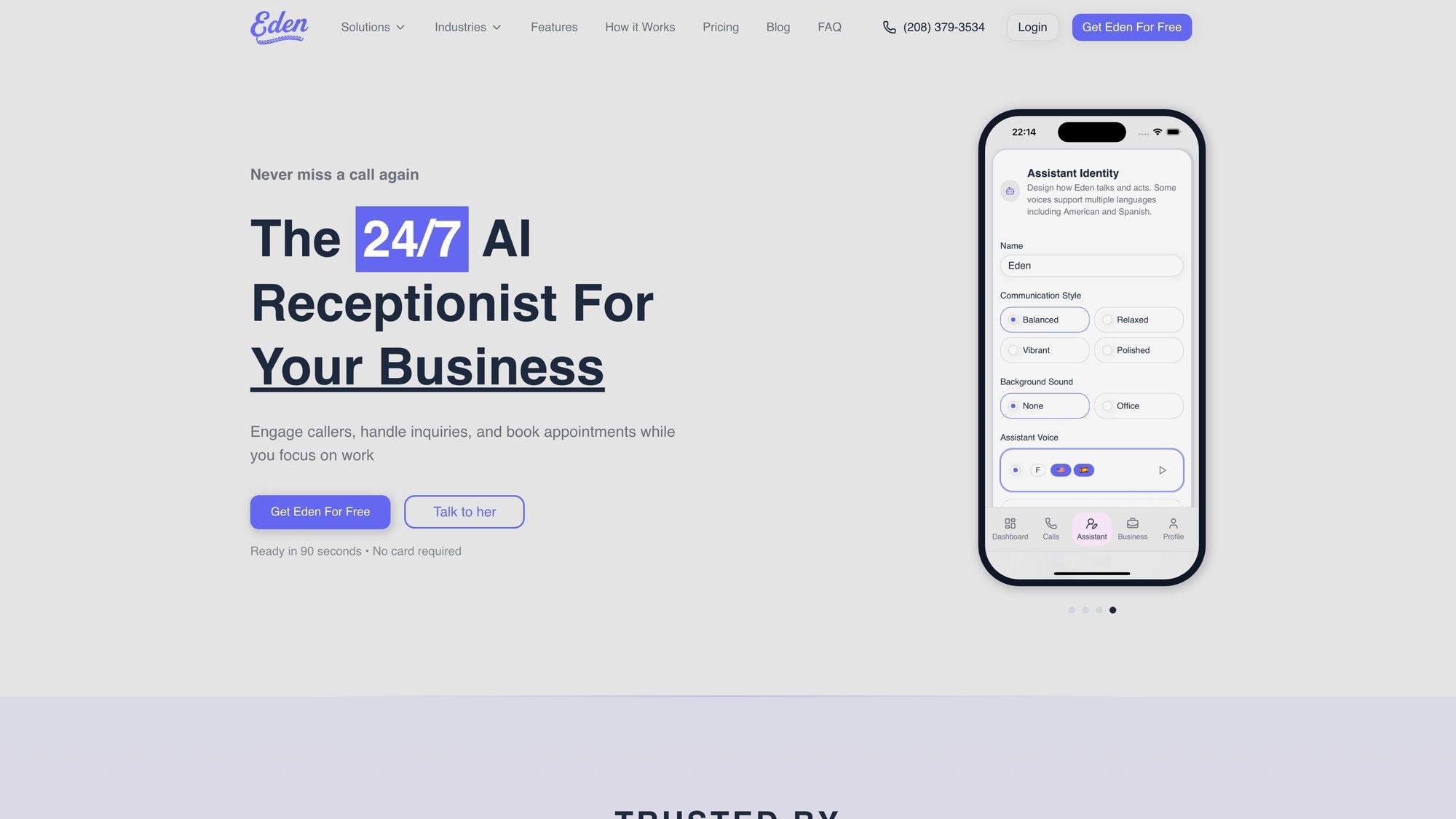
No matter which path you choose, investing in an automated phone answering service is an investment in better customer service, improved efficiency, and ultimately, a stronger bottom line for your business.
Here's to never missing a phone call, and never missing a chance to grow your business, ever again.
Ready to Transform YourCustomer Experience?
Join hundreds of businesses using Eden AI to handle calls, book appointments, and provide 24/7 customer support.