What to Say When a Customer Calls About an Emergency
Turn emergency calls into loyal customers. Real scripts, safety protocols, and the exact questions to ask when a panicked caller needs help now.
January 28, 2026
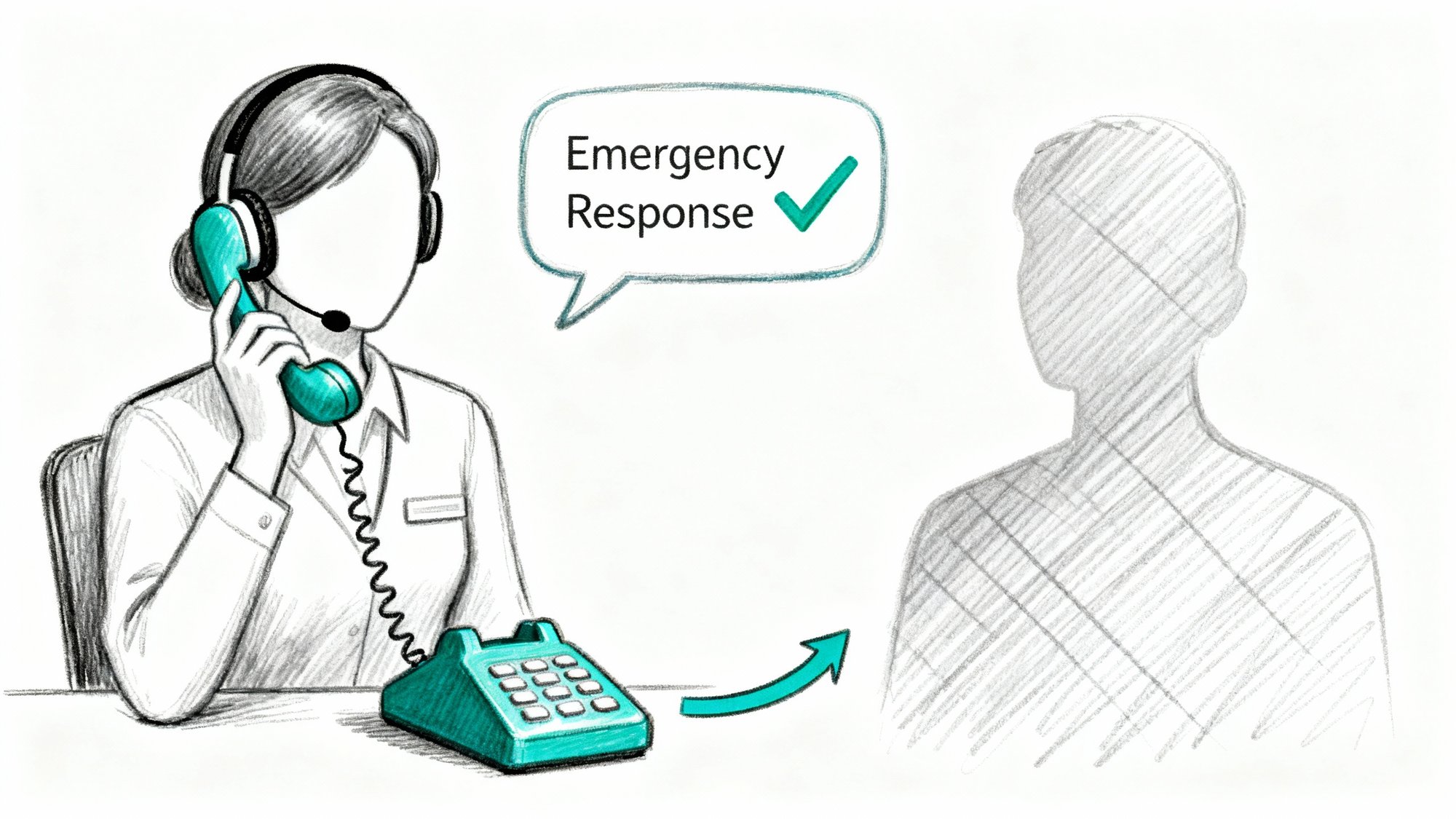
When a customer calls with an emergency, they don't want sympathy. They want proof that someone competent is now in control. They want action, clarity, and the confidence that help is on the way.
Get this wrong, and you'll lose them to a competitor. Get it right, and you'll earn their loyalty for life.
Most small businesses panic right along with their customers. They fumble for words, ask the wrong questions, or worse, miss the call entirely. According to research, about 78% of customers choose the first company that responds to them. If you don't answer promptly or can't help, they're calling someone else before you've even listened to their voicemail. And here's the problem: roughly 80% of callers won't leave a voicemail when it's urgent. They assume it's faster to try the next company on Google.
Every missed emergency call is a customer you'll never win back.
This guide gives you everything you need to handle emergency calls with confidence:
• A universal emergency script that works in any industry
• The exact questions to ask (and when to stop asking)
• Industry-specific scripts for plumbing, HVAC, IT, property management, and more
• Hard-stop safety scripts for life-threatening situations
• How to set up Eden AI Receptionist to handle emergencies 24/7
It's written for US small businesses in home services, property management, IT, legal, insurance, and similar fields. We don't serve healthcare providers (no HIPAA accreditation), and nothing here replaces professional emergency services.
Why Emergency Calls Require Different Handling Than Regular Calls#
An emergency call creates a weird environment for the human brain. The caller is in full stress mode. Their attention narrows. Their clarity drops. Every second feels like a minute.
You're dealing with high emotion, low signal, and intense time pressure. If you ask too many questions too early, you sound like bureaucracy. If you ask too few, you can't help and you waste the call.
So your job isn't to "be nice." Your job is to:
1. Prevent harm (life safety beats everything)
2. Create order (take control of the conversation fast)
3. Trigger the right action (dispatch, transfer, or route to 911)
4. Document what happened (for follow-up and quality control)
Think of a good emergency script as a decision engine disguised as empathy.
Think about the business stakes. A contractor who answers a 2 AM no-heat call in winter often wins that customer for life. But if your phone goes to voicemail? They've already called the next three companies by the time you wake up. Your reputation is built in these high-stress moments. Clients remember who was there when it mattered. That's why having a 24/7 answering service can be the difference between winning and losing a customer.
Critical insight: Panic is contagious, but so is calm. If you sound collected and in control, it steadies the caller's nerves and helps you get the information you actually need.
The SAFE Framework: How to Handle Emergency Calls in 4 Steps#
Use this every single time, in this exact order.
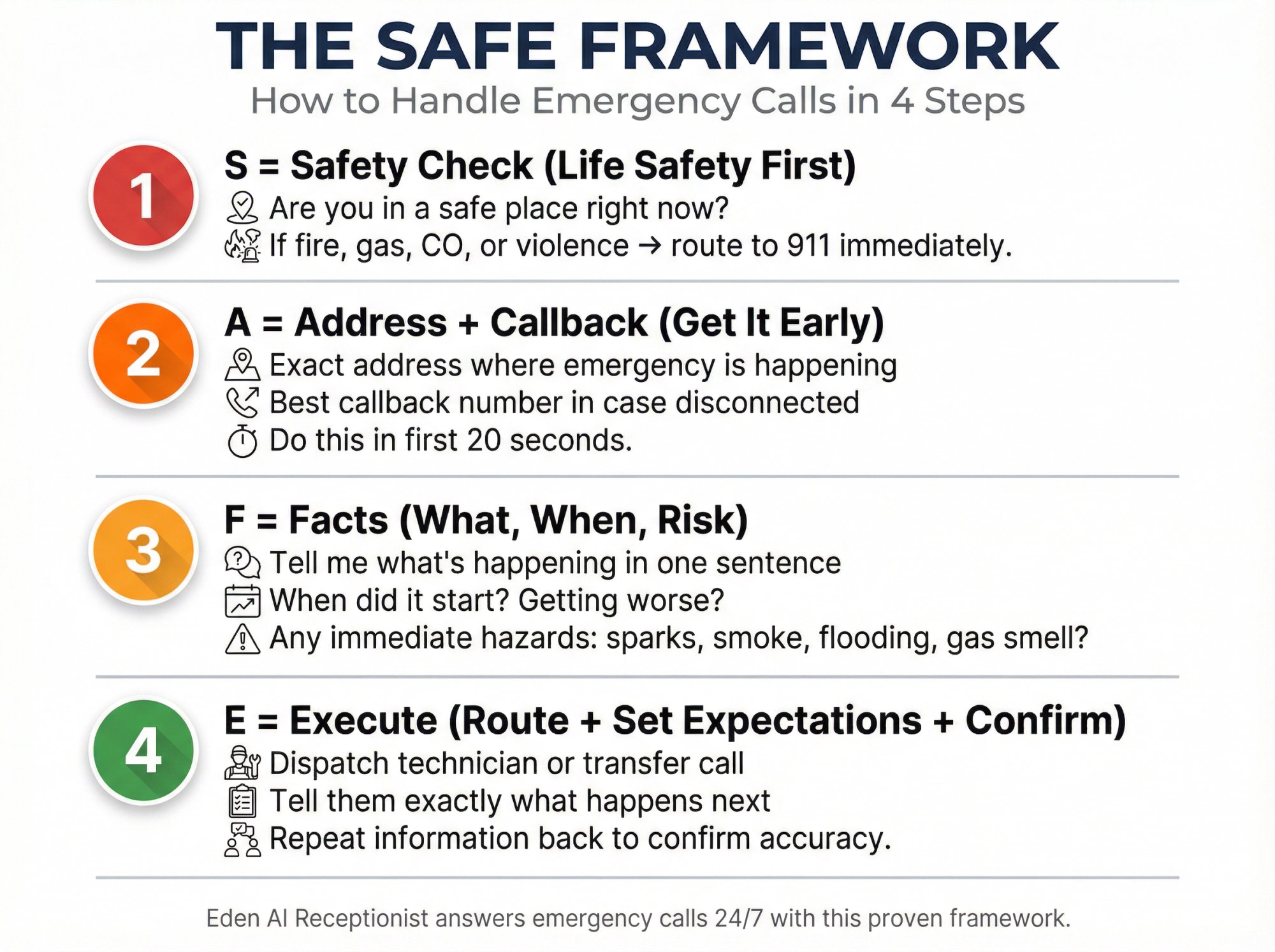
S = Safety Check (Life Safety First)#
If there's immediate danger, stop acting like a business and start acting as a safety gate.
According to 911.gov's official guidance, call-takers quickly gather location, callback number, and the nature of the emergency to dispatch the right responders. That's your model too.
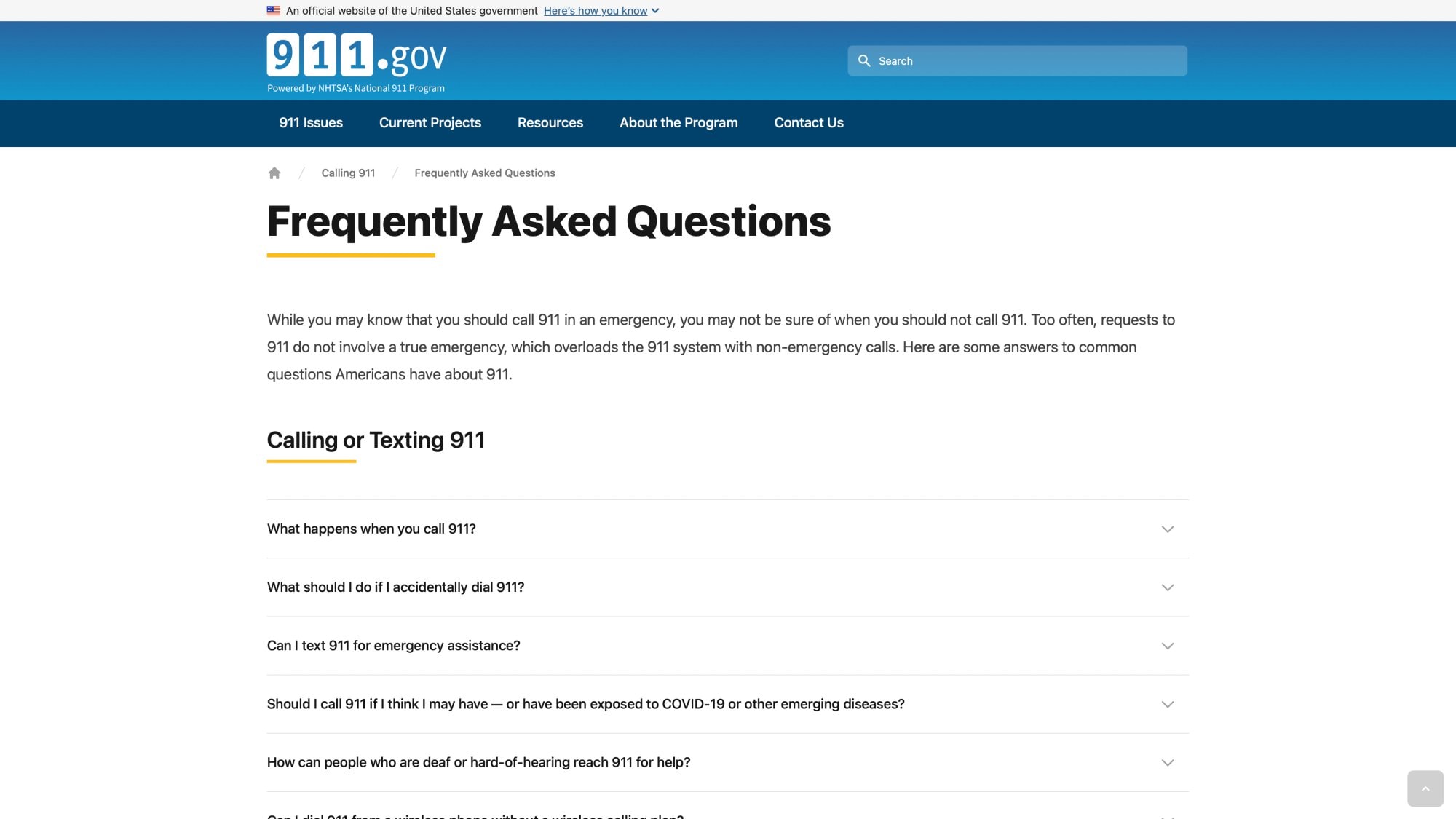
The official guidance above confirms what emergency dispatchers emphasize: when someone calls about a genuine emergency, getting them to 911 is always the priority.
Ask: "Are you in a safe place right now?"
If the answer is no, or if they mention fire, gas, carbon monoxide, or active violence, your response is simple: route them to 911 immediately.
A = Address + Callback (Get It Early)#
Get where they are and how to reach them before diving into the story.
Why? Calls drop. People hang up. Phones die. If you lose the connection before capturing their address and callback number, you've got nothing.
"What's the exact address where this is happening?"
"And what's the best callback number in case we get disconnected?"
Do this in the first 20 seconds.
F = Facts (What Happened, What's Changing, What's at Risk)#
You're trying to classify the situation into one of three buckets:
① Life safety (route to 911 first)
② Active damage (dispatch immediately)
③ Urgent but stable (schedule soon, provide next steps)
Your first job is to listen without interrupting. Let them vent. Let them describe the problem fully. They might be yelling or speaking too fast. Stay patient. By listening, you accomplish two things: you gather details, and you validate their feelings.
Then ask: "Tell me what's happening in one sentence."
Follow up: "When did this start, and is it getting worse right now?"
And: "Is there any immediate hazard like sparks, smoke, flooding near outlets, or a strong gas smell?"
E = Execute (Route + Set Expectations + Confirm)#
Do the thing. Transfer the call. Dispatch your technician. Create the ticket. Schedule the appointment.
Then tell them exactly what will happen next.
"Here's what's going to happen: I'm dispatching our on-call technician now. They'll call you back within 15 minutes, and they can be on-site within the hour. If anything changes or someone becomes unsafe, call 911 first."
After you've gathered the core information, repeat it back to make sure you got it right. This avoids miscommunication and shows the caller you were listening closely. Effective customer service response templates can help ensure consistency in emergency situations.
Emergency Call Scripts That Work in Any Industry#
These scripts work across industries. Copy them, adapt them, and keep them where your team can find them at 2 AM.
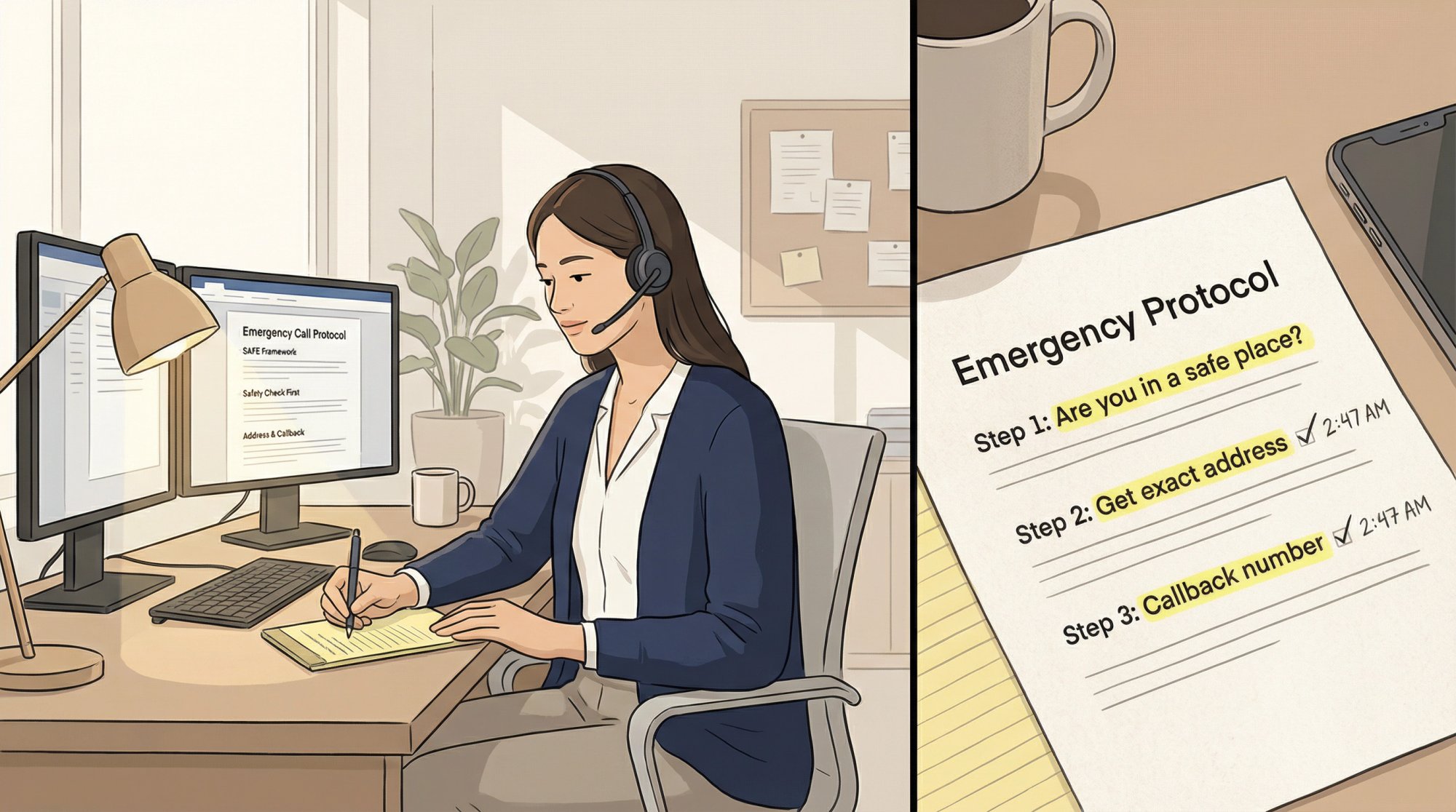
Version A: Human Receptionist or On-Call Dispatcher#
Caller: "It's an emergency."

You: "I'm here. First, are you in a safe place right now?"

[If NO or uncertain]
You: "If anyone is in immediate danger, or there's fire, gas, carbon monoxide, or an active threat, please hang up and call 911 right now. Do you want me to stay on the line while you do that?"

[If YES or safe]
You: "Okay. I'm going to get help moving. What's the exact address where this is happening?"

You: "And what's the best callback number in case we get disconnected?"

You: "Tell me what's happening in one sentence."

You: "Got it. When did this start, and is it getting worse right now?"

You: "Is there any immediate hazard like sparks, smoke, flooding near outlets, or a strong gas smell?"

You: "Thank you. Here's what's going to happen next: [dispatch/transfer/schedule]. If anything changes or someone becomes unsafe, call 911 first."
Version B: Eden AI Receptionist (Emergency-Safe Opening)#
Eden's Terms of Use require clear notice that callers are interacting with AI, that calls may be recorded, and that the assistant is limited to intake, routing, and scheduling. They also require routing emergency or high-risk inquiries to a qualified human.
Use a welcome message that satisfies safety, consent, and escalation:
"Thanks for calling [Your Business Name]. You're speaking with Eden, our AI receptionist. If this is a life-threatening emergency, hang up and dial 911.

How can I help today?"
If the caller says "emergency" or describes urgent keywords, Eden should switch to:
"Understood. First, are you in a safe place right now?
What's the address where this is happening?
And what's the best callback number in case we get disconnected?"
Eden's Privacy Policy explains that callers are notified if a call is being recorded and that staying on the line after notification is treated as consent.
What to Say to Calm a Panicked Caller (Without Sounding Fake)#
Phrases That Actually Work#
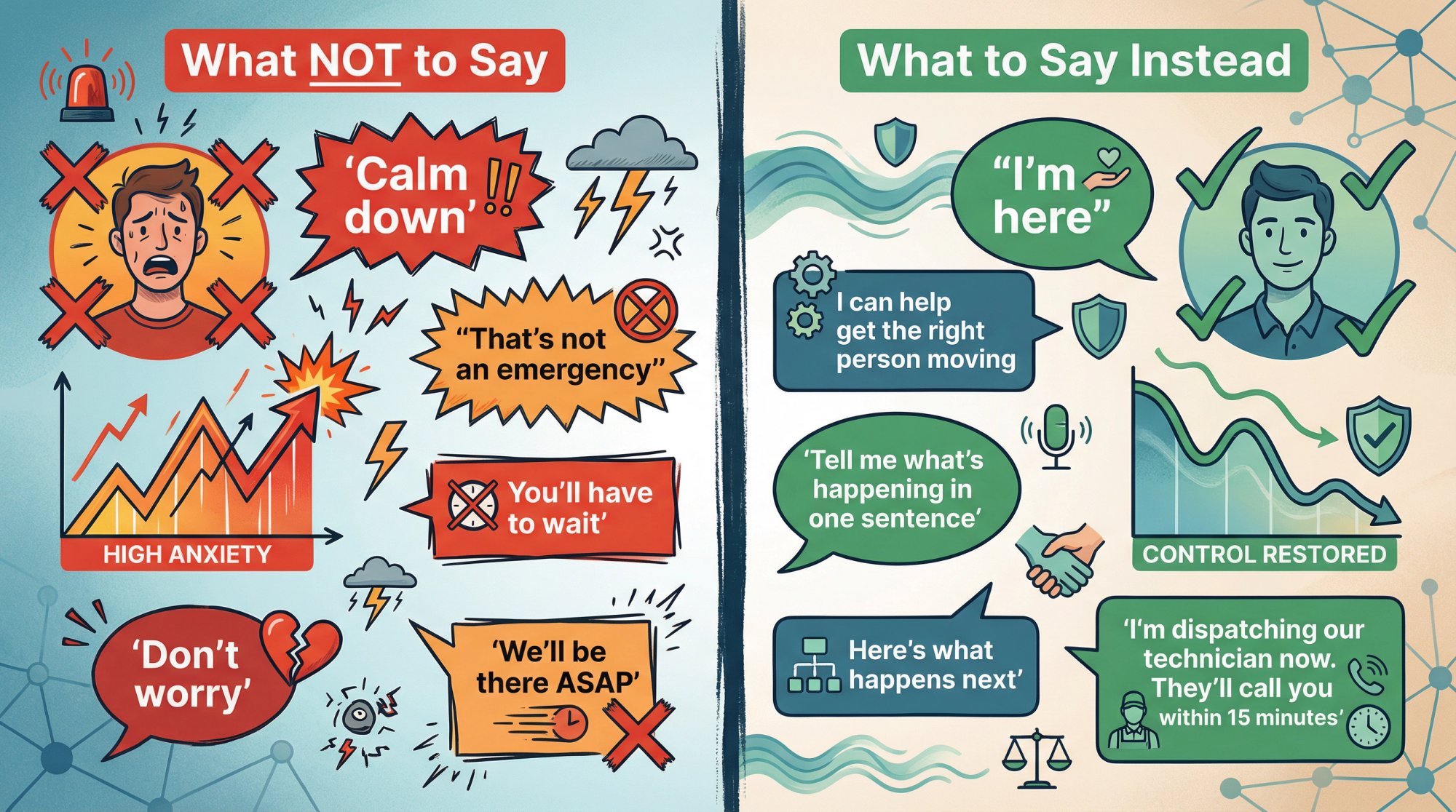
These phrases build trust and create control without sounding robotic:
• "I'm here."
• "I can help get the right person moving."
• "I'm going to ask 2 quick questions so we don't waste time."
• "Tell me what's happening in one sentence."
• "I'm going to repeat this back to make sure I have it right."
• "Here's what happens next."
• "I've got you. One quick question so I can dispatch correctly."
• "I know this is urgent, and I'm here to help you."
• "I understand this must be very stressful for you. We're going to take care of it."
Maintaining professional communication during emergencies helps increase customer satisfaction even in high-stress situations.
Phrases That Make Emergency Calls Worse (What to Avoid)#
Some phrases escalate the situation instead of calming it. Here's what to avoid:
| Don't Say This | Why It Fails | Say This Instead |
|---|---|---|
| "Calm down." | People hear: "your emotions are the problem" | "I've got you. One quick question so I can dispatch correctly." |
| "That's not an emergency." | You just escalated the fight | "I can help. This sounds urgent, not dangerous. Let's get you the soonest slot." |
| "You'll have to wait." | May be true, but it's combative | "I'm dispatching the on-call tech now. If they miss the first attempt, we escalate to the next contact." |
| "We'll be there ASAP." | Sounds comforting but legally sloppy | "I'm dispatching our technician now. They'll call you within 15 minutes." |
| "Don't worry." | Often dismissive | "I'm here for you, and we're going to sort this out." |
What Questions to Ask During Emergency Calls (and When to Stop)#
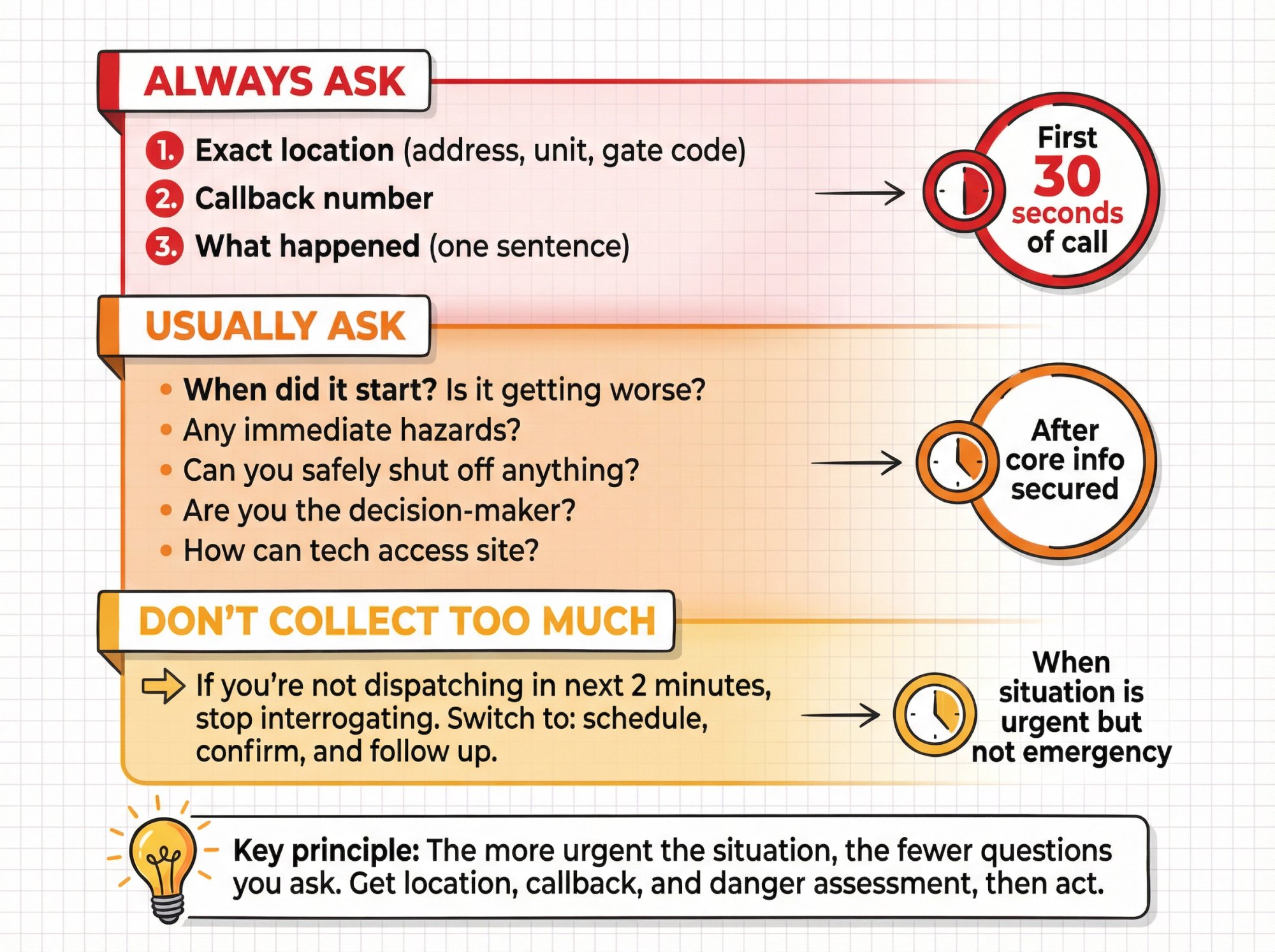
Think of these as the three things you must capture before the story gets messy.
Question Priority Framework#
| Priority Level | Questions | When to Ask |
|---|---|---|
| ALWAYS ASK | 1. Exact location (address, unit, gate code) 2. Callback number 3. What happened (one sentence) | First 30 seconds of call |
| USUALLY ASK | 4. When did it start? Is it getting worse? 5. Any immediate hazards? 6. Can you safely shut off anything? 7. Are you the decision-maker? 8. How can tech access site? | After core info secured |
| DON'T COLLECT TOO MUCH | If you're not dispatching in next 2 minutes, stop interrogating. Switch to: schedule, confirm, and follow up. | When situation is urgent but not emergency |
Key principle: The more urgent the situation, the fewer questions you ask. Get location, callback, and danger assessment, then act.
911.gov explicitly lists location, phone number, and nature of emergency among the key questions a 911 call-taker will ask. Understanding what inbound calls require helps you prioritize information gathering.
Ask your questions one at a time, in a calm, clear manner:
"Okay, I know this is urgent. I need a couple of details to get you help: What exactly happened?"
Let them answer. Then move to the next question.
"Thank you. And where are you located?"
In some emergencies, you might need to ask: "Do you need me to get the fire department or police involved?" or "Have you already called 911?"
Emergency Safety Scripts: When to Call 911 Instead#
Some situations are not business emergencies. They are 911 emergencies. Use these exact scripts.
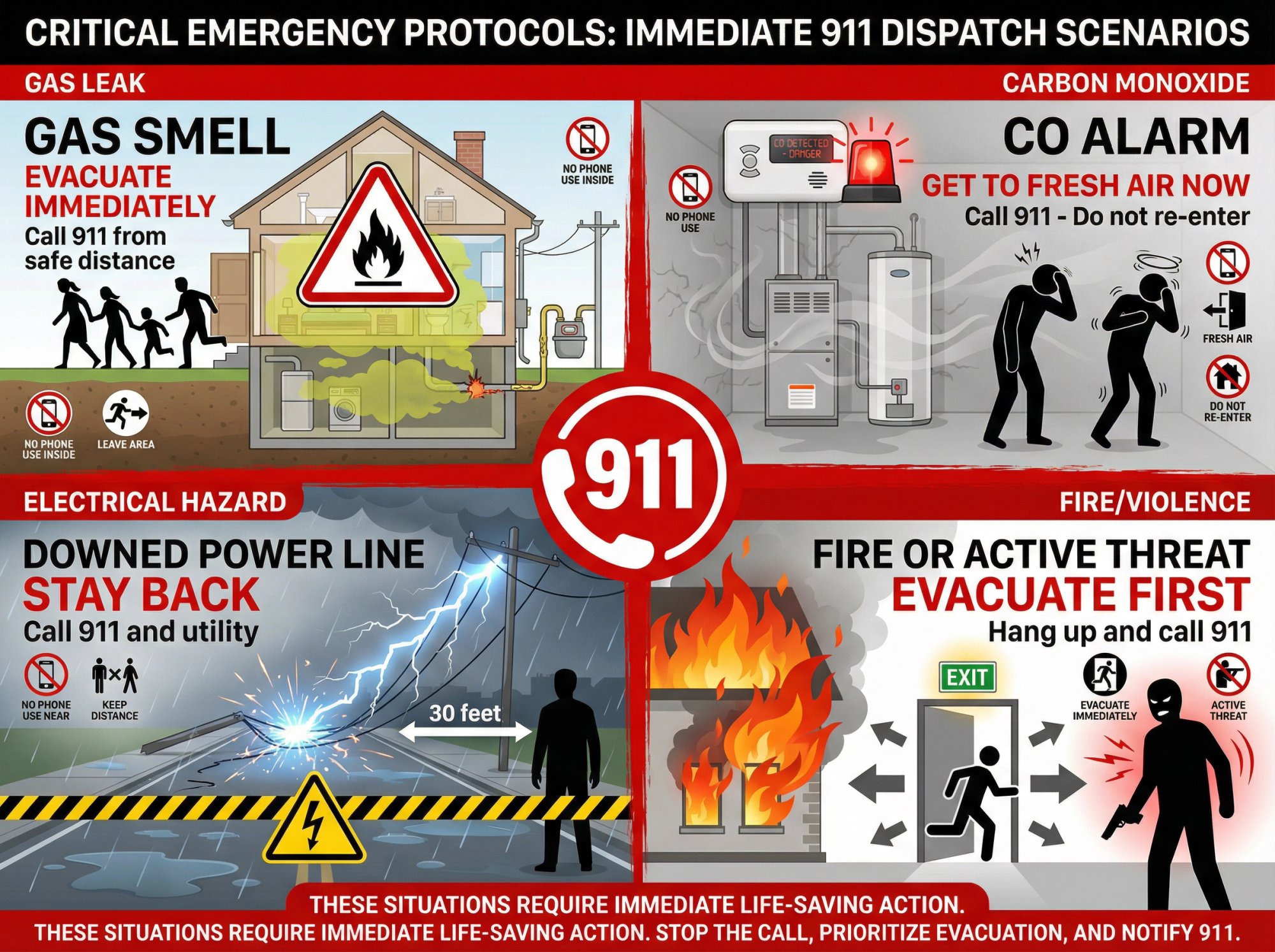
⚠️ 1) Gas Smell or Suspected Gas Leak#
DANGER: IMMEDIATE EVACUATION REQUIRED
"Please leave the building immediately, on foot, and move to a safe location.
Do not use switches or phones inside the building.
Once you're safe, call 911 and your gas utility.
Do you want me to stay on the line while you get to a safe place?"
The American Gas Association advises avoiding sparks and calling 911 from a phone away from the area.
⚠️ 2) Carbon Monoxide Alarm or Suspected CO Poisoning#
DANGER: EVACUATE TO FRESH AIR NOW
"Get outside to fresh air immediately. Do not stay inside to troubleshoot.
Call 911 for medical help. Do not re-enter until responders say it's safe."
NIOSH (CDC) notes that if symptoms occur, move to uncontaminated air and call 911. Mayo Clinic advises getting into fresh air and calling 911 for CO poisoning symptoms.
⚠️ 3) Downed Power Lines or Electrical Sparking With Danger#
DANGER: STAY BACK, CALL 911
"Stay far away from the line or the area. Do not touch anything nearby.
Call 911 or your local utility right now. If anyone is injured, call 911 first."
CDC safety guidance for electrical hazards emphasizes that downed lines can be energized and dangerous.
⚠️ 4) Fire, Smoke, or Active Violence#
DANGER: EVACUATE AND CALL 911
"Get to safety first. If there's an immediate threat, hang up and call 911 now."
You do not troubleshoot fires over the phone. You route to emergency services.
Emergency Call Scripts by Industry: What to Say in Your Field#
Below are ready-to-use scripts for the first 30 seconds of an emergency call. Use these as templates and adapt them to your specific business.
Plumbing (Burst Pipe, Flooding, Sewage Backup)#
SITUATION: Active water damage, potential electrical hazard
Many plumbing businesses rely on emergency calls as a primary revenue source, making proper handling critical.
| Question | Purpose |
|---|---|
| "Are you safe right now?" | Safety check |
| "Is water near electrical outlets or breaker panel?" | Electrocution risk |
| "Can you safely reach the main water shutoff?" | Damage control |
Your script:
"I can help. First, are you safe right now?
What's the address and best callback number?

Is water currently flowing or spreading?
Is any water near electrical outlets, appliances, or your breaker panel?
If you can safely reach the main water shutoff, please turn it off now.
I'm dispatching the on-call plumber."
Routing rule:
→ Active flooding → dispatch now
→ "Water heater leaking slowly" and contained → schedule earliest slot, still treat as urgent
Electrician (Sparks, Burning Smell, Partial Outage)#
For electrical contractors, emergency calls often represent high-value service opportunities.
CRITICAL SAFETY PROTOCOL:
① Assess immediate danger (sparks, smoke, burning smell)
② Keep caller away from electrical panel if unsafe
③ Dispatch if stable, route to 911 if fire/smoke present
Your script:
"I'm here. Are you safe right now?
What's the address and callback number?

Do you see sparks, smoke, or smell burning?
If yes, do not touch the panel. Move away and call 911 if there's fire or smoke.
If it's stable, I'm dispatching our on-call electrician."
Critical blind spot: If there's water present, electrical becomes life safety. That changes everything.
HVAC (No Heat in Winter, CO Concerns, Vulnerable Occupants)#
HVAC businesses face particularly time-sensitive emergency calls during extreme weather.
| Scenario | Triage Decision | Action |
|---|---|---|
| CO alarm active OR symptoms present | LIFE SAFETY | Evacuate, call 911 immediately |
| No heat + vulnerable occupants (infants, seniors, medical equipment) | EMERGENCY | Dispatch now |
| No heat + no vulnerable occupants + mild weather | URGENT | Schedule earliest available |
Your script:
"Got it. Are you safe right now?
What's the address and callback number?

Is anyone experiencing dizziness, nausea, confusion, or is the CO alarm going off?
If yes, get outside and call 911 now.

If not, is this a total loss of heat or partial?
Any infants, seniors, or medical equipment depending on power or heat?
I'm dispatching our on-call tech or booking the earliest available visit."
Property Management (Tenant Emergencies)#
Most tenant emergencies fall into three categories:
① Life safety (911)
② Active property damage (dispatch now)
③ Comfort issue (schedule)
Property management companies need clear triage protocols to manage after-hours tenant calls effectively.
Your script:
"I can help. First: are you safe right now?
If there's fire, gas, carbon monoxide, or anyone is threatened, call 911.

What's the property address and unit number?
What's your callback number?

What's happening in one sentence?
Is there active water flow, sewage backup, or a power hazard?
If this requires immediate dispatch, I'm contacting the on-call technician now."
Smart policy: Publish a simple list of what qualifies as "after-hours emergency" and what doesn't. This reduces burnout and sets expectations. A weekend answering service can help manage non-critical calls outside business hours.
IT Support / MSP (Breach, Ransomware, "Everything Is Down")#
For IT emergencies, your biggest risk isn't the outage. It's making the breach worse by giving wrong instructions.
IT support companies face unique challenges with cybersecurity emergencies requiring immediate but careful response.
CRITICAL: Ransomware Response Protocol
→ DO: Isolate affected systems immediately (disconnect from network)
→ DO: Document what you see without touching files
→ DON'T: Pay ransom or respond to attacker
→ DON'T: Attempt recovery without expert guidance
Your script:
"I can help get the on-call technician immediately.
First: what's the company name, your callback number, and your location?

In one sentence, what are you seeing?
Is this affecting one device or multiple?
Do you see a ransom note or a message demanding payment?

If you can do it safely, disconnect the affected device from the network (Wi-Fi or Ethernet).
Do not pay or respond to the attacker.
I'm escalating this to our on-call security response now."
CISA's ransomware response checklist emphasizes immediately isolating impacted systems. NIST's incident response guidance (SP 800-61 Rev. 3, 2025) provides the broader "prepare, respond, recover" framework.
Insurance Agency (Accident, Claim Emergency)#
Insurance "emergencies" often mean: "I don't know what to do next."
Insurance agencies need protocols that balance urgency with proper claims documentation.
Your 3-step triage:
① Safety first: Anyone injured or in danger? → 911
② Active incident: Accident, fire, break-in happening now? → On-call claims contact
③ Post-incident documentation: Event concluded, need guidance? → Schedule callback with agent
Your script:
"I can help. If anyone is injured or there's immediate danger, call 911 first.

What's your full name and callback number?
Are you safe right now?
In one sentence, what happened?

If this is an active incident (accident, fire, break-in), I'll connect you with the on-call claims contact or provide the correct carrier claims number."
Small Law Firm (Urgent Legal Matter)#
Law firms require specialized handling for time-sensitive legal matters.
CRITICAL LIMITATION: Do not let an AI or receptionist give legal advice. Eden's Terms explicitly require routing legal and other high-risk inquiries to a qualified human.
Your intake checklist:
→ Name + callback number
→ Email for follow-up documentation
→ One-sentence issue description
→ Specific deadline (court filing, statute limitation, hearing date)
Your script:
"I can help get this to the right attorney.
If you are in immediate danger, hang up and call 911.

What's your name and callback number?
What's the best email for follow-up?
In one sentence, what's the urgent issue and what deadline are you facing today or tomorrow?
I'm escalating this for attorney review."
How to Provide Next Steps After an Emergency Call#
After you've gathered the core information, outline the action plan. The caller is desperate for a solution, so tell them exactly what will happen next.
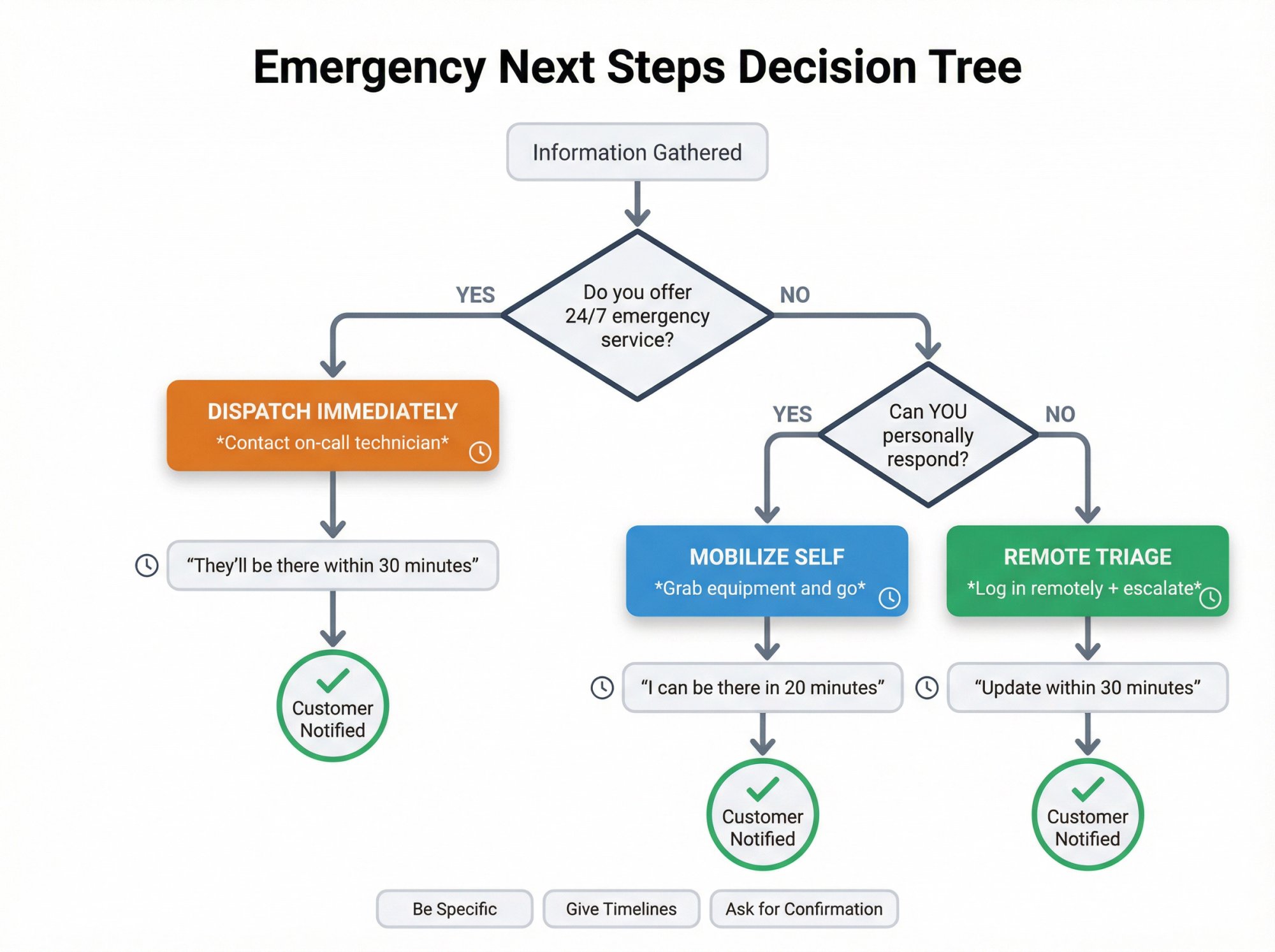
Based on the situation, decide the appropriate course:
→ If you offer 24/7 emergency service (or have on-call staff), dispatch help immediately:
"I'm going to contact our on-call plumber right now and have them head to your address. They'll be there within 30 minutes."
An emergency answering service ensures these calls never go to voicemail, even outside business hours.
→ If you personally will handle it, let them know you're mobilizing:
"I'm going to grab my equipment and drive over to you right now. I can be there in 20 minutes."
→ If the situation is urgent but you can't fully resolve it immediately, provide an immediate response plan:
"I'm going to log into the system remotely now to see what I can do. I'll also reach out to our lead engineer. You will get an update from us within 30 minutes on the progress."
Be Specific and Clear#
Vague assurances won't cut it. Give concrete timelines if possible:
• "within 15 minutes"
• "by 3:00 PM"
• "in half an hour"
After detailing the next steps, ask for confirmation:
"Does that plan sound okay to you?"
"Do you have any questions about that?"
Properly managing customer expectations during emergencies prevents misunderstandings and builds trust.
Consider Staying on the Line#
If the emergency is unfolding in real time and help is on the way, consider staying on the line until additional help arrives or the immediate crisis subsides.
Periodically check in: "I'm still here. How are you doing?"
How to Reassure Customers and Follow Up After Emergency Calls#
By this point, you've taken control. You've listened, gathered info, and given the caller a plan. The final crucial element is reassurance.
Some effective things to say:
• Express commitment: "We've got you covered." or "I'm going to stay on top of this for you."
• Invite them to reach out again: "If anything changes or if you need anything else, call us back at this number anytime. We're here for you."
• Thank them: "Thank you for alerting us to this issue. I know it's an unfortunate situation, but I'm glad you called so we can address it right away."
• End with empathy: "Take care and hang in there. We'll get this resolved for you."
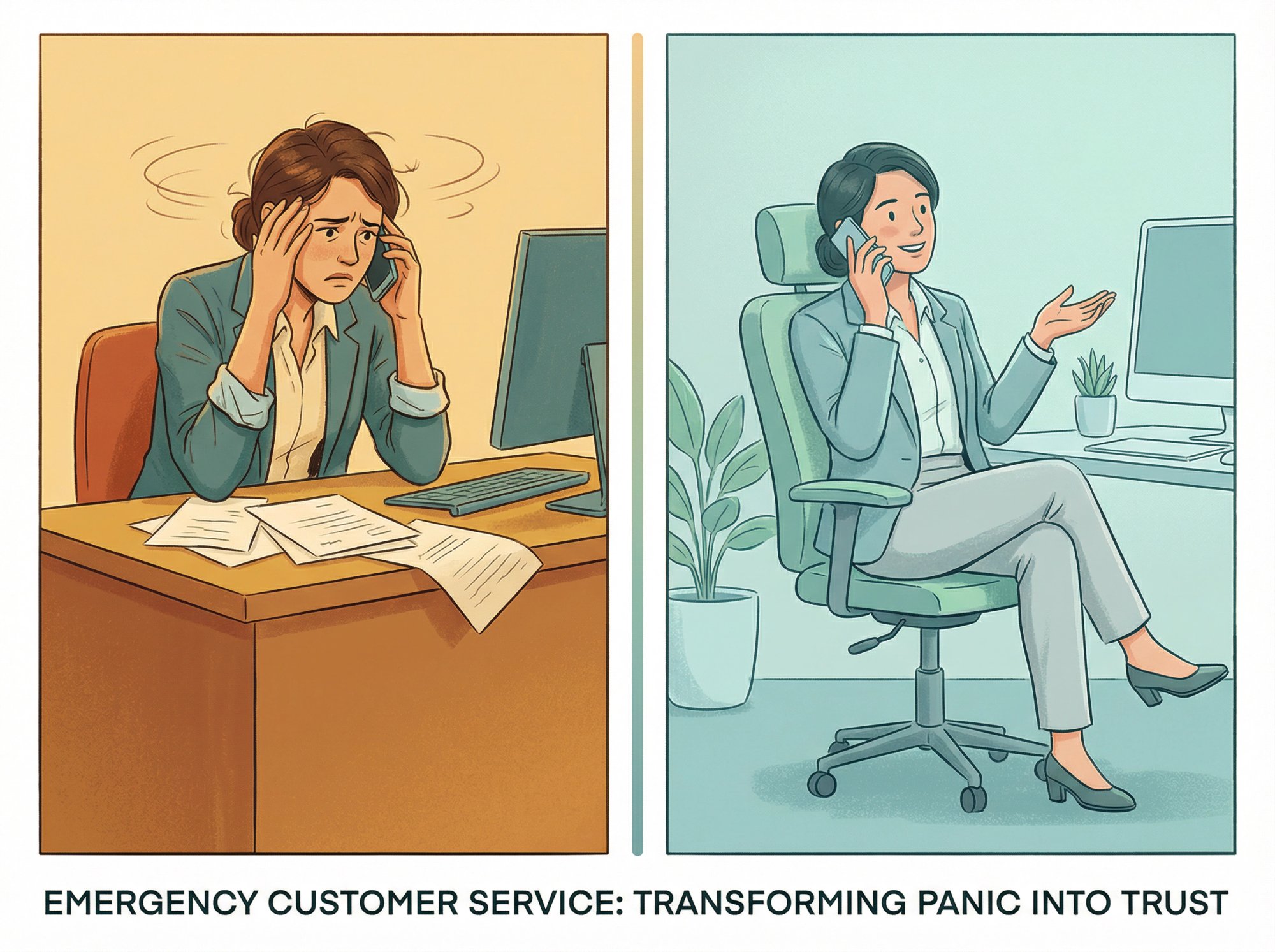
These small reassurances build trust and turn a crisis into a story about excellent customer service. Using professional phone greeting examples as templates helps maintain consistency even under pressure.
How to Document Emergency Calls for Follow-Up and Quality Control#
Once the immediate emergency is handled and the call has ended, your work isn't over. Proper documentation matters for resolving the current issue and improving future emergency response.
Right after the call (or as soon as feasible), write down:
• The caller's name and contact info
• Time of call
• What the emergency was
• What actions you took (who you dispatched or contacted)
• Any commitments made
If the emergency required someone to go on-site or a problem to be fixed, follow up with the customer afterward. This could be a call or email once things have stabilized (say, the next day):
"Hi, this is [Your Name] from [Your Business]. I just wanted to see how everything went after [technician] visited you last night. Is everything okay now?"
Finally, learn from every emergency call. If you have a team, debrief internally:
• What happened?
• How was it handled?
• Could anything be done faster or better next time?
This continuous improvement turns emergency handling from reactive chaos into a competitive advantage.
Legal Requirements: Call Recording and Compliance for Emergency Calls#
1) Recording Consent (Simple and Safe Approach)#
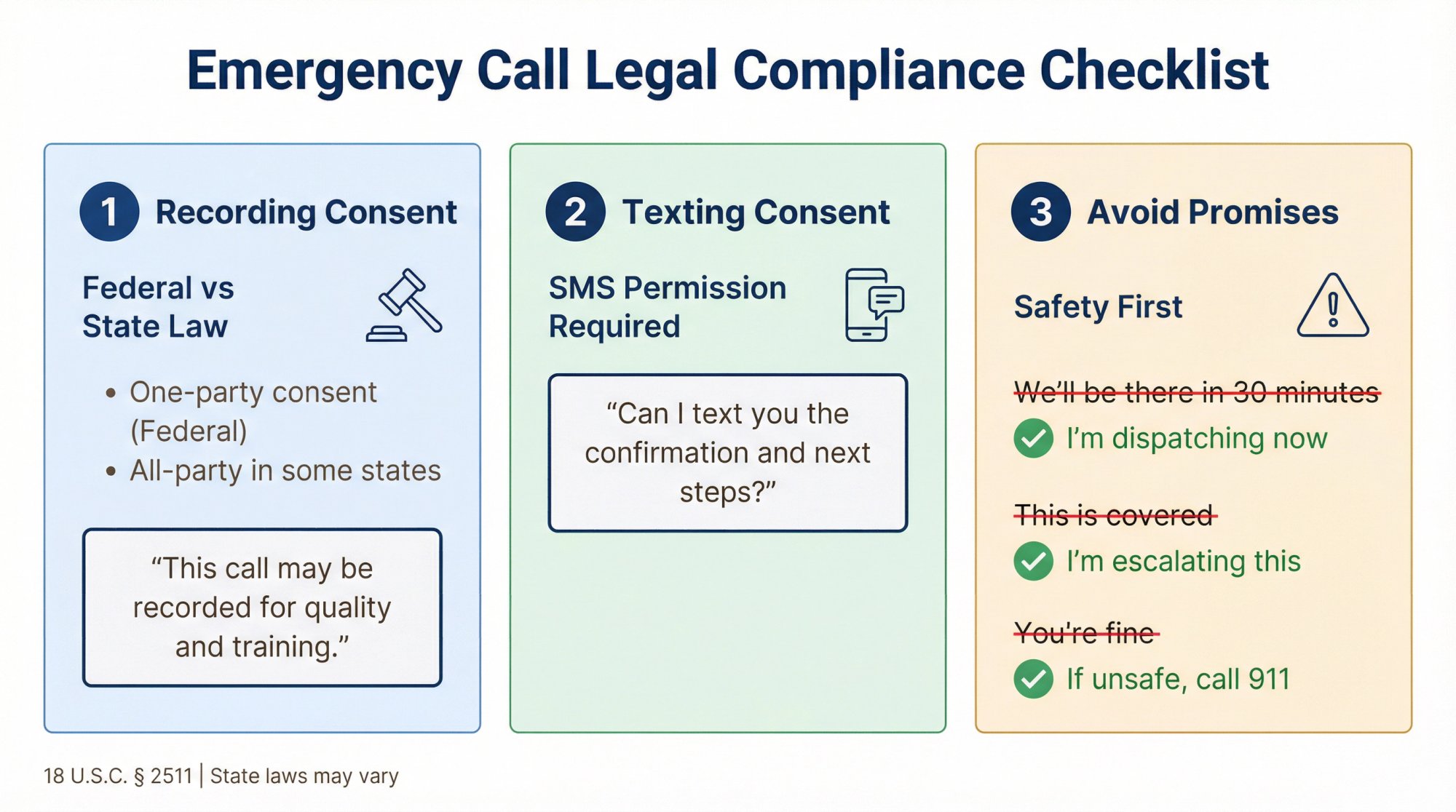
Federal law allows recording when one party consents (18 U.S.C. § 2511), but state laws can require all-party consent. RCFP's Reporter's Recording Guide explains the one-party vs. all-party framework.
Practical best practice script:
"This call may be recorded for quality and training."
Eden's Privacy Policy states callers are notified if a call is being recorded and that staying on the line after notification is treated as consent.
2) Texting Consent (If You Send Scheduling Links)#
Eden's Privacy Policy states SMS messages are sent with the caller's consent and are related to the reason for the call, not marketing.
Simple consent line:
"Can I text you the confirmation and next steps?"
3) Avoid Promises You Can't Keep#
Never say:
• "We'll be there in 30 minutes" (unless you actually control that)
• "This is covered" (insurance, warranties, etc.)
• "You're fine" (safety or medical)
Say instead:
• "I'm dispatching the on-call tech now."
• "I'm going to escalate this and you'll get a callback within [time window]."
• "If anything becomes unsafe, call 911 first."
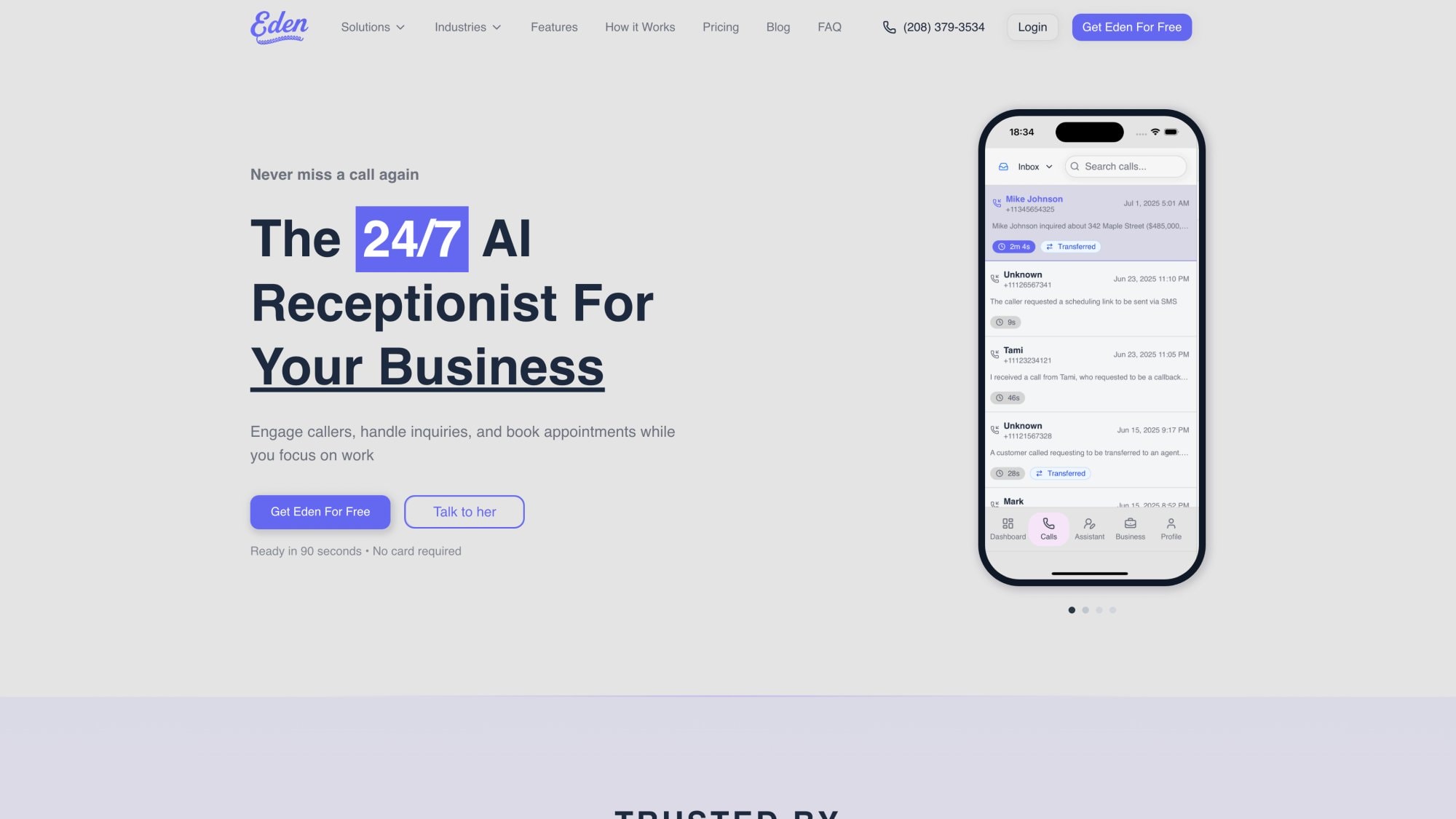
The platform shown above handles every emergency call automatically, 24/7. Once you see the interface, the setup process becomes straightforward. Let me walk you through it.
How to Set Up Eden AI Receptionist for Emergency Calls#
Eden is powerful, but emergencies are high-risk inquiries. Eden's Terms put the responsibility on you to configure escalation and oversight.
Here's the setup approach that actually works. Understanding how AI phone answering works helps you configure it correctly for emergency scenarios.
Eden Emergency Setup: 6-Step Configuration#
| Step | Action | Why It Matters |
|---|---|---|
| 1. Define Emergencies | List what requires 911 vs. dispatch vs. schedule | Clear triage prevents confusion |
| 2. Safety Disclaimer | Add "If life-threatening, hang up and dial 911" to welcome | Legal protection + caller safety |
| 3. Configure Routing | Set up ladder: on-call → backup → manager | Ensures someone always responds |
| 4. Minimum Viable Intake | Capture address, callback, one-sentence description, danger check | Critical info even if call drops |
| 5. Aggressive Notifications | Enable SMS + email + push to on-call | Emergency calls can't sit in inbox |
| 6. Test With Scenarios | Run 10+ test calls (gas leak, flooding, breach, etc.) | Catch config errors before real emergency |
Step 1: Define What "Emergency" Means for Your Business#
Make a list of:
→ Always 911:
-
Gas smell
-
CO alarm
-
Fire or smoke
-
Active violence
-
Serious injury
→ Dispatch now:
-
Flooding or burst pipe
-
No heat in extreme cold with vulnerable occupants
-
Downed power line near home or business
-
Sewer backup
→ Urgent but schedule:
-
"My furnace is acting up"
-
"Water heater noisy"
-
"Internet slow"
Step 2: Put the Safety Disclaimer in the Welcome Message#
You want this line to be unavoidable:
"If this is a life-threatening emergency, hang up and dial 911."
Step 3: Configure Emergency Routing (Pro and Ultra Plans)#
Eden supports call transfers and intelligent routing for urgent calls.
Recommended routing ladder:
① On-call tech (primary)
② Backup tech (secondary)
③ Owner or manager (tertiary)
④ If no one answers: Eden captures details and sends immediate SMS/email with "Emergency" tag
Understanding how to forward business calls to an answering service ensures your emergency routing works seamlessly.
Step 4: Add the "Minimum Viable Intake" Questions#
In Eden, configure custom questions so the AI captures:
• Address + unit
• Callback number
• "What happened in one sentence?"
• "Is anyone in danger or is there fire, gas smell, CO alarm, or injuries?"
Step 5: Turn On Aggressive Emergency Notifications#
Emergencies should not sit in an inbox for 2 hours.
• SMS to on-call
• Email to office
• Push notifications (if you use Eden's mobile experience)
Step 6: Test With Scripted Scenarios#
Do at least 10 test calls like:
• "There's water pouring through the ceiling"
• "I smell gas"
• "The CO alarm is going off"
• "All our computers have a ransom note"
• "My tenant is locked out"
Then review recordings and transcripts:
-
Did it ask for the address early?
-
Did it route correctly?
-
Did it say anything unsafe?
Eden's Terms explicitly place responsibility on you for configuration, oversight, and correcting errors using recordings and logs. Learning how to get the best out of your AI receptionist helps optimize emergency handling.
Why AI + Human Backup Is the Winning Combination#
Here's the reality: even the best human receptionist can't answer calls at 2 AM, on weekends, or when three lines ring at once. But AI alone isn't enough for true emergencies.
The winning setup?
Eden handles the first line (24/7 availability, never misses a call, captures critical info fast), then intelligently routes to your on-call human for real-time decision-making and dispatch.
You get:
-
24/7 coverage without hiring night staff
-
Proper triage before anyone gets woken up
-
Instant documentation and transcripts
-
Consistent quality (no more "new receptionist didn't know the protocol")
The benefits of using AI receptionists extend far beyond emergency handling, but nowhere are they more valuable than in crisis situations.
Common Questions About Handling Emergency Calls#
What if the caller won't answer my questions?#
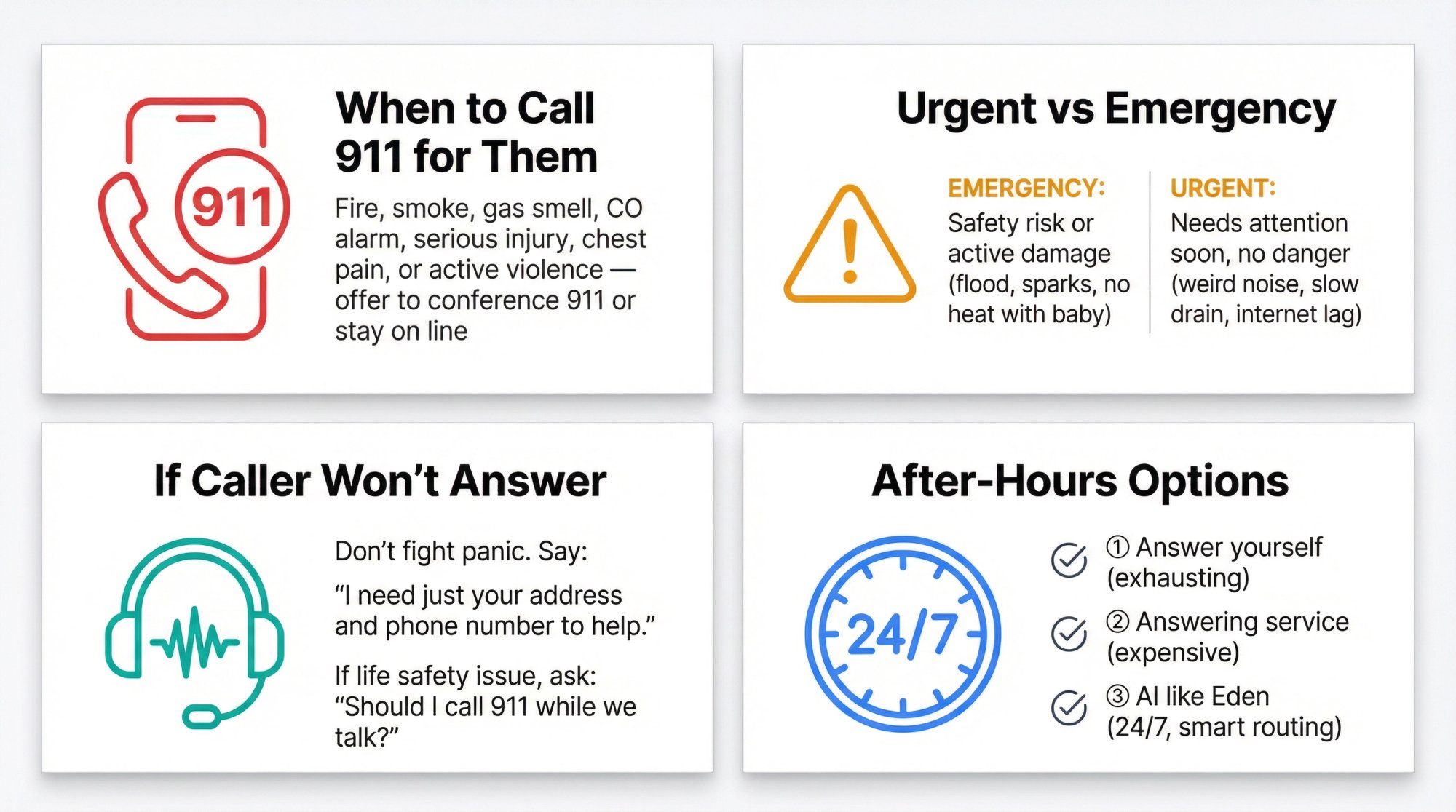
If someone is too panicked or upset to answer, don't fight it. Say: "I understand you're upset. I need just your address and phone number so we can help you. Can you give me those two things?"
If they still won't, and it sounds like a life safety issue, consider staying on the line and asking: "Should I call 911 for you while we talk?"
How do I know if I should call 911 for them?#
If they describe fire, smoke, gas smell, CO alarm, serious injury, chest pain, or active violence, and they're not already calling 911, you should offer:
"This sounds like a 911 situation. Can you call them now, or do you want me to conference them in?"
Don't make the call for them unless they're unable to (like they're trapped or injured).
What if I give wrong safety advice?#
This is why you should never improvise safety instructions. Use the hard-stop scripts in this guide, and when in doubt, route to 911 or a professional.
If you're not sure whether something is safe, say: "I'm not sure if that's safe to do. Please call 911 for guidance on this."
Can AI really handle life-or-death situations?#
AI (like Eden) excels at intake, triage, and routing. But Eden's Terms explicitly require routing high-risk situations to a qualified human.
The AI captures the details and routes to your on-call human, who makes the real-time judgment call. That's the safest, most effective setup.
How do I train my team on these scripts?#
Print the scripts. Laminate them. Put them at every desk and in every vehicle.
Then run monthly training drills:
-
Role-play emergency scenarios
-
Review real recordings (with names removed)
-
Update the scripts based on what you learn
Make emergency response a skill your team practices, not something they improvise.
What's the difference between urgent and emergency?#
| Type | Definition | Examples |
|---|---|---|
| Emergency | Someone's safety at risk OR active damage happening now | • No heat in winter with baby • Flood in basement • Electrical sparks |
| Urgent | Needs attention soon, but no immediate danger | • Furnace making weird noise • Slow drain in kitchen • Internet running slow |
How do I handle after-hours emergencies?#
You have three options:
① Answer yourself (exhausting but gives you control)
② Hire an answering service (expensive, inconsistent quality)
③ Use AI like Eden (24/7 coverage, routes to on-call, captures details even if no one answers)
Most small businesses find that Eden offers the best balance: always available, never tired, and smart enough to route true emergencies immediately. Understanding the real cost of unanswered calls helps justify the investment.
What if we can't dispatch someone immediately?#
Be honest. Say: "I'm logging this as urgent. Our earliest available slot is [time]. If this becomes unsafe before then, please call 911."
Then follow up proactively. Call them back in 30 minutes to check in.
Honesty builds more trust than fake promises.
Why You Can't Afford to Wing Emergency Calls Anymore#
Most businesses fail at emergency calls for predictable reasons:
① They confuse "urgent" with "unsafe" and wake people up for nothing
② They don't capture address and callback early, so the first callback is chaos
③ They improvise safety instructions (dangerous)
④ They overpromise timelines
⑤ They have no escalation ladder, so "dispatch" means "leave a voicemail"
If you implement the SAFE framework plus the scripts in this guide, you will:
• Sound calmer
• Move faster
• Avoid the two worst outcomes (delayed real emergencies and false alarms that burn out your team)
But here's the hard truth: you can't be awake 24/7. And your customers don't care that it's 2 AM or Sunday morning. When they have an emergency, they're calling the first company that answers.
That's where Eden comes in. We answer every call, 24/7. We capture the critical information. We route intelligently to your on-call team. And we make sure no emergency call ever goes to voicemail again.
Ready to handle emergency calls with confidence? Try Eden free for 7 days and see how AI + human backup creates the perfect emergency response system for your business.
Ready to Transform YourCustomer Experience?
Join hundreds of businesses using Eden AI to handle calls, book appointments, and provide 24/7 customer support.