Best Appointment Scheduling Software for Small Businesses
The best appointment scheduling software for small businesses covers online and phone bookings. Compare 12 platforms that stop no-shows and capture leads.
December 19, 2025
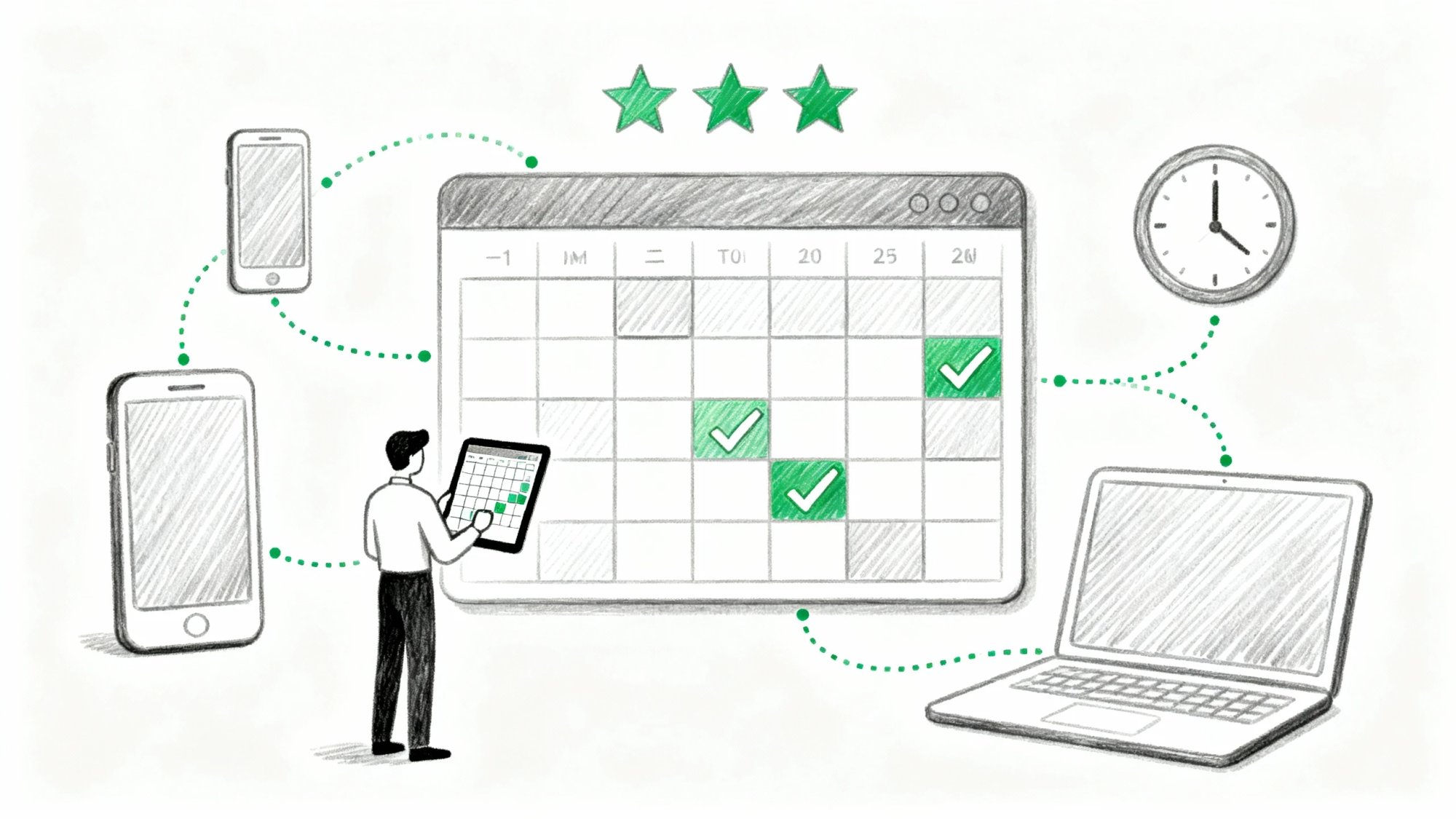
Your phone rings at 7 PM. A potential client needs an appointment. You're at dinner with your family, so the call goes to voicemail. They don't leave a message. They book with your competitor instead.
This happens more often than you think. Studies show that when callers reach voicemail, roughly 80% hang up without leaving a message. For small businesses where every lead counts, that's not just frustrating. It's expensive.
Modern appointment scheduling software solves this problem by letting clients book whenever they want, however they want. Some tools give you an online booking page. Others answer your phone calls with AI. The best ones make scheduling so seamless that you forget it was ever a problem.
We've analyzed 12 of the best appointment scheduling platforms built specifically for small businesses. From free calendar tools to AI receptionists that handle phone bookings 24/7, this guide breaks down what each platform actually does, what it costs, and who should use it.
Why Appointment Scheduling Software Matters for Small Businesses#
Running a small business means juggling dozens of things at once. Client appointments, staff schedules, walk-ins, after-hours calls. Every missed call or double-booking costs you money.
Scheduling software automates the chaos. Clients can book online when it's convenient for them (midnight? sure). You get automatic reminders that cut no-shows. Your calendar stays accurate across devices.
And most importantly, you stop playing phone tag.
The reality: availability equals opportunity. If someone can't book with you right now, they'll find someone who can.
That's why the smartest small businesses use tools that cover every touchpoint. Online booking for web-savvy clients. Phone answering for everyone else. Text reminders to reduce no-shows. Payment collection to secure appointments.
The right scheduling system doesn't just organize your calendar. It captures leads you'd otherwise lose.
1. Eden AI Receptionist: 24/7 Phone Answering and Booking#
What It Does: Answers your phone calls 24/7 and books appointments automatically
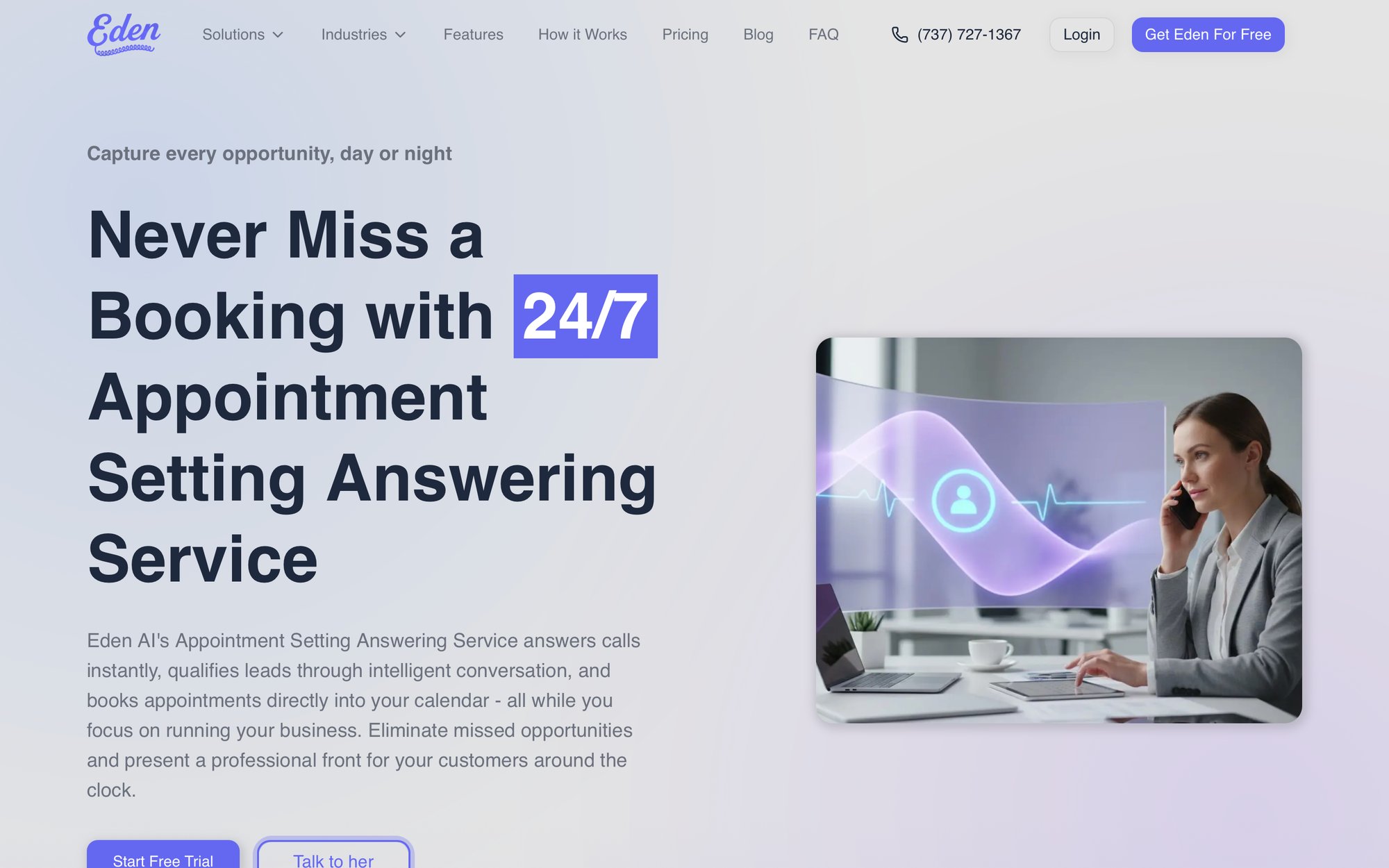
Most scheduling software gives you a booking link. Eden does something different: it answers your actual phone calls with an AI receptionist that never sleeps.
When someone calls your business, Eden picks up in seconds. It greets them naturally, answers common questions about your services, qualifies their needs, and immediately texts them a booking link to self-schedule. The whole conversation feels human.
No robotic menus. No "press 1 for appointments."
This matters because phone calls still drive business. Salons, law firms, home services, consultancies. These businesses get dozens of calls daily from people who prefer talking to clicking. If those calls hit voicemail after hours or during busy periods, you've lost the client.
Eden changes that equation completely. It captures every call, logs every inquiry, and converts callers into confirmed appointments even when you're unavailable.
What Makes Eden Different from Other Scheduling Tools#
→ Always-On Answering
Eden's AI greets callers any time of day. Midnight? Sunday afternoon? Doesn't matter. It captures lead info and booking requests when your office is closed and your competitors are silent.
→ Automated Booking
After understanding what the caller needs, Eden texts or emails your online scheduling link directly to them. They pick a time that works, and Eden confirms it on the spot by syncing with your Google or Outlook Calendar for real-time availability.
→ Customizable Personality
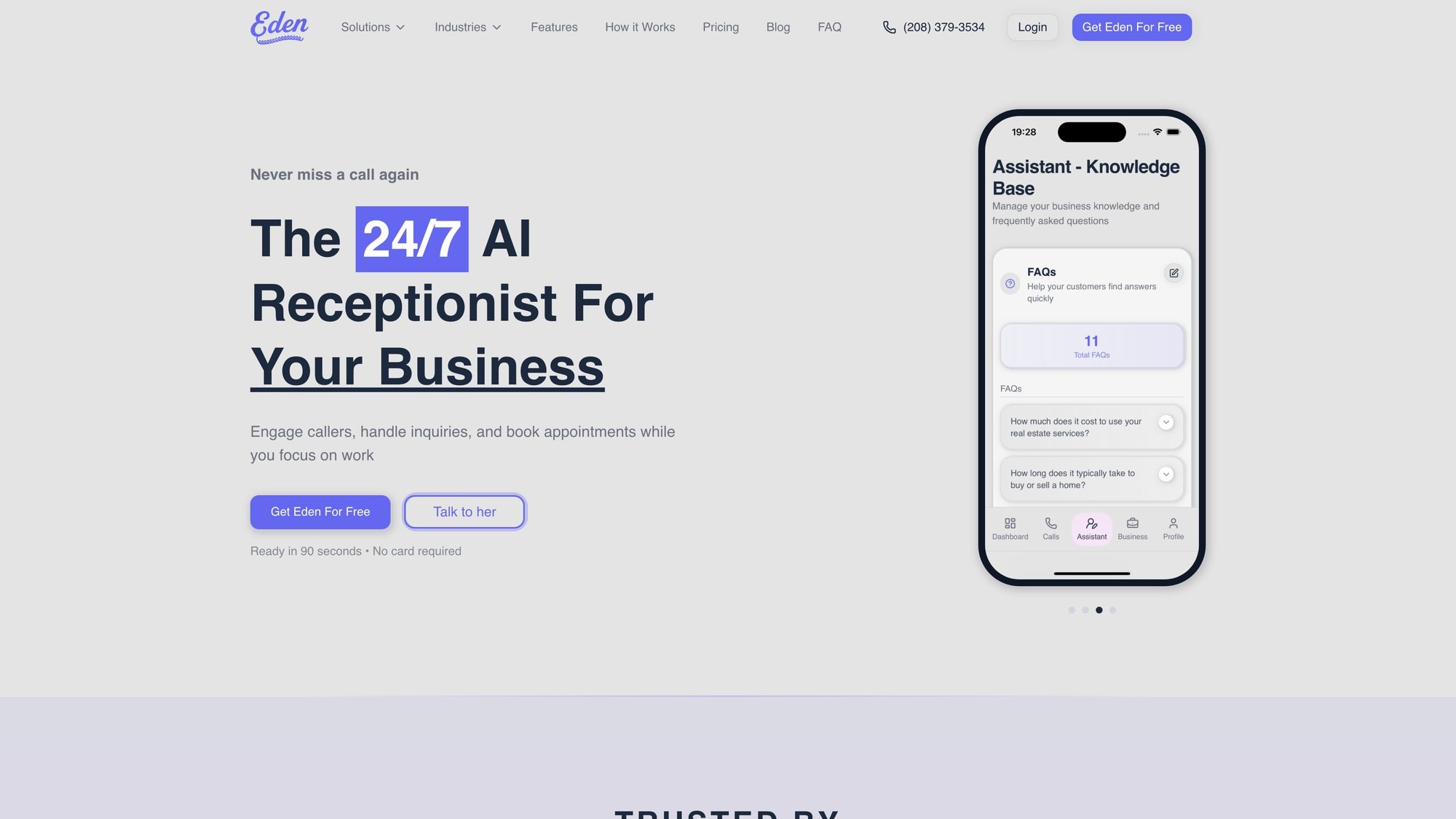
You control how Eden sounds. Choose the AI's name, voice (multiple languages including English and Spanish), greeting, and tone. Import your FAQs so Eden can answer specific questions about your business accurately.
→ Smart Call Management
The dashboard gives you searchable transcripts of every conversation. Eden automatically filters spam and robocalls with IntelliSpam™ blocking, so real customers get through while telemarketers don't. You can set rules for urgent call transfers (route emergencies directly to your cell, for example).
→ Five-Minute Setup
Get a dedicated Eden number and go live almost instantly. Easy call forwarding guides walk you through routing your existing business line to Eden, whether you use mobile, landline, or VoIP providers.
How Much Does Eden Cost? Pricing for Small Businesses#
Eden offers a free trial with 30 minutes of call time for one week, so you can test it risk-free.
Paid plans start at $39/month for 200 minutes. The unlimited-calls plan is $99/month, which is remarkably affordable when you consider that a single missed lead could cost more than that.
(Quick note: Eden doesn't currently serve restaurants or medical offices due to industry-specific requirements.)
Which Small Businesses Should Use Eden AI Receptionist?#
Service-oriented small businesses that rely on phone calls for appointments:
• Law firms that can't afford to miss case inquiries
• Home services (HVAC, plumbing, electrical) where emergencies happen after hours
• Salons and spas juggling bookings while clients are in chairs
• Consultancies where every missed call is lost revenue
Eden is ideal if you're often away from the phone, receive after-hours calls regularly, or simply want insurance that no caller reaches voicemail. It's like having a trained receptionist at a fraction of the cost.
Eden Pros and Cons: What to Know Before Signing Up#
Pros:
• 24/7 availability means zero missed leads
• Hands-off appointment booking
• Easy to customize
• Scalable plans that grow with you
Cons:
• Not suitable for industries with compliance requirements Eden doesn't support (healthcare/HIPAA is not available)
• Some advanced features are in higher-tier plans as the product continues to evolve
2. Calendly: Simple Scheduling Link for Consultants#
What It Does: Eliminates email back-and-forth with a simple booking link
Calendly built its reputation on one thing: simplicity.
Share a link. Someone clicks it. They see your available times. They pick one. Done.
No complicated setup. No learning curve. Just a clean interface that syncs with your Google or Outlook calendar and prevents double-booking automatically.
Calendly's real strength is its integration ecosystem. It connects with CRMs (Salesforce, HubSpot), payment processors (Stripe, PayPal), and video conferencing tools (Zoom, Microsoft Teams). You can require payment when someone books a consultation, or have Zoom links generated automatically for virtual meetings.
The platform also introduced workflow automation. Send custom reminders. Trigger follow-up emails. Thank clients after meetings. All of this reduces no-shows and saves admin time without manual intervention.
Who Should Use Calendly?#
Solo professionals, consultants, sales teams, and small businesses that need a user-friendly scheduling tool to eliminate scheduling emails.
How Much Does Calendly Cost?#
| Plan | Price | What You Get |
|---|---|---|
| Free | $0 | 1 user, basic features |
| Standard | $10/user/month | Unlimited bookings (billed annually) |
| Teams | $16/user/month | Team scheduling and routing |
All plans allow unlimited bookings.
Calendly's Best Feature: Workflow Automation#
The Availability Workflows and integrations shine. For instance, automatically send text reminders or add meetings to your CRM. The simplicity of sharing a single link that handles all coordination is Calendly's trademark.
3. Square Appointments: Free Scheduling with Payment Processing#
What It Does: Combines appointment scheduling with payment processing
If you're already using Square for payments (or planning to), Square Appointments seamlessly merges booking and checkout. Clients can schedule a service and prepay or put down a card to hold the appointment, which dramatically reduces no-shows.
Square Appointments offers a robust feature set:
-
A free online booking website (or widgets for your existing site)
-
Automated text and email reminders
-
The ability to require credit cards on file or cancellation fees
-
Multi-staff scheduling with separate calendars
The free plan is incredibly generous. It supports unlimited appointments and unlimited staff for a single location, which is a huge advantage for growing businesses on a budget.
Who Should Use Square Appointments?#
Retail and service businesses with in-person appointments and sales. Salons, spas, fitness studios, mechanics, or any appointment-based business that also sells products or collects payments on site.
Perfect if you want scheduling and checkout in one system.
Square Appointments Pricing Plans#
| Plan | Price | What You Get |
|---|---|---|
| Free | $0 | Single location, unlimited appointments, unlimited staff, basic features |
| Plus | $29/month per location | Advanced features and reporting |
| Premium | $69/month per location | Multiple locations and lower processing fees |
All plans use Square's payment processing (standard transaction fees of approximately 2.6% + 10¢ for credit cards). The free plan's support for unlimited staff calendars is genuinely unique.
Square's Standout Feature: POS Integration#
The deep integration with Square's POS and hardware is the standout. Your appointment calendar ties directly into checkout: sell products or add services during an appointment and everything links to the client's booking. Seamless from booking to payment to receipt.
4. Squarespace Scheduling (Acuity): Customizable Booking Pages#
What It Does: Offers extensive customization for branded scheduling experiences
Squarespace Scheduling (formerly Acuity Scheduling) is a powerhouse platform known for extensive customization. You can set up custom intake forms for clients to fill out at booking, offer packages or multi-session appointments, sell gift certificates, and even create subscriptions or membership-based bookings.
It's more than a simple scheduler. It's a tool to monetize your time in creative ways.
Why this matters: You can brand every part of the scheduling flow and offer complex options (packages, add-on services, coupons, classes) that simpler schedulers can't handle. This makes it a revenue driver, not just a calendar.
Acuity supports multiple calendars (staff or locations), classes and group events, and has options for attaching waivers or questionnaires to appointments. Great for fitness classes, spas, or coaching sessions where you need info upfront. It integrates with major payment gateways (Stripe, Square, PayPal) to take payments at booking.
Another strong point is its notifications. You can send automated email and SMS reminders, follow-ups, and even let clients reschedule or cancel through their confirmation link. While it can be used standalone, it also integrates beautifully with Squarespace websites.
Who Should Use Squarespace Scheduling?#
Coaches, consultants, salons, spas, therapists, and any small business that wants a branded, highly customizable scheduling system. Especially useful if you sell packages of sessions, run classes, or need detailed client intake forms.
Squarespace Scheduling Cost and Plans#
① Emerging: ~$16/month (annual billing) – 1 staff calendar, basic features
② Growing: ~$27/month (annual billing) – More staff, text reminders
③ Powerhouse: ~$49/month (annual billing) – Memberships, HIPAA compliance for health services
No free plan beyond a short trial.
5. Setmore: Free Appointment Scheduling for Small Teams#
What It Does: Provides a generous free plan with multi-user support
Setmore packs serious value, especially for small teams. Its free-for-life plan supports up to 4 users (staff), which is notable since most free schedulers only allow one user.
With Setmore's free tier, you get:
-
An online booking page (customizable with your logo and colors)
-
Unlimited appointments
-
Email reminders
-
The ability to accept payments via Square or Stripe (payment integration may require upgrading)
Setmore's interface is straightforward. It offers handy integrations for a free tool like booking buttons for Facebook and Instagram, plus integrations with Zoom for virtual meetings. The paid plan (Setmore Pro) unlocks features like SMS reminders, two-way calendar sync (Google/Outlook), and removes Setmore branding, while remaining very affordable at around $5 per user/month (annual billing).
They also have 24/7 live customer support, which is impressive for a low-cost service.
Who Should Use Setmore?#
Freelancers, consultants, salons, and small businesses on a tight budget that need solid scheduling with multi-staff support. Great for those just starting with online booking since you can get substantial functionality for free.
Setmore Pricing Options#
Free plan: 1-4 users with basic features (online booking page, email alerts, basic integrations)
Pro plan: Approximately $5 per user/month (billed annually) for advanced features like SMS reminders, Zoom integration, and calendar sync. Monthly billing is higher at around $12/user.
What Makes Setmore Stand Out: Free Multi-Staff Support#
The standout is Setmore's generous free tier supporting multiple staff logins and hundreds of appointments per month at no cost. Combined with features like 24/7 support and social media booking buttons, Setmore offers excellent value.
6. SimplyBook.me: Modular Scheduling with Custom Features#
What It Does: Delivers flexibility through a modular add-on system
SimplyBook.me offers simple yet highly customizable booking solutions through an add-on system. Out of the box, you get a professional booking website (or widgets for your site), support for multiple locations and providers, and core scheduling features.
Then you enable various custom features depending on your needs: payments, coupons, classes, waitlists, intake forms, or even a HIPAA-compliant mode for healthcare. You only turn on the features you need, keeping the interface clean.
SimplyBook.me also supports selling products (e-commerce add-on) and has a POS system. It's truly international, with support for over 30 languages and 35 payment gateways, making it friendly for businesses with global clientele.
The free version is limited to 50 bookings per month (suitable for a trial run or very low volume). Paid plans increase the booking cap and number of staff, starting at roughly $9-$10/month.
Who Should Use SimplyBook.me?#
Businesses that need flexibility and specific features. Clinics needing HIPAA compliance. Schools or studios offering classes and memberships. Any niche service with custom workflows. Also great for international users requiring multi-language support.
SimplyBook.me Pricing and Plans#
Free plan: 50 bookings/month, 1 user, includes basic booking site
Paid plans: Start around $8.25/month (when annual) for 100 bookings/month and 2 users. Higher plans allow more bookings (500 or 2000/month) and more providers. All plans come with a 14-day free trial.
SimplyBook.me's Best Feature: Modular Add-Ons#
The modular custom features set SimplyBook.me apart. This system lets you build a booking solution almost à la carte. Activate the "Classes" module to offer group bookings. Enable "Accept Payments" to start charging online. Add "Google Analytics" to track conversions. You're not stuck with a one-size package; you configure it to your business.
7. Zoho Bookings: Native CRM Integration for Zoho Users#
What It Does: Integrates natively with Zoho's business ecosystem
Zoho Bookings is the scheduling app within the larger Zoho ecosystem. If your business uses Zoho products (Zoho CRM, Zoho Calendar, or Zoho One suite), this tool slots right in.
The major benefit is native integration with Zoho CRM and other Zoho apps. When a client books, their info flows directly into your CRM, and you can manage appointments alongside your customer data. It supports one-on-one appointments, group events, and even resource booking (reserving a room or equipment along with the appointment).
Zoho Bookings offers a clean client-facing booking page and the ability to embed scheduling on your website. It has handy features like workspace separation (managing multiple brands or departments from one account) and custom domains for your booking page on higher plans.
For small teams, Zoho's pricing is very attractive. The free plan covers one staff calendar. Paid plans are just $6 or $9 per staff/month with added features.
Who Should Use Zoho Bookings?#
Businesses already using Zoho applications or those who want tight CRM integration without third-party connectors. Also, small businesses that want a capable scheduler at a low price point.
Zoho Bookings Pricing Tiers#
| Plan | Price | Features |
|---|---|---|
| Free | $0 | 1 user |
| Basic | $6/staff/month | Annual billing, removes branding |
| Premium | $9/staff/month | Custom domain, advanced reports |
If you subscribe to Zoho One (the all-in-one bundle), Zoho Bookings might already be included.
Zoho's Standout Feature: Seamless CRM Sync#
The deep integration with Zoho CRM is key. When a booking is made, it can auto-create a lead or contact in Zoho CRM with all appointment details attached. This streamlines follow-ups and ensures your sales/service team has context. It essentially bridges scheduling with customer relationship management out-of-the-box.
8. Google Calendar Appointment Schedules: Free for Workspace Users#
What It Does: Provides zero-cost scheduling for Google Workspace users
For those using Google Workspace (formerly G Suite), Google Calendar's Appointment Schedule feature is a simple and zero-cost solution. It's built directly into Google Calendar for Business Standard (and higher) subscribers.
You can create a public booking page that shows your available time slots based on your Google Calendar availability. Clients or colleagues can book a meeting or appointment without you needing any external app. It automatically appears on your Google Calendar and sends notifications.
While not as feature-rich as dedicated scheduling apps, it covers the basics nicely: specific availability windows, buffer times, maximum meetings per day, and a few questions via a booking form. It even now allows integration with Stripe to accept payments for appointments (available for certain Google Workspace tiers).
The strength here is convenience and trust. Many people find a Google-powered scheduling page familiar and easy.
Who Should Use Google Calendar Appointment Schedules?#
Solo professionals, consultants, or very small businesses already using Google Calendar who need a no-frills scheduling solution. Great if you just want a quick way for clients to book time without signing up for another service.
Google Calendar Scheduling Cost#
Included at no extra cost in Google Workspace Business Standard and above (Business Standard is around $12/user/month). Not available on free Gmail accounts, though those users can still use the older "Appointment Slots" feature in a limited way.
Google Calendar's Best Feature: Built-In Convenience#
Native integration with Google Calendar is the highlight. There's no setup outside your existing calendar. Your booking page lives within your Google account, and any booking checks against your current calendar events for conflicts. Extremely convenient and secure within your familiar Google environment.
Plus, if enabled, the Stripe payment integration allows simple paid bookings.
9. Microsoft Bookings: Built-In Scheduling for Office 365#
What It Does: Offers built-in scheduling for Microsoft 365 subscribers
Microsoft Bookings is available to Microsoft 365 business subscribers. Like Google's offering, it's a built-in solution that works smoothly if you're already in that ecosystem.
You can create a branded booking page for your business where clients pick a service, select a staff member (if applicable), and book a time. It's integrated with Outlook/Office 365 calendars, so it automatically checks your staff's availability and adds appointments to their Outlook calendars, preventing double-booking.
Microsoft Bookings stands out for organizations that value central administration and security. It ties into your Azure Active Directory for managing staff access and uses the same enterprise-grade security as the rest of Microsoft 365. It also works hand-in-hand with Microsoft Teams: for virtual appointments, it can automatically create a Teams meeting link in the calendar invite.
While it may not have as many niche features as some dedicated schedulers, it covers the essentials well (customer notifications, a mobile app for managing on the go, and customizable service types).
Who Should Use Microsoft Bookings?#
Small businesses and teams already using Microsoft 365 (Outlook, Teams, etc.), such as consulting firms, IT services, or any professional services that want an integrated scheduler with their Office tools.
Microsoft Bookings Cost#
Included with most Microsoft 365 Business and Office 365 plans (Business Premium, E3, E5, etc.) at no additional cost. If you have a Microsoft 365 Business Standard subscription (around $12.50/user/month) or higher, you likely have access to Bookings.
Microsoft Bookings' Best Feature: Outlook and Teams Integration#
The tight integration with Outlook and Teams is key. Bookings automatically sends the client a confirmation email (which can include a Teams video link for virtual meetings) and adds it to your Outlook calendar. For businesses that already live in Outlook email and calendar, this means adopting Bookings requires minimal change.
10. Wix Bookings: Integrated Scheduling for Wix Websites#
What It Does: Seamlessly integrates scheduling into Wix websites
If your website is built on Wix (a popular website builder for small businesses), Wix Bookings is a natural add-on to handle appointments. It integrates directly into your Wix site, allowing visitors to book services or classes without leaving your website's domain.
It provides a full-featured scheduling system that covers appointments, classes (including recurring classes or courses), staff calendars, and even client memberships. All managed through your Wix backend, alongside your site content.
One great aspect is how it ties into Wix's other business tools. You can take online payments for bookings (Wix processes via its payments system or connects to others), send automated email/text reminders, and manage a client list (CRM) through Wix. You can also sell packages or memberships. A yoga studio could sell a 10-class package that the client redeems when booking classes.
Wix has a mobile app that lets you manage bookings and clients on the go. Keep in mind, while the Bookings feature itself is free to add on any Wix site, accepting payments requires a paid Wix Business plan, starting at about $27/month.
Who Should Use Wix Bookings?#
Small businesses who already use Wix for their website (or plan to) and want a seamlessly integrated booking system. Typical users include salons, gyms, tutors, pet services. Anyone who appreciates having their website and scheduling in one place.
Wix Bookings Pricing#
The Wix Bookings app itself can be added free to any Wix site. However, to take online payments for appointments, you must be on a Wix Business & eCommerce plan (Basic Business plan is approximately $27/month billed annually). Essentially, it's included as part of your website subscription. No per-user fees; even the lowest business plan allows unlimited bookings and staff.
Wix Bookings' Best Feature: Native Website Integration#
Website integration is the key here. Because it's native to Wix, the booking forms and calendars match your site design and you can embed them anywhere on your site. Clients can book directly on a page that may also show your portfolio, testimonials, etc., keeping the user experience cohesive.
Wix Bookings supports selling memberships and packages, which not all schedulers do.
11. Fresha: Free Salon and Spa Management Software#
What It Does: Provides comprehensive salon/spa management with free core features
Fresha (formerly known as Shedul) is a leading scheduling platform tailored for the beauty and wellness industry. Think salons, barbershops, spas, and tattoo studios.
It offers a comprehensive suite that goes beyond appointment booking:
-
Built-in POS for product sales
-
Inventory tracking
-
Client records with before/after photos
-
Marketing tools like blast promotions
One of Fresha's unique draws is its marketplace. Businesses on Fresha can get discovered by new clients through the Fresha consumer app/marketplace, which can drive additional bookings. (Note: Fresha charges a commission for new client bookings made via its marketplace.)
Fresha's core scheduling and basic software is actually free for businesses. You can use it to manage unlimited appointments, staff, and locations without a monthly fee. They monetize through payment processing and add-ons: if you use their built-in credit card processing or no-show protection, there are fees. New client bookings via their marketplace incur a one-time commission.
Optional paid upgrades include marketing blasts or advanced features, but a small salon can truly run Fresha for free if they choose. The platform allows online booking through your website or Instagram, automated reminders, and even a loyalty program feature.
Who Should Use Fresha?#
Salons, spas, barbers, nail studios – any beauty/wellness business that wants a full management system. Especially great for independent stylists or small shops that want pro-level tools at minimal cost.
How Much Does Fresha Cost?#
Core scheduling is free with unlimited usage. Fresha makes money via:
• 2.19% + 20¢ card processing fees (if you use their payments)
• 20% commission on bookings made by new clients who find you on the Fresha marketplace (existing client bookings have no commission)
There are also some optional paid features (SMS packages or advanced marketing campaigns) which you can buy as needed. But no base monthly subscription for the main features.
Fresha's Best Features: POS System and Client Marketplace#
For this vertical, the integrated POS and inventory combined with appointment scheduling is a killer feature. You can charge clients, manage product stock, and track sales all in one app. A salon can handle selling a shampoo product during checkout along with the service.
Fresha's consumer-facing app can bring in new customers searching for services in your area, effectively giving you free marketing exposure.
12. Vagaro: All-In-One Platform for Beauty and Fitness#
What It Does: Delivers an all-in-one platform for beauty, wellness, and fitness
Vagaro is another popular comprehensive platform designed for the beauty, wellness, and fitness industries. It combines appointment scheduling with a full suite of business management tools: client CRM, email marketing, payroll, inventory, and more.
Vagaro is like having salon or gym management software that includes a robust calendar. Similar to Fresha, Vagaro also has a client marketplace and a branded mobile app option, where local customers can discover and book services with businesses on Vagaro.
Vagaro is highly scalable. It works for solo practitioners but also supports multi-location chains. It has features like membership management (for gyms or spas with memberships), packages, daily deals, and even the ability to build your own branded app (as a paid add-on), which is something unique.
For fitness businesses, it handles class schedules and check-ins. Because it's so comprehensive, some small businesses might find it more than they need, and the cost can add up with add-ons (e.g., if you add their email/text marketing, or want a custom app or website).
Who Should Use Vagaro?#
Established salons, spas, gyms, yoga studios, or fitness trainers – especially those who plan to grow and want a system that can handle multiple employees, locations, and a variety of services/products. If you want an all-in-one solution with marketing and sales features built in, Vagaro is a top contender.
Vagaro Pricing Plans#
Starts at $30 per month for a single staff (calendar). Each additional staff (calendar) is an extra $10/month roughly. So if you have 3 stylists, it's approximately $50/month.
There are add-on fees for certain features: email marketing, text marketing, or building a custom branded app come at extra cost. Payment processing through Vagaro has its own fees as well.
Vagaro's Standout Feature: Complete Business Management Suite#
The breadth of features is Vagaro's strength. Few scheduling tools also handle things like payroll or have an integrated credit card reader for payments. Plus, the Vagaro Marketplace can generate new client bookings for you, functioning as a marketing channel. If fully utilized, Vagaro can replace several separate software systems (booking, POS, marketing, etc.) with one unified platform.
How to Choose the Best Appointment Scheduling Software#
Finding the best appointment scheduling software for your small business comes down to identifying what you truly need. As we've seen, there is no one-size-fits-all. The ideal tool for a solo consultant is very different from that for a busy salon or a field service company.
Consider these questions:
① Do you need a simple calendar link or a full business system?
If it's just about eliminating back-and-forth emails, a straightforward tool like Calendly or the Google/Microsoft built-in schedulers might suffice. They excel at simplicity. But if you require handling payments, client databases, or multiple staff, look at more comprehensive platforms (Square Appointments, Acuity, Fresha, etc.).
② What industry-specific features matter?
A beauty business might value a client marketplace and POS (Fresha, Vagaro), while a professional office might prioritize CRM integration or polished client intake forms (Squarespace Scheduling, Zoho Bookings). Choose software that caters to your sector's nuances.
③ How much can you budget?
There are excellent free or low-cost options (Setmore's free tier, Zoho's $6 plan, the free versions of Square or Fresha). There are also premium solutions that cost more but pack in value. An AI receptionist like Eden that captures phone calls 24/7 can potentially pay for itself in saved leads. Decide if you're looking to minimize costs or invest more for advanced capabilities.
One pattern emerges clearly: availability equals opportunity. Whichever system you pick, the real goal is to make it easy for clients to book you whenever they want.
Many small businesses start with an online scheduler to handle web bookings, which works great for web-savvy customers. But what about clients who still prefer to call? What happens when someone phones your business after hours or when you're busy?
If a caller reaches voicemail, research shows there's an 80% chance they won't leave a message. They'll move on to a competitor. That's where solutions like Eden's AI receptionist come in, bridging the gap by answering calls and booking appointments when you can't.
In fact, pairing an online scheduler with a phone answering service can cover all client touchpoints. Online, you have a booking link on your website. Offline, you have an AI or virtual receptionist handling calls.
Cover Every Client Booking Channel (Online and Phone)#
The best appointment scheduling software for you is the one that fits into your workflow and removes friction for your clients. Whether that's a no-frills calendar link or a feature-rich management platform, the right choice will help you provide better service and capture more business.
Start with these steps:
1. Evaluate your client preferences
Do they mostly book online, or do they call? If you get significant phone volume (especially after hours), consider combining an online scheduler with an AI receptionist like Eden.
2. Take advantage of free trials
Most platforms offer trials or free tiers. Test 2-3 options with real clients to see what works best.
3. Consider growth
Choose a system that can scale with you. A free plan might work now, but can it handle multiple staff or locations later?
4. Prioritize no-show reduction
Look for automated reminders (text and email), payment requirements, and cancellation policies. These features directly impact your bottom line.
Here's to never missing another appointment or lead. Your time (and your customers' time) is too valuable for that.
Ready to ensure every call becomes a booked appointment? Try Eden free for a week →
Frequently Asked Questions About Appointment Scheduling Software#

What is the best free appointment scheduling software for small businesses?
Several excellent free options exist. Setmore offers the most generous free plan, supporting up to 4 users with unlimited appointments. Square Appointments is free for a single location and includes unlimited staff and appointments. Fresha provides free core scheduling for beauty/wellness businesses. For Google Workspace users, Google Calendar Appointment Schedules is included at no extra cost. The best free option depends on your industry and whether you need payment processing, multi-staff support, or specific integrations.
Can appointment scheduling software reduce no-shows?
Yes, dramatically. Automated text and email reminders are proven to reduce no-shows by 30-50%. Many platforms (like Square Appointments, Acuity, and Eden) also allow you to require credit cards on file or charge cancellation fees, which further discourages last-minute cancellations. Some systems send multiple reminders (24 hours before, 2 hours before) to keep appointments top-of-mind.
Do I need different scheduling software if clients prefer calling instead of booking online?
Traditional scheduling software requires clients to visit your website and book online. But many clients (especially in service industries like law, home services, or salons) still prefer calling. Eden AI Receptionist solves this by answering phone calls 24/7 and booking appointments automatically. It texts callers a scheduling link or books directly into your calendar. For comprehensive coverage, you can use both: an online scheduler for web bookings and an AI receptionist for phone bookings.
How much does appointment scheduling software typically cost?
Costs vary widely. Free options include Setmore, Square Appointments, and Fresha. Mid-range options like Calendly ($10/user/month), Zoho Bookings ($6-9/user/month), and Squarespace Scheduling ($16-49/month) offer more features. Comprehensive platforms like Vagaro ($30+/month) and industry-specific solutions like Eden ($39-99/month) cost more but often replace multiple tools. Consider total value: a $99/month AI receptionist that captures every phone lead may generate far more revenue than it costs.
Can scheduling software integrate with my existing calendar?
Yes, most modern scheduling tools sync with Google Calendar and Outlook Calendar. This two-way sync means appointments booked through your scheduler automatically appear on your calendar, and your calendar blocks time on the scheduler to prevent double-bookings. Some platforms (like Microsoft Bookings or Google Calendar Appointment Schedules) are built directly into these calendar systems for seamless integration.
What features should I prioritize in appointment scheduling software?
Focus on these essentials: Calendar sync (prevents double-bookings), automated reminders (reduces no-shows), payment collection (secures appointments), customization (matches your brand), and ease of use (for both you and clients). For service businesses that rely on phone calls, 24/7 availability through an AI receptionist like Eden should be a top priority. Industry-specific features (like POS for salons or CRM integration for consultants) matter depending on your business type.
Is appointment scheduling software secure and HIPAA-compliant?
Security varies by platform. For healthcare businesses requiring HIPAA compliance, Squarespace Scheduling (Acuity) offers HIPAA-compliant plans. SimplyBook.me also has HIPAA options. Most mainstream platforms (Calendly, Square, etc.) are secure for general business use but aren't HIPAA-certified. Eden doesn't currently serve medical offices due to HIPAA requirements. Always verify compliance requirements with the vendor before handling sensitive health information.
Can I use appointment scheduling software for group classes or events?
Yes, several platforms excel at this. Wix Bookings handles recurring classes and course series. Squarespace Scheduling (Acuity) supports group sessions and workshops. Vagaro is built for fitness classes with check-in features. SimplyBook.me has a classes module. Choose a platform that can handle capacity limits, waiting lists, and package pricing if you offer class bundles or memberships.
Ready to Transform YourCustomer Experience?
Join hundreds of businesses using Eden AI to handle calls, book appointments, and provide 24/7 customer support.