How to Improve Team Communication (2025 Guide)
Poor team communication costs up to $55K per employee yearly. Learn 11 proven strategies to improve collaboration and boost productivity by 25%.
November 27, 2025

Your team just missed another critical deadline.
Not because anyone lacked skills or effort. But because three people thought someone else was handling the client email. Or maybe the project update got buried in a 50-message Slack thread. You know this feeling.
You're not alone.
Research shows that 86% of employees and executives blame poor communication and collaboration as the leading cause of workplace failures. That's not just an inconvenience. It's a revenue killer.
Consider this: 63% of workers admit they've wasted time due to communication issues, 59% have missed important messages, and 14% have actually lost customers to competitors because of miscommunication. When you add it up, ineffective workplace communication costs companies anywhere from $10,000 to $55,000 per employee per year in lost productivity.
But there's good news.
Teams that communicate well are up to 25% more productive.
Over half of knowledge workers report that effective communication boosts both their confidence and job satisfaction. The difference between a team that struggles and one that thrives often comes down to how well people share information, listen to each other, and stay aligned on priorities.
In this guide, we're breaking down 11 proven strategies to improve team communication in 2025. Whether you're managing a fully remote team, a hybrid setup, or an in-office crew, these tactics will help you build clearer, more efficient collaboration. Every recommendation is backed by current research and real-world results.
How to Choose the Right Communication Tools for Your Team#
Too many tools. Too many messages. Too much confusion about where information lives.
One of the fastest ways to improve team communication is to centralize and clarify which channels you use for what purpose. When everyone knows where to look for project updates versus casual chat versus urgent issues, friction disappears.
Choose Your Core Platforms#
Pick a primary set of tools that integrate well together. This might be:
→ A team chat app (Slack, Microsoft Teams)
→ A project management system (Asana, Monday, ClickUp)
→ An email platform for formal communications
→ A video conferencing tool for meetings
The key is integration. When your tools talk to each other, information flows smoothly instead of getting trapped in silos. In fact, 73% of people who use a project management tool say it leads to improved internal communication, and 88% find it easier to get a clear overview of project status.
Define What Each Channel Is For#
Once you've chosen your tools, document the rules. For example:
| Channel | Purpose | Expected Response Time |
|---|---|---|
| Formal communications, client deliverables, detailed reports | 24 hours | |
| Slack/Teams | Quick questions, daily updates, announcements | 2-3 hours during work time |
| Project Tool | Task assignments, progress tracking, file sharing | Check daily |
| Video Calls | Complex discussions, brainstorming, 1-on-1s | Scheduled in advance |
When you write this down and share it with the team, everyone knows where to communicate and what to expect. New team members can onboard faster. Information stops falling through the cracks.
Create a Communication Charter#
Take it one step further with a simple one-page communication policy. Include:
→ Which tools to use for what
→ Etiquette guidelines (like when to use @mentions, avoiding all-caps)
→ After-hours boundaries (no emails after 7pm unless urgent)
→ How to escalate truly urgent issues
This charter becomes your communication operating system. Update it as your team evolves or adopts new tools. The goal is consistency and clarity.
Pro tip: At Eden, we've seen teams transform their phone communication by setting up clear forwarding rules. When calls go unanswered because everyone thinks someone else will pick up, you're losing leads every single day. Setting up an AI receptionist creates a consistent channel for every incoming call, so nothing slips through.
What Type of Communication Works Best for Different Situations#
Not every conversation belongs in Slack. Not every question needs a meeting.
One of the biggest communication mistakes teams make is using the wrong channel for the message. A complex, sensitive topic discussed over email can spiral into confusion. A simple yes/no question doesn't need a 30-minute video call.
Quick status update? Send a chat message or update the project board.
Complex problem requiring discussion? Jump on a quick call where people can ask questions in real time.
Decision that needs documentation? Email works great because there's a written record.
Respect Different Communication Styles#
Some people process information better in writing. They need time to think through their response. Others are verbal processors who work through ideas by talking them out.
The best teams accommodate both styles. When you're brainstorming, open a shared document where quiet team members can contribute ideas alongside the discussion. After meetings, send written recaps so everyone can review decisions at their own pace.
Balance Sync vs. Async Communication#
With remote work and flexible schedules, not everyone is online at the same time. Use this to your advantage:
| Communication Type | Best For | When to Use |
|---|---|---|
| Asynchronous (emails, recorded videos, shared docs) | Status updates, information sharing, non-urgent questions | When people are in different time zones or working flexible hours |
| Synchronous (live meetings, calls, real-time chat) | Immediate feedback, complex problem-solving, quick decisions | When you need real-time interaction and quick resolution |
The trick is knowing which one fits the situation. Don't force everyone into a meeting when async would work. Don't send a 10-paragraph email when a 2-minute call would clarify everything.

Reinforce Critical Information#
Important messages should appear in multiple channels. If you announce a new policy via email, mention it in the team chat and bring it up in the next meeting. This redundancy ensures nobody misses it, especially if they happened to skip one channel.
Key insight: Communication isn't about using one perfect channel. It's about using the right mix of channels for different types of information, and making sure everyone knows where to find what they need.
How to Set Up Regular Team Check-Ins That Actually Work#
When teams drift into silos, communication breaks down fast.
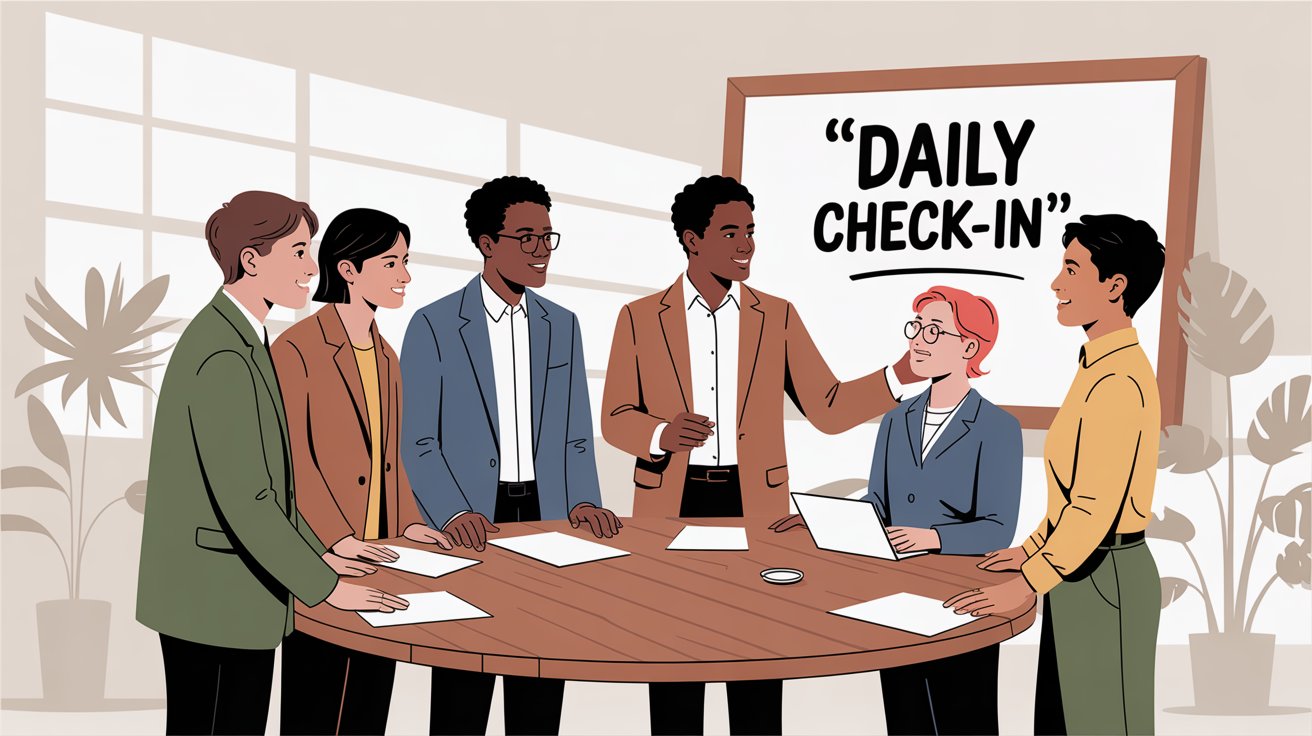
Regular check-ins create a predictable rhythm for information sharing. They keep everyone aligned, surface problems early, and build accountability. Here's how to structure them:
Weekly Team Status Meetings#
Hold a short, focused meeting every week (or biweekly) where each person shares:
• What they accomplished since last time
• What they're working on now
• Any roadblocks or help needed
Keep it tight. Use a round-robin format where everyone gets 1-2 minutes. Some teams do stand-up style (literally standing to encourage brevity). The goal is visibility, not detailed project reviews.
Asynchronous Written Updates#
Not every update needs a meeting. High-performing teams often use async updates instead:
→ Friday recap emails where everyone shares wins, priorities, and concerns
→ A dedicated Slack channel for daily/weekly updates
→ Automated check-in tools that collect status and compile it for the team
This approach respects people's time and creates a written log of progress. Choose what fits your culture, but make it consistent.
One-on-One Conversations#
Schedule periodic one-on-ones between team members and team leaders (monthly or quarterly works well). These private check-ins allow discussion of:
→ Performance feedback
→ Career development
→ Personal concerns that wouldn't come up in group settings
Research shows that 85% of employees feel more motivated and engaged when they receive regular updates and communication from leadership. One-on-ones work both ways: leaders can align expectations, and employees can voice ideas they might hesitate to share publicly.
"Office Hours" for Impromptu Questions#
Some managers set aside specific hours each week when they're available for quick chats. If you're remote, this might mean being visibly active on Slack at a certain time. This creates space for catching small issues before they become big problems.
When check-ins are built into your team's routine, transparency becomes automatic. Everyone has a clear picture of what's happening, who's working on what, and where help is needed.
Why Clear Roles and Responsibilities Improve Communication#
Unclear roles kill communication.
When team members don't know who's responsible for what, they either:
→ Hesitate to communicate (not sure who to ask)
→ Ask the wrong person (wasting time)
→ Assume someone else is handling it (and nothing gets done)
Make Responsibilities Crystal Clear#
Every team member should know their core responsibilities, areas of expertise, and decision-making authority. This can be as simple as:
Alice leads marketing campaigns
Bob handles all backend development
Carmen manages client relationships
David owns data analysis and reporting
Maintain an updated org chart or responsibility matrix. When new projects start, explicitly assign roles (project lead, client contact, QA reviewer, etc.).
Address Overlap and Gray Areas#
If there's confusion about who handles something, address it openly. For example, if both the project manager and technical lead could handle a client question, decide who takes it and announce the decision.
Clear boundaries mean everyone knows who to go to for specific questions. This saves time and prevents miscommunication.
Encourage Ownership#
When roles are defined, people become proactive. Jane knows she's the lead on a deliverable, so she proactively communicates status updates and asks for input instead of waiting to be asked.
Each person becomes the "point person" for their area, which creates a natural flow of information instead of everything funneling through a manager.
Improve Meetings Through Role Clarity#
Defined roles make meetings more effective. When everyone knows who's responsible for which aspect of a project, it's easier to structure agendas and ensure the right people speak on the right topics.
You avoid awkward silence (when no one's sure if they should answer) and you avoid chaos (when multiple people jump in because responsibilities are unclear).
Real talk: This is especially critical for customer-facing communication. At Eden, we help businesses ensure that every incoming call gets handled by the right person (or at least captured with the right information). When callers reach voicemail because no one knows who should answer the phone, that's a communication breakdown that costs you revenue.
How to Create a Two-Way Feedback Culture in Your Team#
One-way communication doesn't work.
The best teams foster two-way feedback loops where information, ideas, and constructive criticism flow upward, downward, and sideways. This builds trust, catches problems early, and drives continuous improvement.
Make Questions and Input Welcome#
Explicitly tell your team that questions are expected and valued. Some employees hesitate to speak up because they don't want to bother anyone or look uninformed.
Counter this by praising questions publicly: "Thanks for asking that. If it wasn't clear to you, it probably wasn't clear to others either."
When people see that their voices matter, they'll communicate more freely.
Set Up Upward Feedback Channels#
Feedback shouldn't just flow from manager to employee. Create channels for employees to give feedback to leadership:
• Post-project debriefs where team members comment on what leadership could have done better
• Anonymous suggestion boxes (digital or physical)
• Regular "ask me anything" sessions
• 360-degree reviews where managers receive feedback from their teams
This shows that everyone's perspective matters, regardless of hierarchy.
Encourage Peer-to-Peer Feedback#
Colleagues should be able to give each other constructive feedback too. Some teams do periodic "peer feedback" sessions where each person shares:
→ One thing a colleague is doing well
→ One thing they could improve
When done respectfully, this eliminates small resentments before they balloon into conflicts.
Teach Feedback Skills#
Not everyone knows how to give or receive feedback well. Provide training on frameworks like SBI (Situation-Behavior-Impact):
| Element | What It Means | Example |
|---|---|---|
| Situation | When and where it happened | "In yesterday's client call..." |
| Behavior | What specifically was done | "...when you interrupted me..." |
| Impact | The effect it had | "...it caused confusion about our roles" |
Also coach people to receive feedback without defensiveness. Listen fully, ask clarifying questions, and thank the speaker. When feedback is handled respectfully, it becomes safe and normal.
Lead by Example#
If you're in leadership, demonstrate vulnerability. Ask for feedback: "How did you feel about the new process I introduced? Any suggestions?"
Also, give positive feedback frequently. Recognize good communication behaviors publicly: "I want to shout out Alex for sharing those client notes promptly. That really helped us respond faster."
When leaders value feedback and don't punish honesty, it creates a culture of trust and continuous learning.
How to Build Trust and Connection in Remote Teams#
Communication thrives when people actually trust each other.
If team members barely know their colleagues or feel like strangers, they'll hold back concerns, skip asking for help, and important information will get bottled up. On the other hand, a team that feels connected will talk more freely and collaborate better.
Invest in Team Bonding (Without Making It Weird)#
Team building doesn't have to be forced or cringeworthy. Simple, genuine activities work best:
→ Start weekly meetings with a quick personal round (everyone shares a win from their week)
→ End Friday with a casual virtual coffee break
→ Organize occasional team lunches or social events aligned with your team's interests
→ Run a quick trivia game or "two truths and a lie" session
Shared experiences help people see each other as humans, not just coworkers. When individuals know each other's personalities, communication flows naturally.
Create Space for Informal Conversation#
Not all communication needs to be about work. In an office, this happens at the water cooler. For remote teams, create the same space:
→ Non-work chat channels where people can share memes, talk about hobbies, or post pet photos
→ Common break areas in the office that encourage cross-department mingling
→ Virtual lunch-and-learns where someone shares a personal interest or skill

These informal interactions build camaraderie, which translates directly into better work collaboration. When a problem comes up, colleagues who are friendly will sort it out quickly instead of letting tension build.
Foster Psychological Safety#
This means team members feel safe taking interpersonal risks. They won't be ridiculed for mistakes or dismissed for sharing ideas.
As a leader, respond to errors with curiosity, not blame. If someone suggests an idea that isn't feasible, thank them for speaking up and discuss it respectfully.
Google's research on team effectiveness found that psychological safety was the #1 predictor of successful, innovative teams. When people aren't afraid to speak up, communication flows freely.
Be Reliable and Consistent#
Trust comes from consistency. If you schedule regular meetings, show up. If you promise to follow up, do it.
Leaders should be transparent about changes and keep the team informed to avoid rumors filling the void. Encourage teammates to keep their commitments to each other. When words align with actions, trust grows.
Bottom line: A team with strong rapport will always communicate better than one whose members feel like competitors or strangers. Building that sense of community isn't just good for morale. It's a direct investment in better information flow and collaboration.
How to Practice Active Listening in Team Meetings#
Improving communication isn't just about talking more. It's about listening better.
All the meetings and messages in the world won't help if team members don't truly hear and understand each other. That's why active listening is crucial.
What Active Listening Actually Means#
Active listening means:
• Fully concentrating on the speaker (not planning your response while they talk)
• Understanding their message
• Responding thoughtfully
• Remembering what was said
In practice: Don't interrupt. Observe tone and body language. Ask clarifying questions. Summarize what you heard to confirm understanding.
Example: If a colleague explains a challenge, an active listener might say: "So if I understood correctly, the timeline is tight because of X and Y, right?"
This ensures you're on the same page and shows the speaker you value their perspective.
Why It Matters for Teams#
Active listening builds trust, resolves conflicts, and ensures understanding. When team members feel genuinely heard, they're more likely to share openly.
On the flip side, if people sense you're tuning them out or already formulating your reply without listening, communication breaks down fast.
Leaders especially need to hone this skill. Research shows that active listening fosters a positive work environment and better collaboration. It also helps catch misunderstandings early.
Add Empathy to Your Listening#
Empathy is the ability to understand and share someone else's feelings. In team communication, this means seeing issues from your colleague's perspective.
If someone sounds frustrated in a meeting, acknowledge it: "This issue has clearly been stressful. Let's figure out a way through it together."
Even in written communication, read your messages from the recipient's perspective. Could any phrasing sound like blame? Adjust the tone to be respectful and understanding.
An empathetic communication style makes others more receptive to your message and more willing to respond honestly.
Train Good Listening Habits#
As a team, consider doing a workshop or sharing resources on active listening. Try exercises like:
→ Paraphrasing each other's points in discussions
→ Role-playing difficult conversations and practicing listening without interrupting
→ Giving each other feedback on listening behavior
Making listening a skill you consciously develop will pay dividends across all your team interactions.
Remember: Communication is a two-way street in every conversation. Skilled listening is the foundation of true collaboration.
How to Make Communication Inclusive for Diverse Teams#
Modern teams are diverse. Different backgrounds, cultures, ages, and native languages.
Diversity is a strength, but it can create communication challenges if you're not thoughtful. Improving team communication means ensuring everyone can participate fully and feels included.
Be Conscious of Language Barriers#
If team members speak English (or your primary language) as a second language, adjust your communication:
→ Avoid excessive idioms and slang that might confuse non-native speakers
→ Use clear, direct language instead of complex phrasing
→ Be patient and encouraging when people need extra time to process
For example, saying "let's table this idea" or playing "devil's advocate" might not translate well. Opt for straightforward language that's easier to understand.
Respect Cultural Communication Styles#
In some cultures, people are less inclined to openly contradict authority or speak up in large groups. Create space for these colleagues by:
→ Soliciting input in one-on-one settings
→ Offering written channels for feedback
→ Explicitly inviting quieter team members to share their thoughts
A truly inclusive team finds multiple ways for everyone to contribute, not just the loudest voices.
Provide Information in Multiple Formats#
Different people have different learning styles and abilities. Some might prefer written communication where they have time to process. Others might have hearing difficulties and appreciate written summaries.
Offering information in multiple formats (spoken, written, visual) ensures everyone can grasp it. If you show a complex chart in a meeting:
→ Describe the key points aloud for those who might miss visual details
→ Share the slide deck afterward for review
→ Record the meeting with captions for accessibility
Mind Time Zones and Schedules#
If your team spans time zones or works flexible schedules, don't always time communication for one group's convenience.
Rotate meeting times when possible. For truly important meetings, record them so people who can't attend live can watch later and ask questions asynchronously.
Be cautious about making decisions in side conversations that exclude people who were offline.
Celebrate and Learn from Differences#
Encourage team members to share aspects of their culture or communication preferences. For example, someone might say:
"In my previous company, it was considered rude to directly disagree, so I'm still learning to be more straightforward here. Please invite me to share if I seem quiet."
These conversations build mutual understanding and patience. When you appreciate where someone is coming from, you communicate with them more effectively.

An inclusive approach ensures no one feels left out of the conversation. In a global survey, 62% of employees reported working with colleagues from three or more cultures. Embracing diversity in communication isn't just nice. It's necessary for modern teams to thrive.
How to Reduce Communication Overload and Information Noise#
You can have too much communication.
While open communication is essential, information overload can overwhelm your team and actually reduce productivity. In 2024, 55% of professionals said they spend too much time crafting and deciphering messages, and over half find managing work communications genuinely overwhelming.
The goal isn't more communication. It's better communication.
Keep Messages Concise and Purposeful#
Before sending a long email or calling a meeting, ask yourself: What's the key message or decision needed?
Make that clear up front. Use bullet points to organize information so people can scan and understand quickly. If an email thread is spiraling, switch to a quick chat or call to resolve it faster.
By making each communication action-oriented and clear, you respect everyone's time and attention.
Protect Focus Time#
Constant pings and notifications fragment concentration and reduce productivity. Some teams use:
→ "No meeting Wednesdays" for deep work
→ Core focus hours where chat is minimized
→ Encouraging use of "Do Not Disturb" status when people need to concentrate
You might not need formal policies, but discuss norms for quiet time as a team. Batch non-urgent discussions into daily summaries instead of sending messages throughout the day.
Eliminate Unnecessary Meetings#
We've all sat through meetings that could have been an email.
To improve communication efficiency, be ruthless about meeting purpose:
• Create an agenda for every meeting
• Only invite people who truly need to be there
• It's okay (and appreciated) to decline a meeting if you don't need to attend
• End meetings early if you finish ahead of schedule
Reducing meeting fatigue frees up energy for more meaningful work and conversations.
Use Automation and Smart Tools#
Take advantage of technology to manage the deluge:
→ Email filters that auto-sort messages (newsletters to a separate folder)
→ Shared inboxes or ticket systems for customer communications
→ Chatbots or workflow tools for routine status updates
→ Dedicated announcement channels to prevent critical info from getting lost in chat clutter
Automation can cut down repetitive communications and ensure people get the info they need with less manual effort.
Regularly Audit Your Communication#
Every few months, assess what's working:
→ Are our channels still effective, or do we have redundant ones?
→ Is there a report no one reads anymore?
→ Should we adjust meeting frequency?
For example, if you started daily check-ins during a crisis but things have stabilized, maybe drop to twice weekly. Keep what works, drop what doesn't.
The goal is effective communication, not excessive communication. Always favor clarity over volume.
How AI and Automation Can Improve Team Communication#
The right tools can transform how your team communicates.
In 2025, smart use of technology (including artificial intelligence) can streamline workflows, reduce misunderstandings, and save everyone time. Here's how to use tech as your communication ally:
Real-Time Collaboration Tools#
Shared document platforms (Google Docs, Notion, Microsoft 365) and digital whiteboards (Miro, Figma) let multiple people contribute at once.
This eliminates long email threads and keeps everyone literally on the same page. You can discuss and resolve comments in context, and version history prevents "Which version is correct?" confusion.
Automate Routine Communications#
Look for communications that happen regularly and see if automation can handle them:
→ Daily standup bots that prompt everyone for updates and compile responses
→ Project management tools that auto-send deadline reminders
→ Internal FAQ chatbots for common questions (IT support, HR policies)
Automation ensures critical info doesn't get forgotten and frees humans for complex discussions.
AI for Writing and Clarity#
AI writing assistants (like Grammarly or similar tools) help people write clearer, more concise messages. They can catch:
→ Ambiguous phrasing
→ Overly complex sentences
→ Tone issues in sensitive messages
Notably, 73% of knowledge workers say generative AI has helped them avoid miscommunication at work by improving how they draft emails and documents.
AI Meeting Tools#
AI-powered transcription services can join your virtual meetings, record conversations, transcribe them, and even summarize action items.
Tools like Otter.ai, Microsoft Teams' AI assistant, or Zoom's AI features generate meeting summaries that highlight:
• Who said what
• Key decisions made
• Tasks that came up
This is incredibly valuable because participants can stay engaged in discussion instead of frantically taking notes. If someone was absent, they can review the summary or search the transcript.
Important: Always inform everyone if a meeting is being recorded or transcribed by AI, for transparency and privacy.
AI Translation and Accessibility#
If you work in a multilingual environment, AI translation tools (DeepL, Google Translate) can bridge language gaps almost instantly.
Even for monolingual teams, features like live captioning in video meetings (using AI speech recognition) help non-native speakers or anyone who might miss a word.
These technologies make communication more accessible and inclusive.
Smart Phone Communication#
Think about how your team handles phone calls. If you're a small business, missed calls equal missed opportunities. But your team can't answer the phone 24/7 when they're busy serving customers, handling projects, or simply closed for the day.
Eden acts as your AI-powered receptionist that never misses a call. It:
→ Answers calls 24/7 with natural, human-like conversation
→ Captures lead information (name, callback number, service need, urgency)
→ Books appointments directly into your calendar (Google Calendar or Outlook)
→ Transfers important calls to the right team member
→ Filters out spam and robocalls so your team only deals with real customer communications
→ Works in both English and Spanish fluently
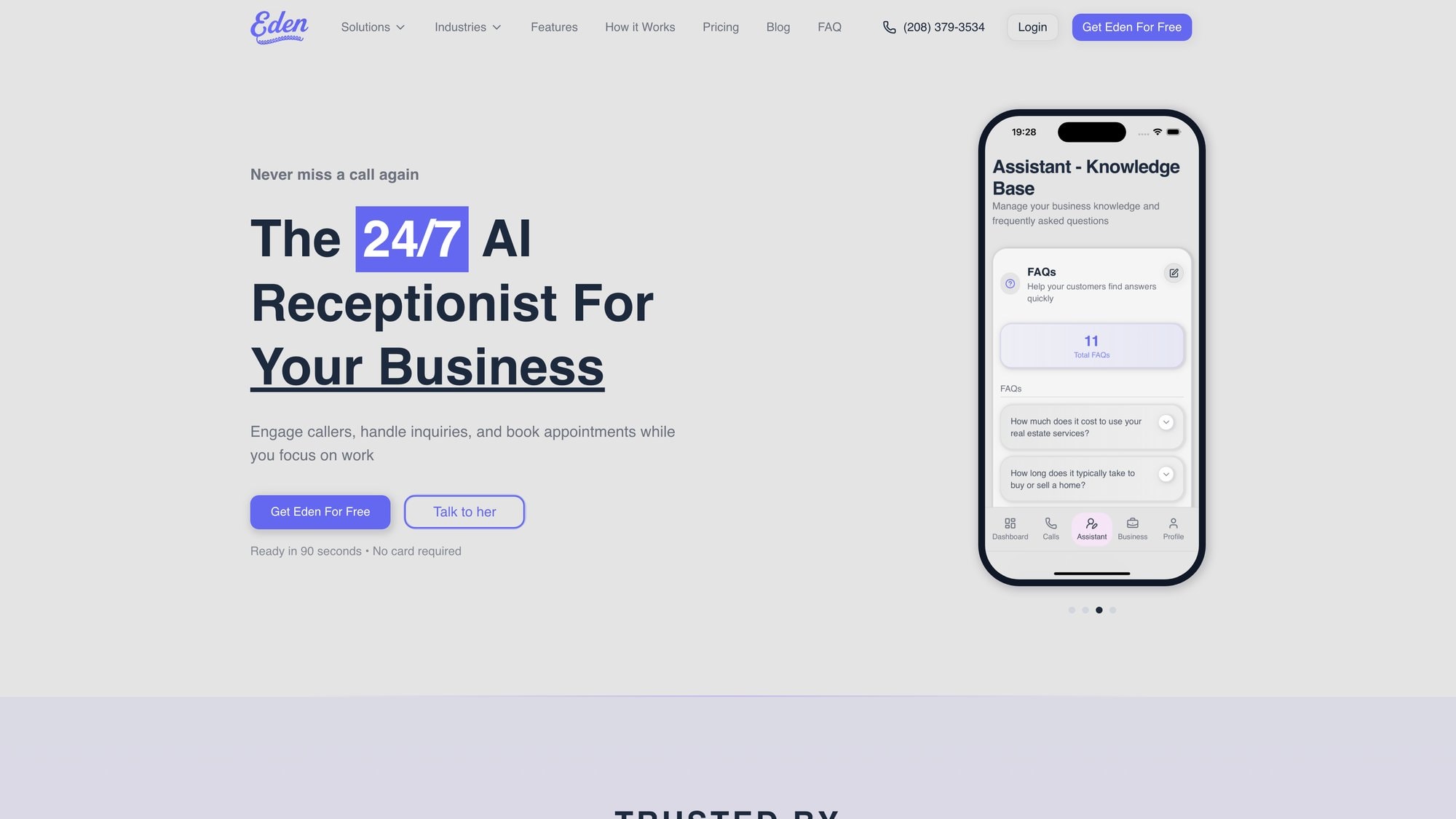
Teams using Eden report dramatically improved communication with customers because every call gets handled professionally, even when the whole team is tied up or it's 2am. Setup takes about five minutes, and you can test it with a free trial.
When phone communication runs smoothly, your team can focus on what they do best instead of playing phone tag or worrying about missed opportunities.
The bottom line: Technology should amplify your team's strengths. AI can handle routine tasks, improve clarity, and ensure nothing falls through the cracks. But remember, tech complements the human elements of communication (empathy, clarity, respect) rather than replacing them.
How to Train Your Team in Communication Skills#
Improving team communication is an ongoing journey, not a one-time fix.
People get better with awareness and practice. Don't assume everyone knows how to communicate effectively. Most of us can learn to do it better.
Offer Communication Skills Training#
Consider workshops or training sessions on:
• Business writing
• Conflict resolution
• Active listening
• Effective meeting facilitation
• Presentation skills
This could be simple (a team member shares tips on "Email etiquette 101") or more formal (bringing in an external trainer for a half-day session).
Training signals that your organization values good communication enough to invest in it. Even advanced communicators benefit from refreshers and opportunities to mentor others.
Include Communication in Performance Reviews#
If you manage people, make communication part of feedback conversations.
Praise team members who excel at keeping everyone informed or writing clear reports. Constructively point out if someone tends to work in isolation or if their messages often cause confusion.
By making it a talking point, you reinforce that communication is a core competency, not an afterthought.
Model the Behavior You Want to See#
Your communication habits set the tone for the team.
If you're a leader:
→ Be transparent with information and share updates regularly
→ Listen actively when others speak (don't multitask or interrupt)
→ Handle conflicts or misunderstandings with grace
→ Admit mistakes in communication openly
Showing humility and a learning mindset encourages others to do the same. Over time, the team will often mirror the leader's communication style.
A leader known for prompt, clear emails and thoughtful meeting facilitation will likely foster a team that communicates similarly.
Encourage Continuous Improvement#
Communication needs evolve as teams grow and projects change. Create an environment where iterating on communication norms is welcome.
Set a quarterly retrospective specifically on team communication: "What's one thing about how we communicate that we should keep, and one thing we should change?"

This keeps everyone engaged in making communication better and prevents stagnation.
Recognize Progress#
Improving communication can be subtle, so call it out when it happens:
"Our information flow has improved a lot this month. Great job, everyone, on keeping each other in the loop."
Positive reinforcement helps solidify good habits.
By investing in training and walking the talk, you ensure that better communication practices actually take root. Teams don't transform overnight, but every step brings you closer to a workplace where information is clear, timely, and shared effectively.
Frequently Asked Questions#
What's the fastest way to improve team communication right now?#
Start with clarity on channels. Define which tool is used for what (email vs. chat vs. meetings) and communicate this to your team today. Pair this with a weekly status check-in where everyone shares updates. These two changes alone can eliminate most confusion and information gaps within a week.
How do I improve communication on a remote team?#
Remote teams thrive on over-documentation and regular touchpoints. Use asynchronous communication (written updates, recorded videos) for flexibility, but also schedule regular video calls to maintain human connection. Make sure to use tools that integrate well together, and create informal spaces (like a non-work chat channel) for team bonding. Consider an AI phone solution like Eden to ensure customer calls get answered even when your remote team is scattered across time zones.
What if my team is resistant to new communication tools?#
Start small and demonstrate value quickly. Pick one pain point (like missed tasks or unclear responsibilities) and introduce a single tool that solves it. Get buy-in from a few enthusiastic team members first, then let them champion the change. Provide training and make adoption easy. Once people see the benefit, resistance usually fades. Don't force too many changes at once.
How can I tell if communication is actually improving?#
Track these indicators: Are deadlines being met more consistently? Are there fewer "I didn't know that" moments? Do team members feel more informed in surveys? Are you seeing fewer duplicated efforts or missed handoffs? You can also directly ask the team in retrospectives: "On a scale of 1-10, how well do you feel communication is working?" Monitor the trend over time.
How do I handle team members who don't communicate enough?#
First, understand why. Are they unclear on expectations? Do they feel their input isn't valued? Are they overwhelmed? Have a private conversation to identify barriers. Then set clear expectations: "I need a status update every Friday by 3pm" is more actionable than "communicate more." Provide structure (like templates or regular check-in times) that makes communication easier. Recognize and reward when they do communicate well.
What's the best way to give negative feedback without hurting team communication?#
Use the SBI framework: Situation, Behavior, Impact. Example: "In yesterday's meeting (situation), when you interrupted Sarah (behavior), it prevented her from finishing her point and made others hesitant to speak (impact)." Be specific, focus on observable behavior (not character), and deliver it privately and respectfully. Also balance negative feedback with positive recognition. When feedback is constructive and fair, it strengthens communication rather than harming it.
How do I reduce communication overload without missing important information?#
Create tiered communication: Mark truly urgent items clearly, use specific channels for different priorities, and batch low-priority updates into digests. Set up "quiet hours" for deep work. Use automation for routine updates. Most importantly, encourage people to be concise and purposeful in their messages. Before sending, ask: "Does this need to be communicated right now, and is this the right channel?"
Conclusion: Make Communication Your Competitive Advantage#
Poor communication costs companies between $10,000 and $55,000 per employee per year in lost productivity. It drives away talent. It loses customers.
But teams that communicate well are 25% more productive, more engaged, and significantly more likely to hit their goals.
The strategies in this guide aren't theoretical. They're practical, proven approaches that work for teams of all sizes and structures:
→ Establish clear channels and guidelines
→ Match messages to the right medium
→ Build a rhythm with regular check-ins
→ Define roles and responsibilities clearly
→ Create two-way feedback loops
→ Build trust through human connection
→ Practice active listening and empathy
→ Make communication inclusive for everyone
→ Prioritize quality over quantity
→ Use technology and AI strategically
→ Invest in training and lead by example
You don't have to tackle everything at once. Start with two or three changes that address your biggest pain points. Even small improvements (like a weekly update round or clarified channel usage) can yield immediate benefits.
Remember: communicate better, not just more. Quality over quantity is the mantra.
And if you're losing revenue to missed phone calls (a communication breakdown that costs small businesses tens of thousands annually), consider how Eden can ensure every call gets answered professionally, every lead gets captured, and your team can focus on delivering great work instead of playing phone tag.
Try Eden free for a week and see how AI-powered phone communication can transform your team's efficiency.
Communication isn't just about exchanging information. It's about building understanding, alignment, and trust. When you get it right, you unlock your team's full potential. When you get it wrong, even the most talented people will struggle.
Make communication your competitive advantage. Your future self (and your team) will thank you.
Ready to Transform YourCustomer Experience?
Join hundreds of businesses using Eden AI to handle calls, book appointments, and provide 24/7 customer support.